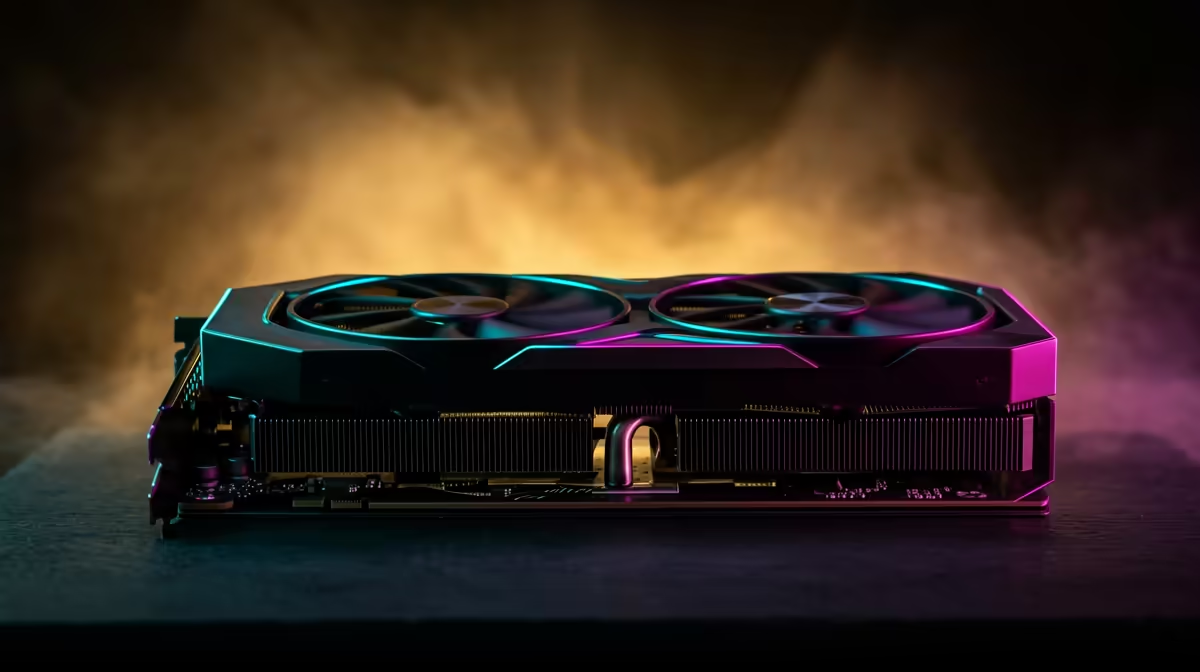
Running AI image generation locally rather than paying for cloud inference time comes down to one number before any other: how much VRAM sits on your graphics card. Stable Diffusion and the newer Flux models live or die on that figure, and getting it wrong means a model that either refuses to load or crawls at a pace that kills the fun. South African buyers can source cards across every tier locally, so the real task is matching the GPU to the model you actually want to run.
Quick Answer
For local AI image generation, plan around VRAM first. Stable Diffusion and SDXL run comfortably from about 12GB, while Flux.1 Dev wants roughly 24GB at full FP16 precision and around 22GB for the model alone before the text encoder is added. Quantised versions of Flux drop to 8GB to 13GB with minor quality loss, so smaller cards stay in the game if you accept a trade.
Why VRAM is the gatekeeper
Image models load their full weights into graphics memory before they can produce anything. If the weights plus the working buffers do not fit, the generation fails outright or offloads to system RAM, cutting generation speed to a fraction of what the GPU could achieve. Unlike gaming, where you can drop settings to claw back frames, an image model needs its memory all at once. That makes VRAM the spec that decides what runs, well ahead of raw clock speed.
The second factor is precision. Running a model at full FP16 uses the most memory and gives the cleanest output. Quantising it to FP8 or a GGUF format shrinks the memory footprint substantially, at a small and often barely visible cost to image quality. That lever is how a 12GB card runs a model that nominally wants 24GB.
The 12GB tier: the comfortable entry point
A 12GB card is the sensible floor for serious local image work. Stable Diffusion 1.5 and SDXL run well here with room for reasonable batch sizes and resolutions. Flux.1 Dev technically loads at 12GB in its lighter forms, and a GGUF Q5 or Q6 build of Flux on a 12GB card delivers the best image quality at that tier, beating SDXL and SD 3.5 Medium on prompt adherence, fine detail, and text rendering.
This is the tier most home creators should target. It runs the current model families without constant memory juggling, and it leaves the door open to Flux through quantisation.
What 12GB cannot do comfortably
Full FP16 Flux is out of reach, and very large batch jobs or high upscales will hit the ceiling. For those you climb a tier.
The 16GB tier: headroom for Flux quantised
At 16GB you gain real breathing room. FP8 Flux fits comfortably here at around 13GB, giving near-full-quality output with minor loss, and SDXL workflows with multiple control inputs stop feeling cramped. This tier suits anyone running Flux regularly who does not want to drop all the way to the smallest quants. It is the practical middle ground between cost and capability.
The 24GB tier: full-fat Flux
A 24GB card is what Flux.1 Dev genuinely wants. The model needs roughly 22GB at FP16 before the large text encoder adds its overhead, which is why 24GB is the recommended figure for reliable, full-quality results. At this tier you run the model at full precision, push higher resolutions, and chain heavier workflows without fighting memory at every step. If image generation is your main use for the machine rather than an occasional experiment, 24GB removes the constraints.
The systems in the AI PC range at Evetech are configured with VRAM capacity as the primary design constraint, and the GPU best sellers at Evetech show which high-memory options are currently moving locally.
Quantisation trade-offs in practice
Quantisation is not a single switch -- it is a spectrum, and understanding where quality holds up versus where it degrades shapes how you buy. At FP8, Flux.1 Dev loses almost nothing perceptible: prompt adherence, fine-edge detail, and text rendering stay close to the FP16 baseline. GGUF formats compress further, and Q5 or Q6 builds at 12GB still outperform SDXL on most prompt types. Q4 and below start showing visible softness on intricate detail and can drift from complex prompts, so they are experimentation territory rather than production tools.
Front-end choice interacts with this. ComfyUI handles memory more efficiently than older interfaces, so a 12GB card running Flux via a well-optimised ComfyUI workflow often outperforms the same card struggling through a less efficient pipeline at 16GB. The takeaway: do not buy VRAM to compensate for an inefficient software stack. Set up ComfyUI, measure actual usage with a representative model, then decide whether you need a bigger card.
Batch size and resolution
Single-image generation is forgiving. Where VRAM headroom really matters is batch generation and upscaling. Running a batch of four 1024x1024 SDXL images on a 12GB card pushes close to the limit; a 16GB card handles it with room to spare, and a 24GB card can run a four-image batch at 1536x1536 with a refiner pass added. If your workflow is iterative single-image work, 12GB is fine. If you run batches to explore variations quickly, headroom pays back in speed and stability.
How to choose for your situation
Decide which model you want at the centre of your workflow. If SDXL is your main tool, 12GB is enough and a great value. If Flux is the goal and you are happy with quantised output, 16GB is the sweet spot. If you want Flux at full FP16 with no compromises, buy 24GB and stop worrying about memory. Every one of these tiers is available to South African buyers, so the decision is about your model, not your postcode.
Frequently Asked Questions
How much VRAM do I need for Stable Diffusion?
SDXL runs comfortably from about 12GB, which gives room for reasonable resolutions and batch sizes. You can run lighter SD 1.5 workflows on less, but 12GB is the sensible target for current Stable Diffusion work.
Can I run Flux on a 12GB GPU?
Yes, with quantisation. A GGUF Q5 or Q6 build of Flux.1 Dev runs on 12GB and produces excellent quality, outperforming SDXL on prompt adherence and detail. Full FP16 Flux, however, needs far more memory.
Why does Flux need so much more VRAM than SDXL?
Flux.1 Dev is a roughly 12 billion parameter model and carries a large text encoder, so at full FP16 it needs around 24GB. SDXL is a smaller model, which is why it fits comfortably in 12GB.
Does quantising Flux ruin the image quality?
No, the loss is minor. FP8 Flux gives near-full quality, and even GGUF Q5 or Q6 produces strong results. Only the most aggressive low-bit quants show a clear quality drop.
Is 8GB enough for any local image generation?
It is tight but workable with the smallest quants. A GGUF Q4 build of Flux fits in around 6GB to 7GB, so an 8GB card can generate images, though slowly and with quality compromises compared to higher tiers.
Know which model you want to run? Match it to the right card in the AI ready PC range at Evetech and build a machine sized for the VRAM your image generation actually needs.