



How to Use a Nano SIM 4G Router for Reliable Home Internet
Master using a Nano SIM 4G router as your primary internet solution. Get stable speeds and seamless connectivity for gaming and streaming at home! 🌐🚀
Read more- Keyword, long-tails, intent - SEO elements, FAQs - Category, author Magnetic dome bearing fans extend fan lifespan by reducing friction, vibration and noise; practical upgrade tips ⚙️🔧
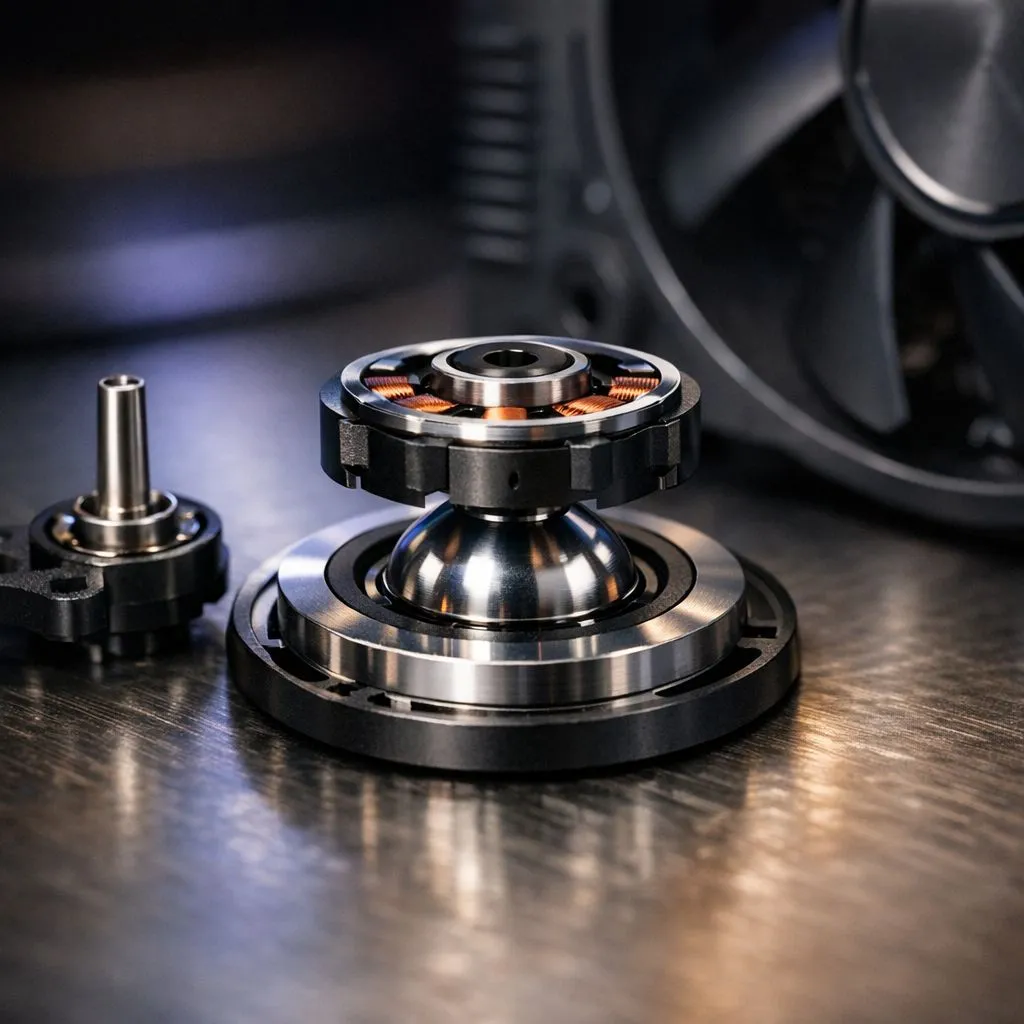
South African builders and gamers: tired of replacing noisy fans every year? Magnetic dome bearing fans cut mechanical wear, keep bearings clean, and often last noticeably longer. If you want quieter rigs that stay reliable through long LAN nights and ZAR-conscious upgrades, this deep dive explains why these bearings matter — and how to pick one that fits your build. 🔧✨
Magnetic dome bearing fans use magnetic attraction to reduce the load on the bearing contact points. Less friction means fewer microscopic metal-on-metal collisions. That lower contact stress reduces heat and wear, which boosts lifetime and keeps vibration down. For a quick look at the range of fans you can compare, check Evetech's case fans hub. https://www.evetech.co.za/PC-Components/case-fans-97.aspx
Magnetic dome designs are all about reducing physical contact where possible. That improves:
If you prefer mainstream, polished software support, look at pages filtered for CORSAIR options. https://www.evetech.co.za/PC-Components/case-fans-97.aspx?brands=CORSAIR CORSAIR tends to pair advanced bearings with firmware-tunable RGB ecosystems for neat synchronised lighting.
Deepcool often offers competitive performance per rand, with sensible fan designs that focus on cooling and reliability. For compact budgets or quiet boxes, see Deepcool models. https://www.evetech.co.za/PC-Components/case-fans-97.aspx?brands=Deepcool
Lighting is personal. If you want flair, explore RGB options that still use durable bearings. https://www.evetech.co.za/PC-Components/case-fans-97.aspx?attributes-lightingeffects=RGB If silence and stealth are your priorities, non-lit options keep noise down and avoid extra power draw. https://www.evetech.co.za/PC-Components/case-fans-97.aspx?attributes-lightingeffects=None
Bigger frames often spin slower for the same airflow. That can ease bearing stress. Compare common sizes before you buy:
Install fans with anti-vibration mounts to cut stress on the bearing housing. Keep intake filters clean; dust accelerates wear. Balance is key — a slightly misaligned blade causes wobble that shortens life.
Every 6 months, open side panels and use a soft brush or canned air to clear dust from fan blades and the hub. Less dust means less heat and lower bearing wear, extending performance across seasons.
Expect a range of prices depending on size and extras; Evetech’s hub is the best place to compare current ZAR pricing and stock before you commit. https://www.evetech.co.za/PC-Components/case-fans-97.aspx
Ready to Find Your Perfect Match? The Mac vs Windows debate is complex, but for maximum power, choice, and value in South Africa, Windows is hard to beat. Explore our massive range of laptop specials and find the perfect machine to conquer your world.
Fans that use magnetic stabilization to reduce shaft contact and friction, lowering wear compared with traditional sleeve or ball bearings.
They cut mechanical contact, friction and heat while reducing vibration, which slows wear and extends magnetic dome bearing lifespan.
Magnetic dome bearings typically outlast sleeve bearings thanks to less contact wear and better heat and load handling.
Yes. Magnetic dome bearing fans reduce contact noise and vibration, offering clear magnetic bearing noise reduction over many standard fans.
Minimal. Keep fans dust-free and maintain airflow. Magnetic designs reduce lubrication needs versus sleeve bearings.
Absolutely. Magnetic bearing PC fans improve longevity, reduce noise, and are a strong upgrade for long-term builds.
They cost more up front but often save money by extending fan lifespan and reducing replacements and downtime.
Master using a Nano SIM 4G router as your primary internet solution. Get stable speeds and seamless connectivity for gaming and streaming at home! 🌐🚀
Read more
Confused by Cat4 vs Cat6 LTE routers? 🌐 We break down the technical differences to help you choose the right router for faster gaming and streaming. Get the speed you deserve today! 🚀
Read more
Learn how to setup a VPN server on your 4G LTE router to secure your remote access. Protect your data and browse safely from anywhere with our easy guide! 🌐🔐
Read more
Choosing the best 4G LTE router for South Africa ensures reliable internet when fibre is unavailable. Discover top connectivity tips for rural and urban areas. 🌐📶
Read more
Discover what is passive PoE and how it streamlines outdoor router installations. Eliminate messy cabling and simplify your network setup with this efficient power delivery method. ⚡🌐
Read more
Need to extend internet coverage to outbuildings or farms? 📡 An outdoor 4G router is the ultimate solution for stable, high-speed connectivity in remote locations. Discover how to boost your range and stay connected anywhere on your property. 🌐
Read more
Wondering if a TKL wireless mechanical keyboard is worth it for everyday productivity? We break down latency, battery life, comfort, and workflow gains for real work. ⚡⌨️

Maximise battery life on a fanless 15-inch laptop using efficiency core architecture. Cut idle drain, tune power profiles, and improve thermals for longer runtime. 🔋⚙️

Learn how to reduce desk clutter with a TKL wireless keyboard using fewer cables, smart placement, and tidy essentials. Get a faster, calmer workspace with better ergonomics. ✅🧼

RGB keyboard lighting too distracting? Learn how to manage backlight modes, set brightness, and reduce distraction for focus and productivity 😌🖱️

Are themed gaming keyboards worth the extra cost? Compare build quality, switch options, features, and resale value to find the best fit for your setup 🎮⌨️

Full-Size vs Tenkeyless mechanical keyboards for gaming: find out if a smaller layout truly improves aim, speed, and comfort. We break down layout, desk space, latency-feel, and keybinds 🎮⌨️

Dedicated media rollers vs function key shortcuts: learn which setup gives you better workflow control, faster media access, and fewer mistakes. 🖱️🎧

Best Mechanical Switch Type for Gaming: Clicky vs Linear vs Tactile. Find your feel, speed, and noise balance with practical guidance for FPS, MOBA, and productivity 😄🎮

Direct mouse answer: Mouse not keeping up with your work? Everything that matters about dual-mode 2.4GHz + BT 5.0: DPI behaviour, channel switching, battery curves and per-app button mapping. Covers when 2.4GHz USB wins (low-latency desk) and when BT 5.0 wins (laptop, d

Plain wireless mouse guide: Mouse not keeping up with your work? Everything that matters about wireless productivity mouse: DPI behaviour, channel switching, battery curves and per-app button mapping. Includes DPI tuning tips, channel switch shortcuts, and ZAR-aware fea

Real productivity numbers: Set up your wireless mouse in this order: everything that matters about wireless productivity mouse: DPI behaviour, channel switching, battery curves and per-app button mapping. Includes DPI tuning tips, channel switch shortcuts, and ZAR-aware

Pen not feeling like paper? Stylus lag and skipping usually trace to old drivers, dirty nibs, or display refresh mismatches, not the pen itself. Covers pressure curve tuning, tilt thresholds, nib swap timing, and SA pricing brackets.