



How to Use a Nano SIM 4G Router for Reliable Home Internet
Master using a Nano SIM 4G router as your primary internet solution. Get stable speeds and seamless connectivity for gaming and streaming at home! 🌐🚀
Read moreMonitor cable quality matters: learn how cable type, bandwidth, and signal integrity influence image quality on high-end displays. Get testing tips and cable picks. 🔌🖥️
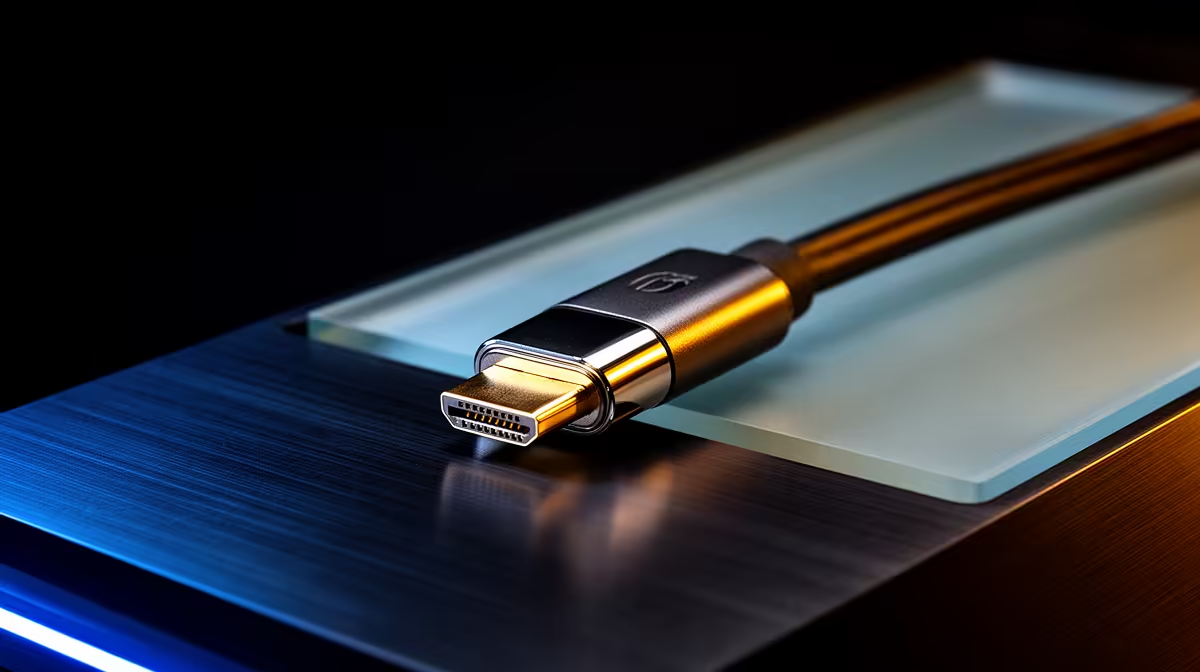
If you care about pixel-perfect frames on your PC or console, monitor cable quality matters more than most gamers think. In South Africa, where high-refresh esports rigs and ultrawide creative setups meet bandwidth limits, a poor cable can bottleneck an otherwise flawless display. Read on for practical tips, local buying notes and quick ways to diagnose a cable-caused issue 🔧.
Cable construction, connector integrity and supported bandwidth shape the final image. A cable that can't carry enough bandwidth will force your GPU and monitor to drop refresh rate, resolution or colour depth... even if both devices support higher specs. Likewise, interference from cheap shielding can introduce flicker or signal loss at long runs. Use a quality cable to preserve HDR, high refresh rates and deep colour—especially on 144Hz+ or 4K panels.
Start with the simple checks: swap cables between ports or devices, inspect connectors for bent pins, and test with a known-good cable. If artefacts vanish, the cable was the culprit. For long runs, use well-shielded, certified cables to avoid interference. When upgrading, match your cable’s certification to the display standard you're targeting rather than guessing.
Look for explicit support for the resolution and refresh rate you want. If you're pushing 1440p at 240Hz or 4K at 120Hz, confirm both monitor and cable ratings. For a neat build and reliable signal, premium sleeved or well-built extensions are worth it—especially in builds where cable management matters. For a tidy RGB setup and solid connections, check a quality ARGB extension like this GameMax option for neat routing and connection reliability: GameMax ARGB extension cable on Evetech. 🚀
To reduce contact issues clean HDMI DisplayPort contacts gently with isopropyl swab, avoid forcing connectors, and avoid tight bends. Treat cables like precision instruments; small damage can cost you frames.
For a cleaner look and proven quality, individually sleeved premium cables can both improve airflow and make swaps easier. Browse NZXT’s individually sleeved premium cables for neat builds and reliable connectors: NZXT individually sleeved premium cables. ✨
Ready to Find Your Perfect Match? The Mac vs Windows debate is complex, but for maximum power, choice, and value in South Africa, Windows is hard to beat. Explore our massive range of laptop specials and find the perfect machine to conquer your world.
Yes. Cable type, bandwidth, and signal integrity can affect color accuracy, resolution, and stability—especially for 4K/144Hz and HDR setups.
DisplayPort usually offers higher bandwidth for high refresh rates and color depth, but a certified high-speed HDMI can match quality at comparable specs.
Poorly shielded or substandard cables can introduce noise or drop frames, which may reduce perceived sharpness and color stability.
Longer passive cables suffer signal attenuation. For runs over 3–5 meters at high resolutions, use active or certified high-bandwidth cables.
Yes. For 4K at 144Hz you need cables that support the required bandwidth—look for DisplayPort 1.4/2.0 or HDMI 2.1 compatible options.
USB-C Alt Mode quality depends on the cable's USB-C specs and DisplayPort lanes. Use cables rated for full video bandwidth to avoid issues.
Swap to a certified cable, try a shorter run, or test with another monitor. If artifacts disappear, the cable likely caused the issue.
Master using a Nano SIM 4G router as your primary internet solution. Get stable speeds and seamless connectivity for gaming and streaming at home! 🌐🚀
Read more
Confused by Cat4 vs Cat6 LTE routers? 🌐 We break down the technical differences to help you choose the right router for faster gaming and streaming. Get the speed you deserve today! 🚀
Read more
Learn how to setup a VPN server on your 4G LTE router to secure your remote access. Protect your data and browse safely from anywhere with our easy guide! 🌐🔐
Read more
Choosing the best 4G LTE router for South Africa ensures reliable internet when fibre is unavailable. Discover top connectivity tips for rural and urban areas. 🌐📶
Read more
Discover what is passive PoE and how it streamlines outdoor router installations. Eliminate messy cabling and simplify your network setup with this efficient power delivery method. ⚡🌐
Read more
Need to extend internet coverage to outbuildings or farms? 📡 An outdoor 4G router is the ultimate solution for stable, high-speed connectivity in remote locations. Discover how to boost your range and stay connected anywhere on your property. 🌐
Read more
Wondering if a TKL wireless mechanical keyboard is worth it for everyday productivity? We break down latency, battery life, comfort, and workflow gains for real work. ⚡⌨️

Maximise battery life on a fanless 15-inch laptop using efficiency core architecture. Cut idle drain, tune power profiles, and improve thermals for longer runtime. 🔋⚙️

Learn how to reduce desk clutter with a TKL wireless keyboard using fewer cables, smart placement, and tidy essentials. Get a faster, calmer workspace with better ergonomics. ✅🧼

RGB keyboard lighting too distracting? Learn how to manage backlight modes, set brightness, and reduce distraction for focus and productivity 😌🖱️

Are themed gaming keyboards worth the extra cost? Compare build quality, switch options, features, and resale value to find the best fit for your setup 🎮⌨️

Full-Size vs Tenkeyless mechanical keyboards for gaming: find out if a smaller layout truly improves aim, speed, and comfort. We break down layout, desk space, latency-feel, and keybinds 🎮⌨️

Dedicated media rollers vs function key shortcuts: learn which setup gives you better workflow control, faster media access, and fewer mistakes. 🖱️🎧

Best Mechanical Switch Type for Gaming: Clicky vs Linear vs Tactile. Find your feel, speed, and noise balance with practical guidance for FPS, MOBA, and productivity 😄🎮

Direct mouse answer: Mouse not keeping up with your work? Everything that matters about dual-mode 2.4GHz + BT 5.0: DPI behaviour, channel switching, battery curves and per-app button mapping. Covers when 2.4GHz USB wins (low-latency desk) and when BT 5.0 wins (laptop, d

Plain wireless mouse guide: Mouse not keeping up with your work? Everything that matters about wireless productivity mouse: DPI behaviour, channel switching, battery curves and per-app button mapping. Includes DPI tuning tips, channel switch shortcuts, and ZAR-aware fea

Real productivity numbers: Set up your wireless mouse in this order: everything that matters about wireless productivity mouse: DPI behaviour, channel switching, battery curves and per-app button mapping. Includes DPI tuning tips, channel switch shortcuts, and ZAR-aware

Pen not feeling like paper? Stylus lag and skipping usually trace to old drivers, dirty nibs, or display refresh mismatches, not the pen itself. Covers pressure curve tuning, tilt thresholds, nib swap timing, and SA pricing brackets.