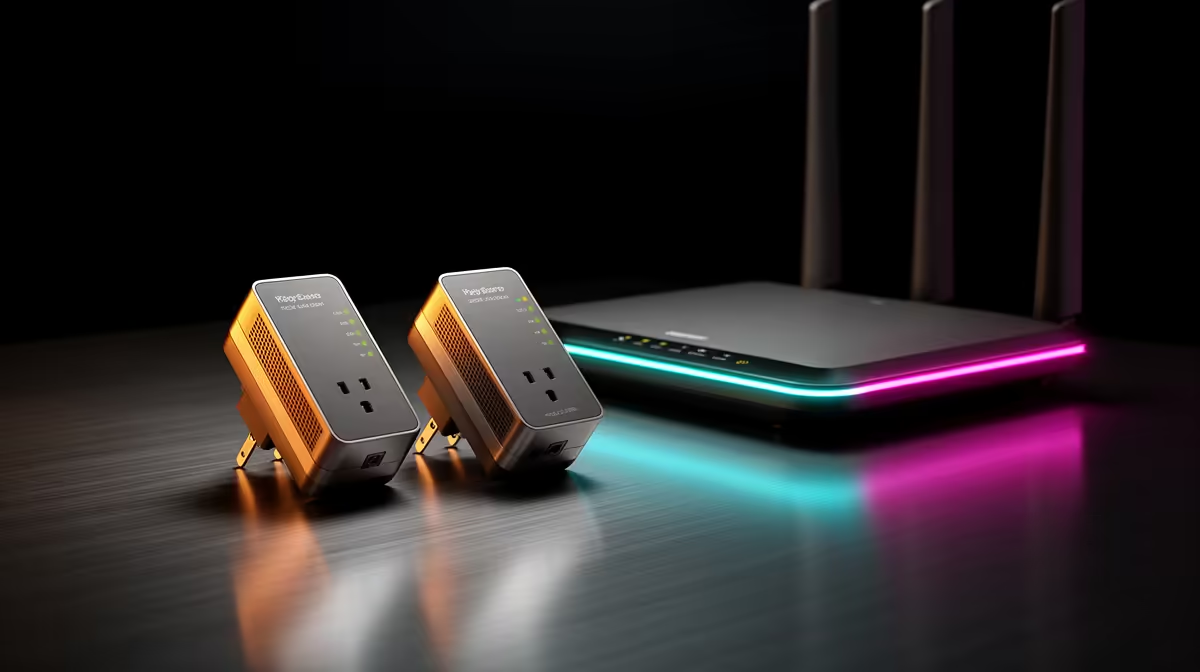
Powerline networking and WiFi extenders solve the same complaint through different paths. A powerline kit carries data over the home's electrical wiring. An extender receives WiFi and sends it again. Either can beat a dead zone, but the house decides which one behaves better.
Quick Answer
Choose powerline for a fixed PC, television or console when the two wall sockets share a clean enough electrical path. Choose a WiFi extender when phones and laptops need coverage in an area that still receives a useful router signal. Test before committing, because circuit layout, interference and building materials can overturn the expected result.
How powerline networking works
A starter kit uses one adapter beside the router and another near the device. Ethernet connects the first adapter to the router, while the pair modulates network data over the mains wiring. The remote adapter can provide Ethernet, WiFi or both depending on the model.
The printed powerline rate is a link-class figure, not the file speed you should expect. Wiring length, circuit breakers, electrical noise and adapter design reduce real throughput. Latency can still be steadier than a weak repeated WiFi signal, which makes powerline useful for a stationary game device.
Plug adapters directly into wall sockets unless the maker approves another arrangement. Surge-protected multiplugs and filtered extensions can block the frequencies the kit uses. A pass-through powerline model gives the wall socket back for another appliance within its stated load.
What a WiFi extender changes
An extender listens to the router and rebroadcasts the network from a second position. It needs to sit where the original WiFi remains strong. Placing it inside the dead zone only repeats a poor link.
Single-radio repeaters can lose usable throughput because the same radio receives and sends traffic. Dual-band designs can separate parts of the path, while mesh systems coordinate roaming and backhaul with more control. Product design and placement matter more than the word "extender".
Browse the networking range and popular accessories when you know whether the missing link is wired or wireless.
Electrical wiring can make or break powerline
Performance is often best on sockets served by the same distribution path. Crossing circuits, phases or certain protective devices can reduce or stop the link. The age of the home does not predict the result by itself; a newer property can still have a noisy appliance or an awkward circuit route.
Phone chargers, dimmers, motors and large appliances can inject electrical noise. If speed changes when an appliance runs, move the adapter to another wall socket and retest. Do not alter household wiring for a network experiment; a qualified electrician should handle electrical questions.
Powerline does not send your traffic through the public electricity grid in a useful way, but pair security still matters. Use the adapters' encryption and pairing process, and change management credentials where the product exposes them.
Placement decides extender performance
Use a phone or laptop to find the point where the router signal is still stable before the dead zone begins. Put the extender there, in the open and away from metal cabinets. Test the remote room at several times of day.
An extender can create a separate network name or reuse the original one. Reusing it is tidy, but basic devices may hold onto the distant access point instead of roaming. A distinct name lets you see which radio you joined. Mesh systems tend to handle this transition better when mobile roaming is the main goal.
Gaming needs latency consistency
Run Ethernet directly to the router as the baseline when possible. Then test powerline and extended WiFi from the same device. Record average ping, variation and packet loss during a busy evening. A high speed with regular spikes is weaker for competitive play than a slower stable link.
Powerline often suits a fixed console because the final connection is Ethernet and the electrical path does not compete with nearby WiFi clients. That is a common outcome, not a guarantee. A clean modern mesh backhaul can beat poor wiring.
File transfers need real throughput
Copy one large file from a local wired PC or NAS to measure the home link without the internet connection becoming the limit. Repeat a folder of small files if that resembles your work. Powerline headline rates and extender WiFi class cannot replace this measurement.
Check Ethernet port speed on the adapters. A kit with Fast Ethernet ports cannot deliver Gigabit file transfers regardless of its advertised powerline class.
Coverage for phones favours wireless expansion
A powerline adapter with Ethernet alone helps one fixed device but does nothing for a phone. A powerline WiFi model can create a remote access point, combining the electrical backhaul with local wireless coverage. That can work well when the wiring path is stable.
For several rooms and moving devices, a planned mesh system is easier to manage than a chain of unrelated extenders. Avoid repeating an extender through another extender; every weak hop adds complexity and can reduce performance.
A clean two-evening test
On the first evening, test the extender at two sensible locations. On the second, test a powerline pair in two wall-socket combinations. Keep the same laptop or console, server and time window.
Record setup time, remote throughput, ping variation and whether mobile devices roam correctly. Include any appliance-related drops. The winning technology is the one that stays useful in this home, not the one with the larger number on the box.
Keep firmware current through the supported utility, especially when adapters from the same kit lose pairing. Label each unit by room and do not mix encryption groups without recording the change. If the link fails after an electrical alteration, repeat the direct-wall test before replacing network hardware. The wiring path may have changed even though each adapter still powers on.
Frequently Asked Questions
Is powerline always faster than a WiFi extender?
No. Wiring and electrical noise can limit powerline, while a well-placed modern extender can have a strong backhaul.
Can I plug a powerline adapter into a multiplug?
Direct wall connection is the normal starting point. Follow the exact adapter maker's instructions because filtered extensions can weaken the link.
Is an extender good for gaming?
It can work when the backhaul is strong and stable. Ethernet or a tested powerline link often gives a fixed device a cleaner baseline.
Compare home-networking hardware only after testing whether your sockets favour powerline or your router signal supports a well-placed wireless extender.