Twelve thousand Rand sounds like a threshold crossed; the actual Delta price stops one Rand short. Asking whether a dual touch monitor is worth more than the R12k mark therefore needs a correction first, followed by a feature-and-workflow test at the real R11,999 amount.
Quick Answer
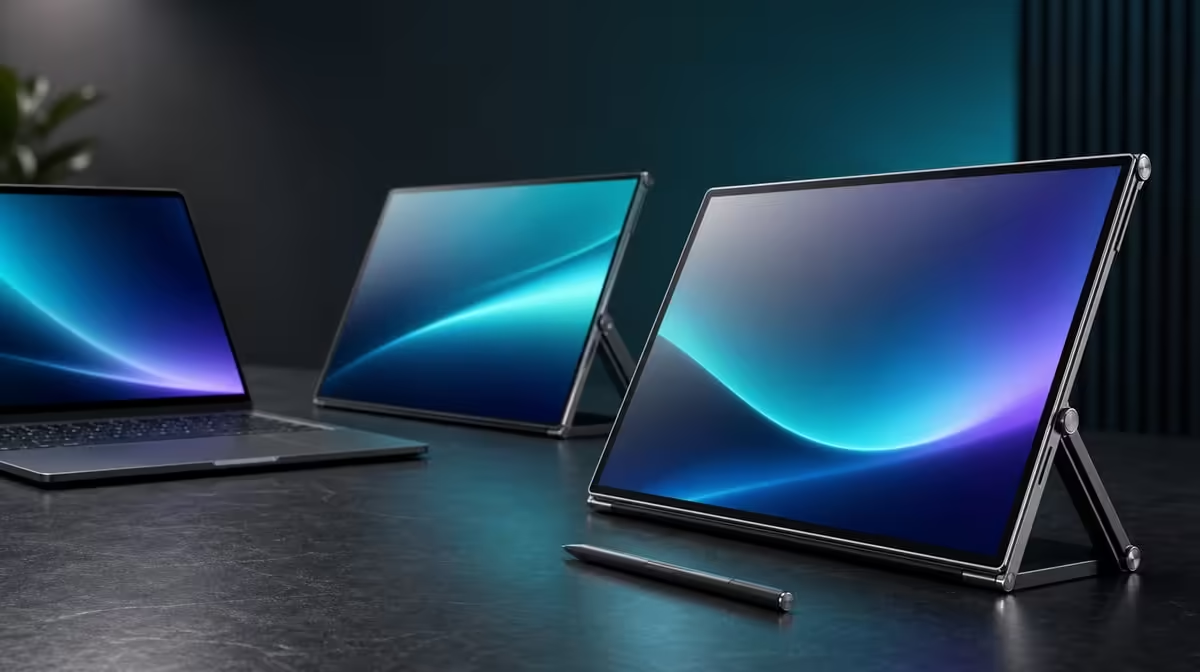
The UPERFECT Delta Pro Touch does not cost more than the twelve-thousand-rand threshold. At R11,999, it is exactly one Rand below that line and provides two 16-inch QHD touchscreens, 10-point pressure-sensitive input, 100% sRGB, auto-rotation and an ergonomic stand for compatible laptop workflows.
💸 Correct the premise without inflating the R1
Being one Rand below the headline threshold does not create a meaningful discount by itself. Treat R11,999 as the purchase amount and judge whether the complete Delta package solves the intended work.
Review Evetech's portable-monitor options with the same laptop, desk and application list. A lower price wins when it preserves every essential role.
🖥️ Ask what the two QHD panels replace
Map the current laptop workflow. If a single display causes constant switching between canvas, preview, tools and reference material, two 2560 x 1600 panels may provide a substantial change. If the second screen only holds a passive window, the specialist system may be overbuilt.
Keep scaling readable and test source performance. Pixel count is useful only when the laptop drives the intended applications smoothly and the interface remains comfortable.
✍️ Put input and colour through real tasks
Use a touch-aware application for several simultaneous contacts and a pressure-aware control with a compatible tool. Do not claim a pressure-level count or specific bundled pen.
Open familiar sRGB content on both panels and follow the intended export process. The 100% sRGB gamut supports a defined colour space, but coverage alone is not calibration proof.
Evetech's wider PC-monitor range is a useful comparison when a fixed non-touch screen could cover the visual workload.
🔄 Make mobility hardware earn its share
Rotate the panel into the positions actually used, then verify orientation, window placement, touch mapping and stand balance. Auto-rotation saves steps only when the laptop workspace recovers correctly.
The ergonomic stand should hold both 16-inch panels stable under input. Measure the full screen-and-laptop setup against the work surfaces and carrying routine without assuming universal fit.
Use Evetech's best-selling monitor collection as another live reference. Recheck availability when ready to buy.
Create a 30-day forecast for QHD space, touch, pressure, colour and rotation. The R11,999 Delta is worthwhile when several high-frequency roles converge. Its one-Rand relationship to the R12k mark should not control the verdict.
Price the complete laptop station
Write down the exact R11,999 monitor amount, then identify any equipment already owned and the working surface the setup requires. Price only the accessories the planned setup actually needs. The purpose is to judge whether the Delta has a defined role beside the actual laptop, not to make the threshold look smaller through vague total-cost language.
Compare this complete arrangement with the screen system currently used. If two interactive QHD surfaces replace repeated window switching or another device in a proven workflow, record that benefit. If they only duplicate passive viewing space, the price needs a different justification.
Validate the three-screen geometry
When the laptop display remains open, the user may work across three visible panels. Arrange the operating-system rectangles to match their real positions, set both Delta screens to 2560 x 1600 and move a labelled window through every transition.
Choose a primary display and note where new windows and alerts appear. A premium multi-screen system loses value when the pointer takes an unexpected route or important prompts open outside the user's normal line of sight.
Give touch a paid-work test
Pick one business or creative task completed regularly and perform it through direct input. Confirm single taps first, then supported multi-finger actions. If pressure matters, use a compatible tool in a function that visibly responds to changing force.
Time the workflow against the normal laptop input method and count corrections. A feature earns part of R11,999 when it removes recurring effort or enables an outcome, not merely because the hardware can register ten contacts.
Put the sRGB claim in context
Open known sRGB material across both panels and complete the normal review or export step. The stated coverage supports this colour space, but it does not promise that every unit, mode or room is perfectly calibrated.
Buyers whose work has no defined colour target can assign this capability less weight. Creators should preserve the gamut fact while listing calibration or measured accuracy as a separate question if their projects demand it.
Rehearse rotation without disrupting work
Move one panel into the intended portrait or sharing position and wait for gravity sensing. Check the image, application location, touch mapping and cable path before continuing. Return to the normal layout and confirm the saved desktop still makes sense.
Repeat the movement on the compact surface where it will often occur. Rotation adds value only when the monitor, stand and laptop can complete the transition safely and the user can recover the working arrangement without a lengthy reset.
Decide with a feature-removal exercise
Remove one capability at a time from the candidate: pressure response, 100% sRGB, auto-rotation, the second QHD panel or direct touch. Ask whether the main job still succeeds. The answer identifies which parts of the package carry the decision.
Finish by comparing another current monitor configuration using the same application, desk and input tests. If the Delta remains the strongest fit, R11,999 has a workflow-based case. If the work survives every removal, the near-threshold price is difficult to defend.
Test the 25ms figure against relevant motion
Use a familiar clip, scrolling project or timeline movement from the normal workload and view it across the intended Delta panel. Keep the laptop output and application settings consistent when comparing another display. Record the observation without allowing a still-image impression to answer the motion question.
A creator or business user may weight this differently from a fast-game specialist. The stated response belongs in the decision, but it should neither erase the monitor's interactive strengths nor be hidden behind its high-resolution panels.
Preserve a one-page purchase record
Write the product, exact R11,999 amount, test date, successful laptop configuration and three features that carried the verdict. Add any failed application or orientation case. This short record prevents the threshold headline from replacing the evidence later.
When buying, recheck the linked Evetech categories for current availability and compare the same job again if the shortlist has changed. Keep the verified product price exact throughout the review rather than rounding it to the nearby psychological boundary.
Frequently Asked Questions
Does the Delta cost above the R12k mark?
No. It costs R11,999.
How much below the threshold is that?
It is one Rand lower.
Does the R1 difference prove value?
No. Value comes from the features used in the compatible laptop workflow.
Who gains most from this package?
Users who repeatedly need dual QHD space, direct input, sRGB colour and flexible orientation.
What should motion-sensitive users note?
The Delta states a 25ms response figure.
Ready to judge R11,999 by use rather than a threshold headline?
Compare Evetech's portable monitors with your laptop, interactive applications, colour target and physical workspace in view.