



Hot-Swappable PCB Architecture in Modern Keyboards: Guide
Learn hot-swappable PCB architecture in modern keyboards—what it is, how sockets and traces work, and how to pick the right board. Speed up swaps, reduce risk, and upgrade faster 🔧⚡
Read moreTransform your space with a projector streaming setup. Enjoy crystal-clear 💫 live sports with friends! Boost the vibe 🎉 with our expert tips. Read the full breakdown →
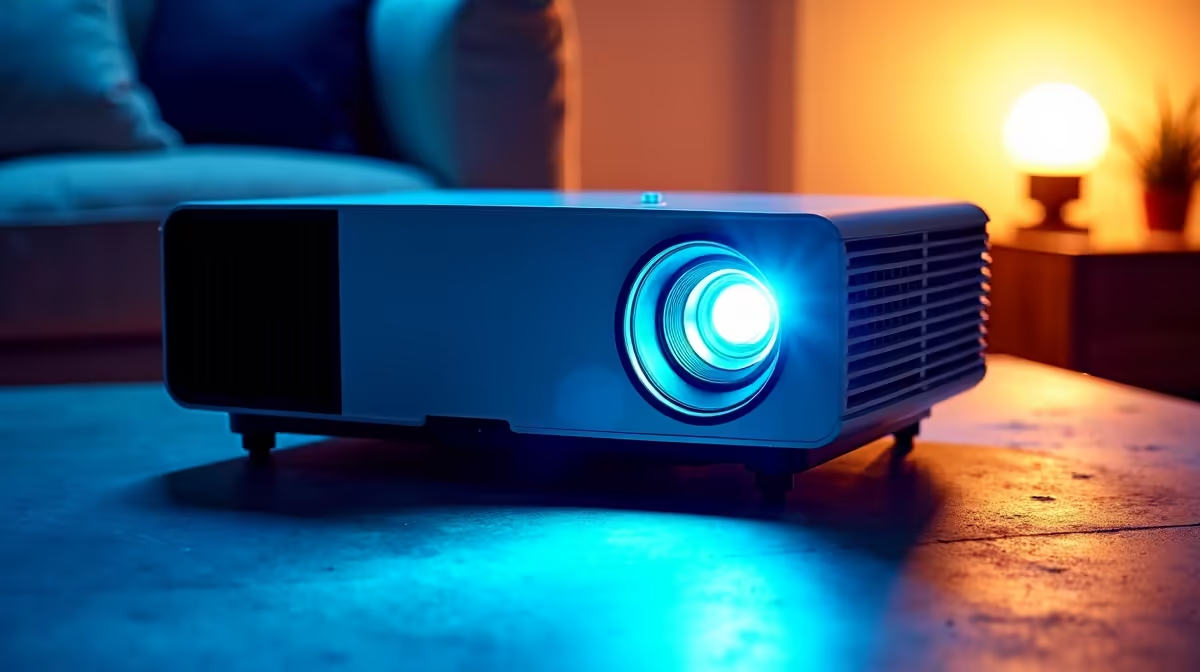
Imagine this: the braai is sizzling, your mates are over, and the Springboks are about to run onto the field. But instead of crowding around a TV, you’re watching the action on a massive 100-inch screen, right in your living room or lapa. A proper projector streaming live sports setup isn't a far-off dream for the super-rich anymore. It's affordable, surprisingly simple to put together, and completely transforms how you experience the game. 🏉
First things first, you need the star player: the projector. Don't get bogged down by technical jargon. Focus on two key things: brightness (measured in lumens) and resolution. For a room with some ambient light, or for daytime viewing, look for at least 3,000 lumens. For resolution, 1080p (Full HD) is the sweet spot for crisp, clear sports action, delivering an amazing picture without breaking the bank.
You'll be amazed at the quality you can get with modern hardware. There are plenty of fantastic projectors under R20,000 that are perfect for streaming sports, movies, and more.
A massive picture with tiny, tinny sound is a recipe for disappointment. Most projectors have built-in speakers, but they're rarely powerful enough to deliver that stadium roar. To truly feel the impact of every tackle and the roar of the crowd, connect your projector to an external sound system. A decent soundbar or even a good set of Bluetooth speakers can make a world of difference, creating an immersive atmosphere that puts you right in the action.
So, you've got your picture and sound sorted. How do you get the live game onto the screen? This is where the "streaming" part of your setup comes in. The easiest method is using a dedicated streaming device like a Google Chromecast, Apple TV, or an Android TV box. You simply plug it into your projector's HDMI port, connect it to your Wi-Fi, and log into your DStv Stream or other sports streaming app. Easy as that.
For live sports, every second counts. To minimise that frustrating delay between the live action and what you see on screen, connect your streaming device or laptop directly to your router with an Ethernet cable. It’s a more stable and faster connection than Wi-Fi, ensuring your stream is as close to real-time as possible.
The final step is getting the perfect picture. You don't necessarily need a fancy, dedicated screen—a smooth, white wall can work wonders. The key is placement. Most projectors have a feature called "keystone correction," which allows you to straighten the image even if the projector isn't perfectly centred. Top-tier brands like Viewsonic often include advanced tools that make getting a sharp, perfectly rectangular image a breeze, no matter your room's layout. Take a few minutes to adjust the focus and colour settings, and you're ready for kick-off.
Ready for the Big Game? Transform your home into the ultimate sports venue. Explore our massive range of projectors and find the perfect centrepiece for your setup at Evetech today!
Use an HDMI cable to link devices like Fire Stick or Apple TV directly to your projector's HDMI port for seamless streaming.
Enable 'Sports Mode' for enhanced motion clarity and adjust brightness for ambient light conditions during daytime matches.
Yes! Use any projector with HDMI ports + streaming stick combo to create a DIY sports streaming theater.
Enable 'Game Mode' on your projector to sync sound with live action. Check HDMI ARC compatibility for external speakers.
4K projectors with 100-120" screens provide optimal viewing for groups, balancing size and seating distance.
DSTV Now & Netflix Sport offer dedicated HD sports streaming options compatible with all modern projectors.
Ensure 5GHz Wi-Fi connection for 4K streaming and use premium HDMI 2.1 cables for zero input delay.
Learn hot-swappable PCB architecture in modern keyboards—what it is, how sockets and traces work, and how to pick the right board. Speed up swaps, reduce risk, and upgrade faster 🔧⚡
Read more
Mechanical switch lifespan explained—what the 50 million keystroke rating really means, plus tips to extend switch life and reduce double-press issues 🔧⌨️
Read more
60-percent vs full-size mechanical keyboard layouts—learn what each layout includes, who it suits, and how to choose the right fit 🧩⌨️ for typing, gaming, and productivity.
Read more
Double injection keycaps last far longer than standard printed keycaps in most setups. Learn typical lifespan ranges, what shortens them, and how to maximize durability for smoother daily typing and gaming 😊⌨️
Read more
Full-key anti-ghosting: does it stop missed inputs during fast-paced gaming? We break down latency, polling, and key matrix limits so you can buy smarter 🎮⚡
Read more
Protect mechanical keyboard switches from South African dust and summer humidity with practical cleaning and storage habits. Keep your switches smooth, reduce failures, and extend lifespan. 🌬️💧
Read more
Wondering if a TKL wireless mechanical keyboard is worth it for everyday productivity? We break down latency, battery life, comfort, and workflow gains for real work. ⚡⌨️

Maximise battery life on a fanless 15-inch laptop using efficiency core architecture. Cut idle drain, tune power profiles, and improve thermals for longer runtime. 🔋⚙️

Learn how to reduce desk clutter with a TKL wireless keyboard using fewer cables, smart placement, and tidy essentials. Get a faster, calmer workspace with better ergonomics. ✅🧼

RGB keyboard lighting too distracting? Learn how to manage backlight modes, set brightness, and reduce distraction for focus and productivity 😌🖱️

Are themed gaming keyboards worth the extra cost? Compare build quality, switch options, features, and resale value to find the best fit for your setup 🎮⌨️

Full-Size vs Tenkeyless mechanical keyboards for gaming: find out if a smaller layout truly improves aim, speed, and comfort. We break down layout, desk space, latency-feel, and keybinds 🎮⌨️

Dedicated media rollers vs function key shortcuts: learn which setup gives you better workflow control, faster media access, and fewer mistakes. 🖱️🎧

Best Mechanical Switch Type for Gaming: Clicky vs Linear vs Tactile. Find your feel, speed, and noise balance with practical guidance for FPS, MOBA, and productivity 😄🎮

Direct mouse answer: Mouse not keeping up with your work? Everything that matters about dual-mode 2.4GHz + BT 5.0: DPI behaviour, channel switching, battery curves and per-app button mapping. Covers when 2.4GHz USB wins (low-latency desk) and when BT 5.0 wins (laptop, d

Plain wireless mouse guide: Mouse not keeping up with your work? Everything that matters about wireless productivity mouse: DPI behaviour, channel switching, battery curves and per-app button mapping. Includes DPI tuning tips, channel switch shortcuts, and ZAR-aware fea

Real productivity numbers: Set up your wireless mouse in this order: everything that matters about wireless productivity mouse: DPI behaviour, channel switching, battery curves and per-app button mapping. Includes DPI tuning tips, channel switch shortcuts, and ZAR-aware

Pen not feeling like paper? Stylus lag and skipping usually trace to old drivers, dirty nibs, or display refresh mismatches, not the pen itself. Covers pressure curve tuning, tilt thresholds, nib swap timing, and SA pricing brackets.