



How to Use a Nano SIM 4G Router for Reliable Home Internet
Master using a Nano SIM 4G router as your primary internet solution. Get stable speeds and seamless connectivity for gaming and streaming at home! 🌐🚀
Read moreRGB backlighting modes on gaming keyboards, decoded. Learn how to pick effects, adjust brightness, sync patterns, and troubleshoot issues for the best look. 🎮✨
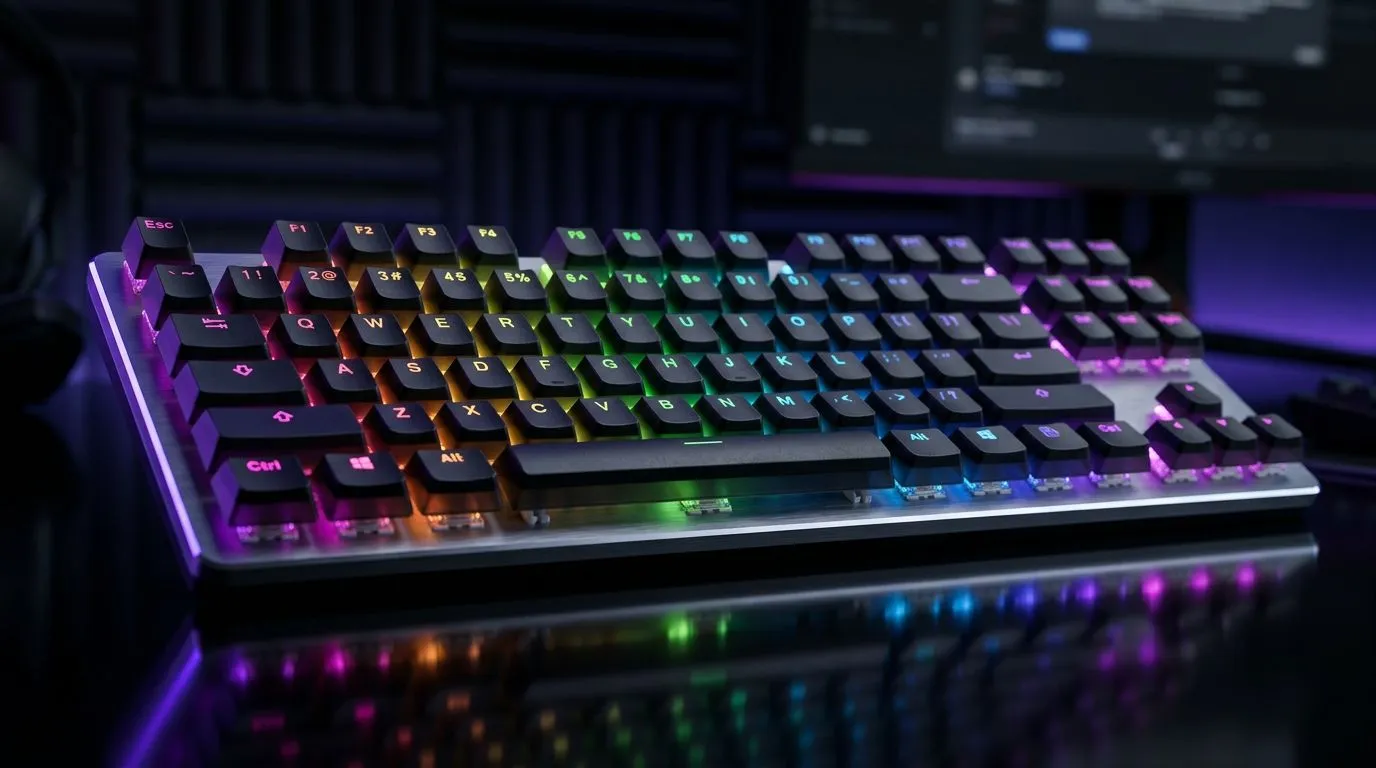
If you’re a South African gamer or tech enthusiast, your keyboard’s RGB backlighting does more than just look sleek. It’s a way to express your style, enhance your gameplay, and even improve visibility during intense sessions. Understanding RGB backlighting modes opens the door to complete customisation, putting you in control of every glow and pulse 🔧. Ready to transform your gaming gear into a personalised light show? Let’s dive in.
RGB backlighting modes refer to the different lighting patterns and effects your gaming keyboard can display. From static colours to dynamic waves, these modes help you tailor your rig’s appearance while serving functional purposes like key highlighting for specific games.
South African gamers often ask — why stick to boring defaults when you can customise? For instance, reactive lighting can signal in-game actions, making your setup a vital companion on your journey through every raid and tournament.
The most common modes include:
Each mode can be tuned with colours to match your favourite South African cricket team's palette or your gaming clan’s identity.
Reactive modes respond to your keystrokes by lighting up a key or spreading a ripple effect outwards. This real-time feedback is not just eye-candy — it can help track key presses in hectic gameplay.
If you want affordable options to start experimenting, check out the best gaming keyboard deals on Evetech. You’ll find keyboards with multiple RGB modes from top brands, all priced in ZAR for budget-savvy buyers.
If you use a wireless gaming keyboard, managing RGB brightness conserves battery without sacrificing visibility. Lower brightness or switching to static colours can extend playtime while keeping your keys glowing just right.
Explore the range of wireless gaming keyboards for great picks that blend freedom and customisation.
Wired keyboards often give you the richest RGB experience with no input lag. You can push complex lighting profiles with multiple layers and sync your keyboard with other peripherals.
For wired options that deliver both performance and dazzling RGB, browse the wired gaming keyboards selection.
Try syncing your keyboard’s wave effect direction with your mouse movement. It creates a cohesive feel across your gear, ramping up immersion.
Looking to complete your setup? Pairing your custom RGB keyboard with a matching mouse can elevate your rig. Many combos offer seamless light synchronisation and tailored macros.
Check out the top-rated keyboard and mouse combos available in South Africa, designed for smooth gaming sessions and eye-catching aesthetics.
You don’t need to break the bank to enjoy full RGB customisation. Evetech stocks some of the cheapest gaming keyboards in South Africa that come with quality lighting modes and durable builds.
As a bonus, many models support dedicated software for tweaking every RGB detail — ideal for gamers who love to tinker 🔧.
{{CALLTOACTION
Upgrade Your RGB Experience Today
Ready to light up your gameplay with complete RGB customisation? Shop now at Evetech for performance that leaves lag in the dust. }}
Most keyboards include static, breathing, wave, ripple, reactive, cycle, and rainbow modes. Use these to choose steady or animated RGB backlighting.
Typically you use dedicated keys or the keyboard software to switch modes, adjust speed, and change colors. Start with the static mode to test setup.
Yes. Many gaming keyboard apps let you save per-game or per-profile settings, including effects, brightness, and key-by-key colors for quick switching.
In most RGB software and onboard controls, brightness and speed sliders affect modes like breathing and wave. Reduce brightness if colors look washed out.
Check power/connection, firmware/software compatibility, and whether a profile is selected. Try switching modes, resetting the keyboard settings, then retesting.
Reactive responds to key presses, ripple spreads outward from a trigger, and wave animates across the keyboard in a repeating pattern with adjustable speed.
Some keyboards support game integration or ecosystem syncing. Use supported software to link lighting events, then select the matching sync mode.
Master using a Nano SIM 4G router as your primary internet solution. Get stable speeds and seamless connectivity for gaming and streaming at home! 🌐🚀
Read more
Confused by Cat4 vs Cat6 LTE routers? 🌐 We break down the technical differences to help you choose the right router for faster gaming and streaming. Get the speed you deserve today! 🚀
Read more
Learn how to setup a VPN server on your 4G LTE router to secure your remote access. Protect your data and browse safely from anywhere with our easy guide! 🌐🔐
Read more
Choosing the best 4G LTE router for South Africa ensures reliable internet when fibre is unavailable. Discover top connectivity tips for rural and urban areas. 🌐📶
Read more
Discover what is passive PoE and how it streamlines outdoor router installations. Eliminate messy cabling and simplify your network setup with this efficient power delivery method. ⚡🌐
Read more
Need to extend internet coverage to outbuildings or farms? 📡 An outdoor 4G router is the ultimate solution for stable, high-speed connectivity in remote locations. Discover how to boost your range and stay connected anywhere on your property. 🌐
Read more
Wondering if a TKL wireless mechanical keyboard is worth it for everyday productivity? We break down latency, battery life, comfort, and workflow gains for real work. ⚡⌨️

Maximise battery life on a fanless 15-inch laptop using efficiency core architecture. Cut idle drain, tune power profiles, and improve thermals for longer runtime. 🔋⚙️

Learn how to reduce desk clutter with a TKL wireless keyboard using fewer cables, smart placement, and tidy essentials. Get a faster, calmer workspace with better ergonomics. ✅🧼

RGB keyboard lighting too distracting? Learn how to manage backlight modes, set brightness, and reduce distraction for focus and productivity 😌🖱️

Are themed gaming keyboards worth the extra cost? Compare build quality, switch options, features, and resale value to find the best fit for your setup 🎮⌨️

Full-Size vs Tenkeyless mechanical keyboards for gaming: find out if a smaller layout truly improves aim, speed, and comfort. We break down layout, desk space, latency-feel, and keybinds 🎮⌨️

Dedicated media rollers vs function key shortcuts: learn which setup gives you better workflow control, faster media access, and fewer mistakes. 🖱️🎧

Best Mechanical Switch Type for Gaming: Clicky vs Linear vs Tactile. Find your feel, speed, and noise balance with practical guidance for FPS, MOBA, and productivity 😄🎮

Direct mouse answer: Mouse not keeping up with your work? Everything that matters about dual-mode 2.4GHz + BT 5.0: DPI behaviour, channel switching, battery curves and per-app button mapping. Covers when 2.4GHz USB wins (low-latency desk) and when BT 5.0 wins (laptop, d

Plain wireless mouse guide: Mouse not keeping up with your work? Everything that matters about wireless productivity mouse: DPI behaviour, channel switching, battery curves and per-app button mapping. Includes DPI tuning tips, channel switch shortcuts, and ZAR-aware fea

Real productivity numbers: Set up your wireless mouse in this order: everything that matters about wireless productivity mouse: DPI behaviour, channel switching, battery curves and per-app button mapping. Includes DPI tuning tips, channel switch shortcuts, and ZAR-aware

Pen not feeling like paper? Stylus lag and skipping usually trace to old drivers, dirty nibs, or display refresh mismatches, not the pen itself. Covers pressure curve tuning, tilt thresholds, nib swap timing, and SA pricing brackets.