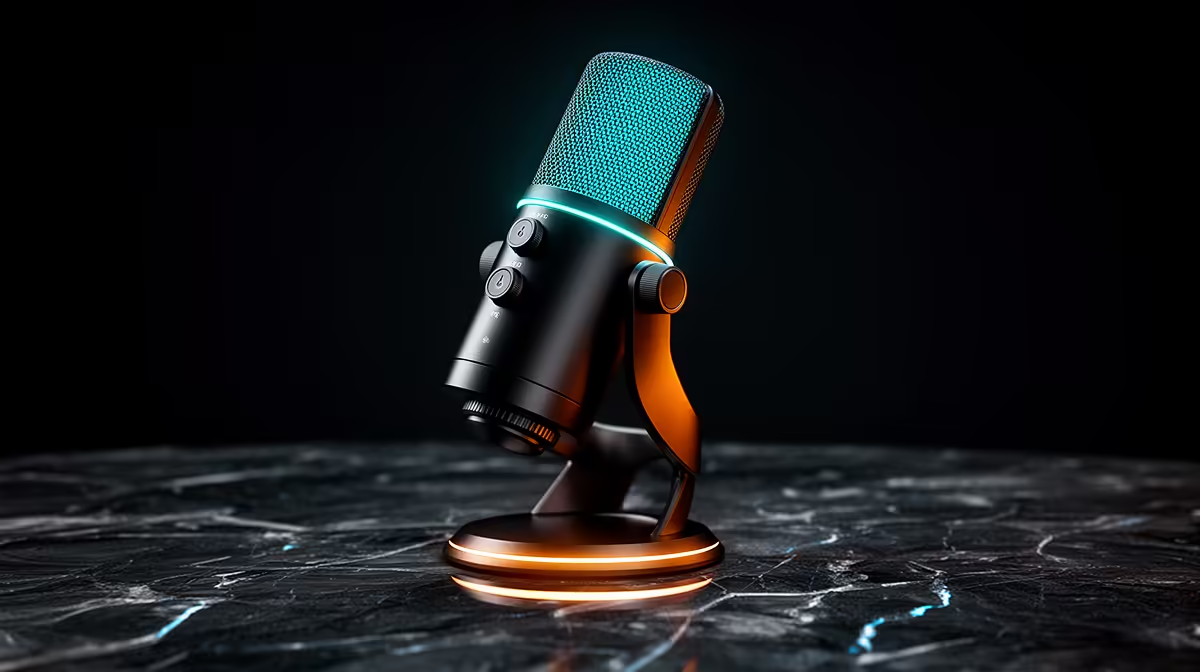
A podcast microphone works best when the room, voice and mount suit its pickup behaviour. The RODE PodMic USB price in South Africa should therefore include a boom arm, headphones and the connection path you will use. Check the exact local listing because one product name can be confused with the XLR-only PodMic.
Quick Answer
The PodMic USB combines dynamic microphone pickup with USB and XLR output options, subject to the exact current specification. Its South African availability and Rand price can change with shipments, so use Evetech's live streaming essentials range to compare local microphones and package contents. It suits close speech when you want USB simplicity and an XLR upgrade path.
🎙️ Separate PodMic USB from the PodMic
Use the full product name and model code. The PodMic USB and standard PodMic may share a family look while offering different connection paths.
Check whether the exact mic provides USB, XLR and headphone monitoring. Confirm included cable, stand adapter and wind protection from the written contents.
USB lets the microphone connect through its internal digital path. XLR sends an analogue signal to an interface or mixer. Price the equipment required for the route you will use.
Do not assume both outputs can be used at once in every workflow. Read RODE's current routing specification and test the exact application.
For phones and tablets, compatibility depends on the device, operating system, cable, power and app. A USB connector shape alone does not prove support.
Choose the USB version when flexible connections solve a real need. An XLR-only mic can be simpler when you already own a suitable interface.
🗣️ Place a dynamic mic close to the voice
A broadcast-style dynamic microphone is intended for close speech. Begin around a hand width from the grille and slightly off-axis, then record your real voice.
Moving closer increases voice relative to room reflections and keyboard noise. It can also increase bass through proximity effect. Adjust position before equalisation.
Speak across the grille rather than blowing into it. A pop filter or windscreen can help plosive sounds. Test words with hard P and B sounds.
Keep gain low enough for loud speech to leave headroom. Record normal voice, excited voice and laughter. A clipped peak cannot be repaired after the fact.
Mount the mic so it does not block the screen or camera. A boom arm must support its weight and keep cable strain away from the connector.
For gaming chat, place the mic near the mouth and point its less-sensitive side toward the keyboard according to the pickup pattern. Use a push-to-mute routine you can trust.
🔌 Build and compare USB and XLR paths
Test USB first on a direct computer port. Record the working sample rate, input gain and headphone mix. Then restart and confirm the settings return.
Avoid connecting the mic through an overloaded hub beside webcams and capture cards. Run the complete streaming setup for an hour and watch for audio dropouts.
For XLR, use an interface with sufficient clean gain and the functions required by the microphone's current specification. Keep the cable away from power supplies.
Match the output loudness before comparing USB and XLR recordings. Louder audio often sounds more detailed even when the tonal difference is small.
Check headphone monitoring for latency and balance. Do not monitor through two paths at once, or a delayed copy can make speech difficult.
Save a local recording while using chat or streaming software. This reveals whether one application changes the device or sample rate.
Evetech's webcam range helps plan camera framing around the microphone and arm.
💰 Price a working podcast station
Search Evetech's current streaming page for the exact PodMic USB or local alternatives. Verify stand, cable and adapter inclusion.
Add a rated boom arm, shock control where useful, headphones and any XLR interface. A bare microphone on an unstable desk stand is an incomplete comparison.
Compare one USB condenser and one dynamic mic in your room. The condenser may capture more room detail, while a close dynamic mic can improve voice-to-room balance.
Record the same paragraph at matched loudness. Include keyboard and fan noise. Listen on headphones, phone speaker and ordinary desktop speakers.
For a used PodMic USB, inspect the grille, mount threads, USB and XLR sockets. Test both output paths, headphone monitoring and an hour-long recording.
Ask the seller how it diagnoses capsule, electronics and socket problems. Store the microphone's serial image with its invoice, and retain the shaped box for safe transport.
Record a raw voice sample before adding equalisation, noise removal or compression. Speak the same paragraph at three distances and note gain for each. This gives you a reference when a later software change alters the sound.
Measure desk noise through a silent recording while typing and moving the mouse. Shift the arm base or add isolation only where the recording shows a problem. A heavy mic on a loose desk can transmit bumps through the mount.
Test an XLR cable and the USB cable apart. Label the working pair and store a spare data-capable USB lead. When a dropout appears, swap one known item rather than rebuilding the entire audio chain.
Check the microphone after the PC sleeps and after the interface powers down. Confirm mute, monitor balance and sample rate return. Save one short proof recording before starting the show.
Create a fallback input through a headset or second mic. A podcast should continue if one USB route fails during a session.
Frequently Asked Questions
What is the difference between PodMic and PodMic USB?
The USB model adds a digital connection path alongside its stated XLR capability. Confirm the current specifications and included accessories for both.
Does PodMic USB work with a phone or tablet?
Support depends on device, operating system, cable, power and recording app. Check RODE's current compatibility material for your exact host.
Is it good for gaming voice chat?
It can produce clear close speech when placed well. A boom arm and reliable mute route matter for gaming use.
Can USB and XLR work at the same time?
Check the current routing documentation for the precise microphone and workflow. Do not assume simultaneous output without verification.
How close should I speak?
Start close, around a hand width, and adjust from recordings. Angle the mic to control plosives and bass.
Should podcasters choose it over a condenser?
Choose from room sound, voice, placement and connection needs. Test matched recordings in the actual room.
Where can South Africans check podcast microphones?
Evetech's live streaming-essentials page shows current locally listed microphones and creator gear.
Ready to build a clear podcast voice chain?
Browse Evetech's current streaming range and choose a microphone, mount and connection path that fit your room.