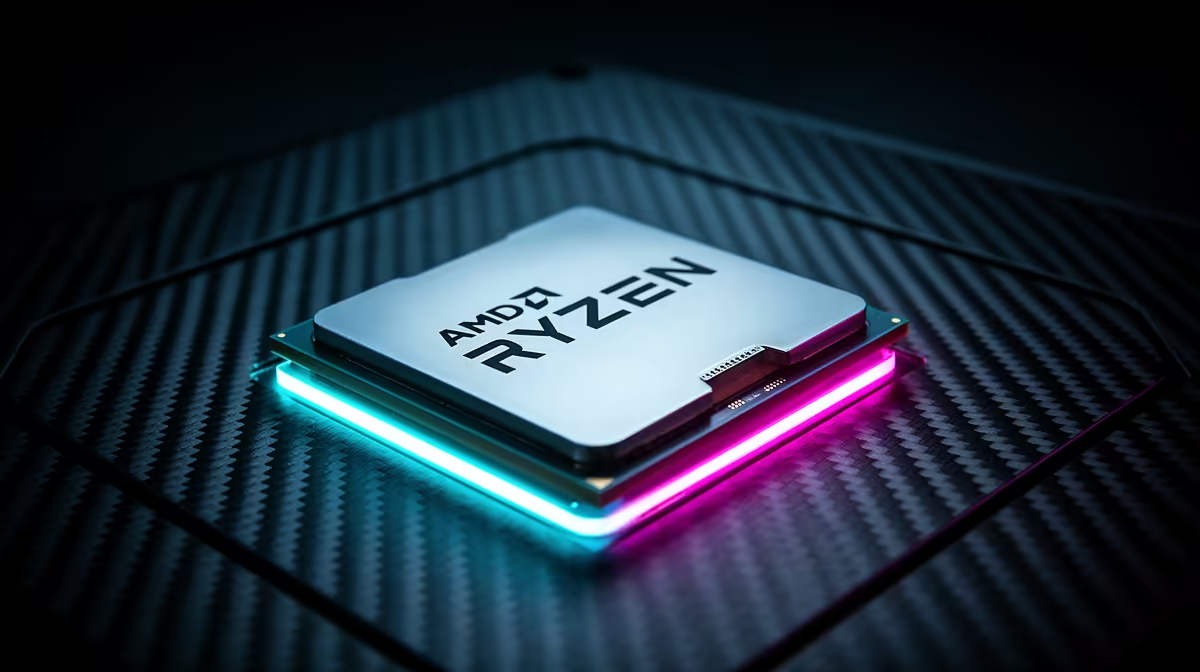
The Ryzen 9 9900X3D looks like a straight upgrade over the Ryzen 7 9800X3D because it has 12 cores instead of eight. Gaming does not follow that simple ladder. Its cores are split across two chiplets, while the extra 3D V-Cache belongs to one of them.
Quick Answer
Choose the 9800X3D for a gaming-first PC. Choose the 9900X3D when you have a repeatable multi-threaded workload that benefits from 12 cores and still want X3D gaming performance. Compare actual local prices because a close gap can change the mixed-use value.
Review AMD desktop processor options, compare Intel CPUs for the same applications, and inspect the Ryzen 9 models available to compare. Keep the motherboard, memory and cooler in the total.
The Cache Is Not Split Across Both Chiplets
The 9900X3D's 12 cores span two six-core CCDs. One CCD has the extra 3D V-Cache, while the other can favour higher frequency. This distinction matters because a game tends to benefit when its important threads stay on the cached CCD.
The 9800X3D places all eight cores on one cached CCD. There is no cross-chiplet choice for the scheduler to manage. That clean layout, along with eight full gaming cores, helps explain why it can beat or match the Ryzen 9 in games despite the smaller core count.
AMD's chipset software and Windows game scheduling are designed to steer workloads. Keep the BIOS, chipset driver and Windows gaming components current. Let the default process work before using manual affinity or third-party core tools.
Extra Cores Need a Real Job
Twelve cores can help video encoding, 3D rendering, code compilation and content creation. The gain depends on whether the application scales across threads and whether memory or storage becomes the next limit.
Choose one project you complete each week. Compare completion time between the 9900X3D and an eight-core alternative. A shorter export or build has value you can measure. An idle core shown in Task Manager does not.
Streaming alone may not justify the Ryzen 9 when a modern GPU handles encoding. Streaming plus CPU rendering, compilation or a virtual machine can make a stronger case. Describe the whole workflow rather than calling the machine a multitasking build.
Game Benchmarks Can Mislead
Low-resolution testing with a flagship GPU exposes CPU differences. It is useful for comparing processors, but it may not represent your 1440p or 4K system. At higher resolutions, the graphics card can pull the results together.
Look at your actual games and 1 percent lows. Strategy simulations, competitive shooters and large online worlds can respond to CPUs in different ways. A ten-game average can hide the one title that fills most of your evenings.
Also check the review's firmware and chipset-driver date. Early launch results can change as game detection and scheduling mature. Use current testing from the same Windows generation where possible.
Power and Cooling Still Count
The 9900X3D is a 120W-class processor in AMD's specification, while real socket power and temperature depend on workload, motherboard behaviour and cooling. Sustained all-core work asks more of the cooler than a gaming session.
Choose a cooler for the long render or compile, not the lightest benchmark. Confirm case height, radiator position and memory clearance. A quiet cooling setup can be worth more than a small performance margin in a machine that works for hours.
The motherboard does not need to be a flagship. It needs a suitable power design, the ports you use and a current BIOS. Spend the difference on enough DDR5 memory and storage for the productive workload.
Compare the Complete AM5 Build
Price the 9900X3D, 9800X3D and a non-X3D Ryzen 9 with the same board, memory and cooling standard. The non-X3D chip may offer strong productivity value when gaming is secondary. The 9800X3D can free budget for the GPU when gaming leads.
At 1440p, a faster graphics card paired with the eight-core X3D chip may beat a 9900X3D build that had to trim the GPU. At 4K, that allocation becomes even more important. Compare the whole machine at one budget ceiling.
Include the 9950X3D Only When Needed
The 16-core Ryzen 9 sits above the 9900X3D for workloads that keep many threads busy. It also uses two eight-core CCDs, giving its cached side more cores than the 9900X3D's six-core cached CCD. That can change gaming and mixed-work results.
Do not climb the range because a larger number feels safer. Add the 9950X3D to the shortlist when your render, compile or simulation scales beyond 12 cores, then compare completion time against its price and cooling needs. For a workload that stops scaling early, the extra silicon may spend most of the day idle.
Memory capacity can matter more than the last four cores. A video or development project that fills 32GB may improve more from 64GB than from moving between Ryzen 9 models. Watch system-memory use and storage activity during the same project you use for CPU testing.
Buy With a Two-Column Scorecard
Put five games in one column and two productive jobs in the other. Give each a target, such as a minimum frame-time result or maximum export duration. Score the processors against those outcomes, then weight the columns by the hours you spend in them.
This prevents a workstation benchmark from dominating a gaming PC and stops one esports chart from deciding a work machine. If the 9900X3D clears both columns at a better complete-build price, it has a sound role between the eight-core and 16-core options.
Test Scheduling After the Build
Install the latest stable BIOS and AMD chipset package, then use the normal Windows power plan recommended for the platform. Check that the game is detected and that background work does not spill across cores in a way that harms frame times.
Use a saved game route and one productivity project. Record completion time, average rate and lows. If the 9900X3D wins the work test and stays within your gaming target, it has done its job. If gaming is the only demanding task, the 9800X3D remains the cleaner choice.
FAQ
Is the 9900X3D worse than the 9800X3D for gaming?
It can trail in some games despite having more cores. Results depend on scheduling, game engine, firmware and the GPU limit.
Does the 9900X3D have cache on both CCDs?
The standard 9900X3D puts the extra 3D V-Cache on one CCD. Its 12 cores are divided across two CCDs.
When do 12 cores help?
They help applications that scale across many threads, including some rendering, encoding and compilation workloads.
Time one real productivity project and test your main games, then choose the 9900X3D only when its extra cores earn the premium.