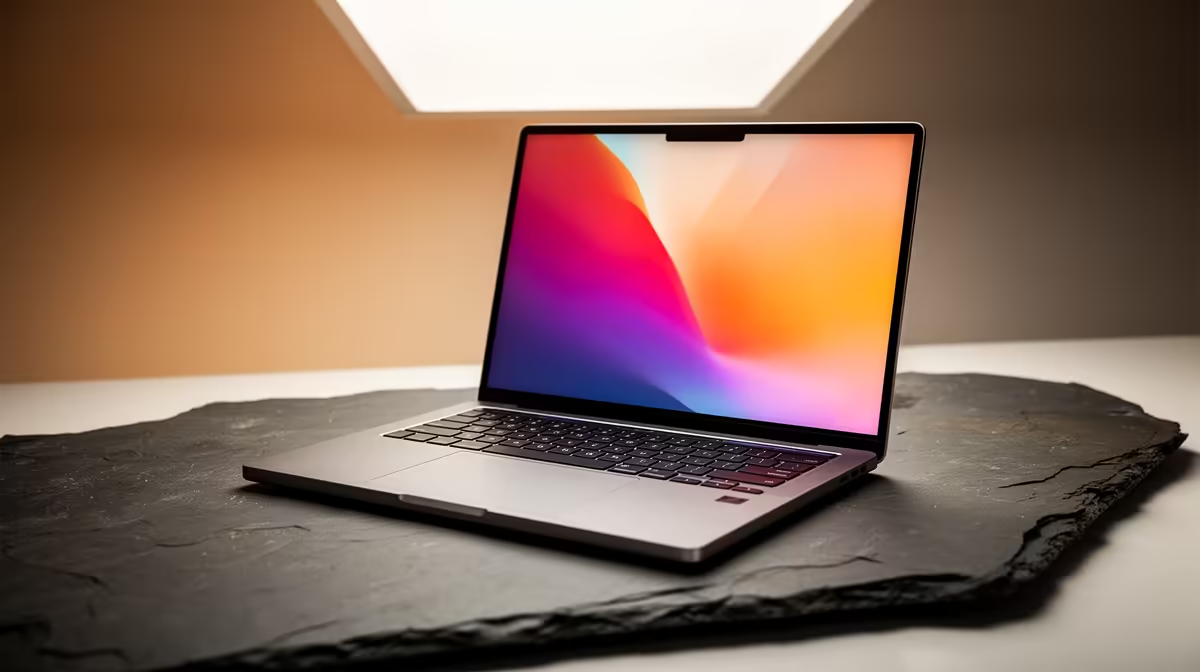
So, you're a designer in South Africa, and your current laptop sounds like a jet engine every time you open Photoshop. We get it. Finding the right creative machine here isn't just about specs... it's about getting serious power for your Rand. The perfect laptop for graphic design needs to be more than just fast; it needs a brilliant screen and the muscle to handle huge files without breaking a sweat. Let's build your ultimate setup. 💻
Core Components: What Powers Your Creativity?
Choosing from the many laptops for graphic design in South Africa can feel overwhelming. Forget the marketing jargon. Let's focus on the four components that truly matter for your creative workflow: the processor, graphics card, RAM, and of course, the display. Get these right, and you'll be unstoppable.
The CPU: Your Laptop's Brain 🧠
The Central Processing Unit (CPU) is the engine of your machine. For graphic design, you're looking for a balance between single-core speed (for snappy performance in apps like Illustrator and Photoshop) and multi-core power (for rendering, video encoding, and heavy multitasking).
- Intel: Processors like the Core i7 and i9 series are famous for their blazing-fast single-core performance, making everyday design tasks feel incredibly responsive. If your work is primarily in 2D, browsing the latest Intel laptops on special is a great place to start.
- AMD: Ryzen 7 and Ryzen 9 CPUs often offer more cores for your money, giving them an edge in 3D rendering and video editing. For those who juggle multiple demanding applications, checking out current AMD laptops on special can uncover some serious multi-threaded powerhouses.
The GPU: The Visual Powerhouse
A dedicated Graphics Processing Unit (GPU) is non-negotiable. While integrated graphics can handle basic tasks, a dedicated NVIDIA GeForce RTX or AMD Radeon card accelerates everything from applying complex filters in Photoshop to rendering 3D models in Blender. Look for a laptop with at least 6GB of VRAM for a smooth, lag-free experience.
RAM: The Multitasking Muscle
Think of RAM as your digital workspace. The more you have, the more projects and applications you can have open simultaneously without your system grinding to a halt. 16GB is the absolute minimum for any serious designer in 2024. If you frequently work with high-resolution images or video, pushing for 32GB is a wise investment that will future-proof your setup.
Display Pro Tip ✨
Your screen's colours might be lying to you! Factory calibrations are a good start, but for professional work, invest in a hardware calibrator like a Datacolor SpyderX. This ensures that the colours you see on screen are the same colours that will appear in print or on other calibrated devices. It's a crucial step for brand consistency.
The Display: Your Window to Colour
This might be the most critical component for a graphic design laptop. A powerful machine is useless if you can't trust the colours on its screen. Here’s what to look for:
- Colour Gamut: Aim for a display that covers at least 100% sRGB. For print work, look for high coverage of the Adobe RGB or DCI-P3 colour spaces.
- Resolution: A Full HD (1920x1080) screen is the baseline, but a QHD (2560x1440) or 4K display will give you incredibly sharp details and more screen real estate.
- Brightness: Look for a screen with at least 300 nits of brightness so you can work comfortably in various lighting conditions.
Finding the Sweet Spot for Your Workflow
The best creative laptops often hide in plain sight. Because they are built with powerful CPUs, dedicated GPUs, and high-quality displays, many of the best gaming laptop deals offer the perfect spec combination for demanding design work, often at a more competitive price point. They deliver the raw performance needed to power through renders and large files without compromise.
Ultimately, the best laptop for graphic design in South Africa is the one that matches your specific needs. Whether you're a freelance illustrator or part of a bustling agency, focusing on a colour-accurate screen and a potent CPU/GPU combo will ensure your technology accelerates your creativity, instead of holding it back.
Ready to Find Your Creative Powerhouse?
Choosing the right laptop is the first step to unlocking your best work. Armed with this knowledge, you're ready to pick a machine that won't hold you back. Explore our massive range of laptop specials and find the perfect creative partner today.