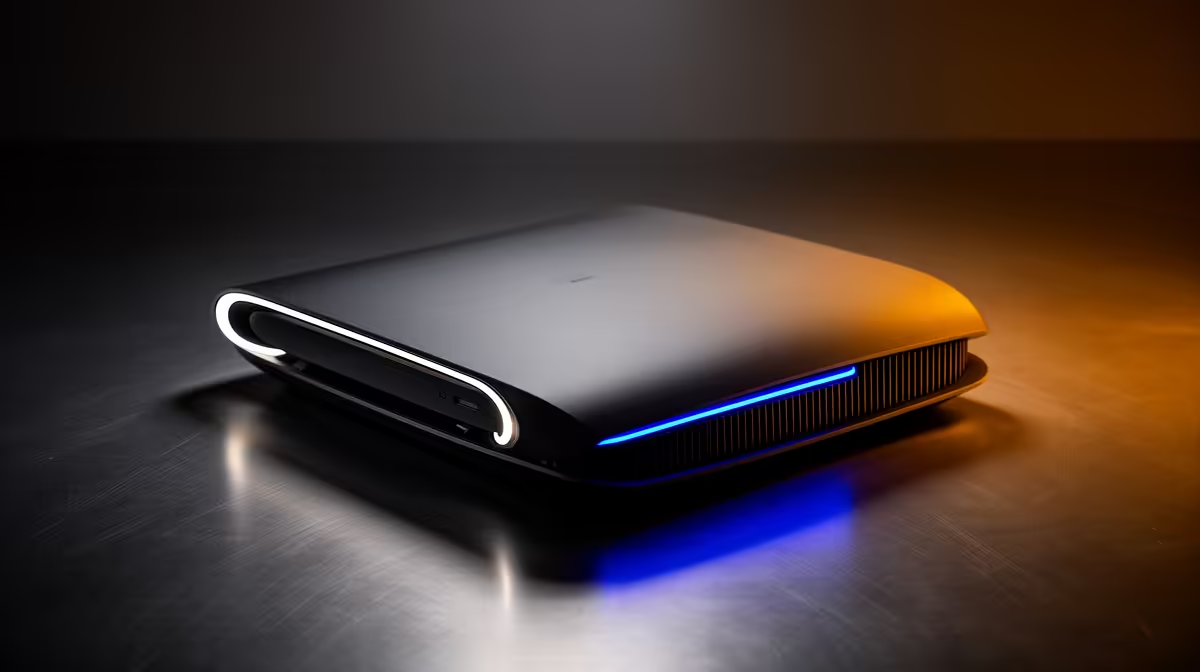
Your lounge setup can feel console-clean without giving up a deep PC catalogue. A Steam Machine comparison comes down to how much you value fixed hardware, familiar controls and access to the games you already own.
Quick Answer
The Steam Machine and PS5 Pro both want the best seat under your TV, yet they suit two different kinds of player. Steam Machine gives you a compact SteamOS PC with a broad PC game library, adjustable settings and room to install another operating system. PS5 Pro gives you a settled console target, PlayStation games and a more controlled setup. Your existing library matters more than a headline performance claim. If most of your paid games and friends are on PlayStation, PS5 Pro is the easier continuation. If you already own a large Steam collection and enjoy choosing graphics settings, Steam Machine has the stronger pull.
What the Steam Machine actually is
Valve launched the new Steam Machine in June 2026. It is a compact PC running SteamOS, built around a semi-custom six-core AMD Zen 4 processor and a separate 28-compute-unit RDNA 3 graphics processor. It has 16GB of system memory, 8GB of graphics memory and either a 512GB or 2TB NVMe SSD. Both versions include a microSD slot.
That specification tells you more than the old Steam Machine name does. This is a fixed Valve design, roughly a 160mm cube, with HDMI, DisplayPort, Ethernet, Wi-Fi 6E and enough USB connections for a living-room setup. Valve pitches up to 4K play with FSR upscaling, but output resolution is not the same thing as rendering every demanding game at native 4K. Expect the best balance to depend on the title, quality preset and frame-rate target.
SteamOS provides the console-like front end. You can wake the machine, browse your library and launch a game from the couch. It also remains a PC. You can install desktop applications or another operating system if a game, peripheral or work task needs it.
The library question needs a closer look
Sign into Steam Machine and your Steam library appears. That does not make every title an equal experience. Valve has extended its Verified programme to Steam Machine so you can see how well a game works with the default software, controller and display setup. Check that rating for the games you care about before deciding.
Some PC games still expect a keyboard, use launchers that feel clumsy from a couch, or rely on software with limited SteamOS support. A title can sit in your library and still need a workaround or another operating system. PS5 Pro has a narrower catalogue, but each PS5 release targets a defined console environment. You give up some flexibility and gain consistency.
Make a list of ten games you play now and five you want next. Mark where each game lives, whether your saves carry across and whether your regular multiplayer group uses cross-play. That small exercise is more useful than comparing total library sizes.
PS5 Pro keeps the console routine tighter
PS5 Pro is built for people who want PlayStation's interface, account system and games on a stronger PS5. Supported titles can use enhanced modes, and the console handles its own system environment. You still choose between graphics options in some games, though the range of decisions is smaller than on PC.
The practical win is predictability. You buy a PS5 game, install it and use the controller layout the developer tested. With Steam Machine, you may choose a resolution, upscaler, frame cap or controller profile. PC players often see that as control. A family sharing one television may see it as another menu to understand.
Neither approach removes updates, account sign-ins or storage management. Both can fill an SSD quickly. The difference is how often you are prepared to step outside the main game screen when something needs attention.
Think about ownership beyond the first year
Steam Machine's PC side gives you more routes when your needs change. You can connect a keyboard and mouse, install desktop software, stream games to another Steam device or replace the NVMe storage. The processor and graphics hardware remain the performance foundation, so a storage change will not turn it into a future high-end gaming PC.
PS5 Pro keeps hardware decisions in Sony's console ecosystem. Storage expansion is supported through compatible SSDs, while the processor and graphics design stay fixed. That fixed target helps developers tune console modes. It also means your next large performance jump will come from another console generation rather than a graphics-card swap.
Look at the five-year picture without pretending you can predict every release. Ask whether you enjoy maintaining a PC, whether a family member can solve a launcher problem when you are away, and whether your game purchases are building a library you want on the next device. Those answers describe the ownership experience better than a launch-day frame-rate chart.
Noise and placement belong in the same check. Both machines need open vents and room to move warm air. A closed TV cabinet can make a compact system hotter and louder. Measure the shelf, leave space around the exhaust and make sure cables can bend without pressing against the wall.
Controllers and couch play
Budget for the number of people who will play together. Steam Machine has a built-in wireless adapter for Valve's current Steam Controller and also works with other supported PC controllers. PS5 Pro is designed around the DualSense family. Before buying extras, check the game, connection method and local multiplayer limit.
You can compare gaming controllers available in South Africa and scan popular peripheral choices to build the real couch setup. Two comfortable controllers and a charging plan can matter more on Friday night than a small performance gap.
Which one makes sense for you?
Choose Steam Machine if your Steam library is the centre of your gaming life, you want PC settings and mods where supported, and you like the option to change software later. It also suits a player who wants one small box for Steam play at the TV and PC tasks at a desk.
Choose PS5 Pro if your library, saves and multiplayer circle already sit on PlayStation, or if you value a consistent console routine over PC flexibility. PlayStation exclusives can settle the choice on their own if those are the games you want.
Do not compare overseas launch figures and assume they translate into a South African checkout total. Compare current local quotes for the exact storage version, controller count and any required accessories. Then add the games you would need to buy again. The cheaper box can become the dearer switch once your library is included.
The clean decision is personal: stay with the ecosystem that already holds your games unless the other machine gives you a feature or catalogue you will use each week.
FAQ
Does every Steam game work on Steam Machine?
Your library appears after you sign in, but compatibility and couch usability differ by title. Check the Steam Machine Verified rating and the game's controller support.
Can Steam Machine use Windows?
Valve describes Steam Machine as a PC and allows another operating system to be installed. That change brings its own setup, driver and storage decisions.
Which machine is easier for local multiplayer?
PS5 Pro gives you a consistent DualSense setup. Steam Machine supports PC controllers and Valve's current Steam Controller. In both cases, check the game and number of supported local players.
Compare controllers and living-room gaming accessories for the setup you want to build.