Quick Answer
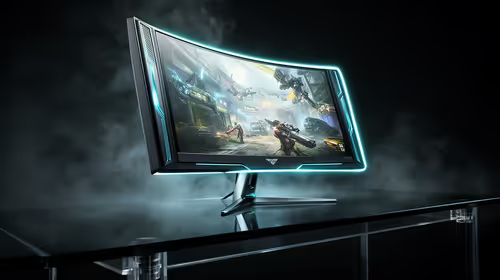
5K monitors (5120x2880) deliver 218 PPI on a 27-inch panel, making them the sharpest single-screen option for creators. For gaming they need flagship GPU support (RTX 5080 or above for 120fps-plus), but many 5K panels include dual-mode to drop to QHD at 240Hz for competitive play. Pricing in South Africa starts around R15,000 for quality 5K options.
5K for Gaming: Performance Requirements and Expectations 🎮
At 5K the pixel count is 14.7 million, roughly four times that of QHD. Sustaining 120fps at 5K in a demanding AAA title requires an RTX 5080 or RX 9080, with the RTX 5090 needed for consistently above 144fps without upscaling. DLSS 4 Multi Frame Generation on the RTX 50-series makes 5K gaming more practical than any previous generation, synthesising frames to hit high refresh rates from fewer rendered frames. Esports titles at 5K are more forgiving: a well-optimised game like CS2 can hit 180fps on an RTX 5070 at 5K. For SA gamers, the GPU investment starts at around R14,000 for an RTX 5070 before the monitor cost is added.
5K for Editing: Where the Resolution Earns Its Price 🎨
Video editors and photographers see the most immediate return on a 5K investment. Editing 4K footage at 100% zoom on a 5K timeline leaves a full frame of working space around the preview, compared to a 4K monitor where the preview fills the screen and there is no room for toolbars at 100%. Colour grading benefits from the near-perfect DCI-P3 coverage that accompanies most 5K panels: colour decisions made on a 97% DCI-P3 display translate accurately to client screens, projectors, and digital cinema pipelines. Lightroom catalogs processed on a 5K screen show retouching artefacts that would be invisible on a QHD monitor, catching mistakes before delivery.
5K for Productivity: Desktop Space and Text Clarity 🖥️
At 200% Windows scaling, a 5K 27-inch monitor presents the same desktop real estate as a QHD panel at 100% scaling, but with twice the rendering resolution per icon and character. Every font, chart line, and spreadsheet cell is visibly crisper. Running two full-width browser windows side by side becomes more comfortable because the screen area is genuinely larger even at matched scaling. For a developer or analyst working in VS Code or Excel all day, the reduction in eye strain from eliminated sub-pixel rendering artefacts is a tangible productivity gain. In a South African office environment with variable display quality from building to building, having a premium display at home provides a consistent working baseline.
Use Dual-Mode to Get the Best of Both Worlds ⚡
Many 5K monitors let you switch to a QHD pixel-binned mode at 240Hz or higher via the OSD menu. Set up a quick-access shortcut in your monitor's settings to toggle between 5K for work and QHD for gaming sessions. This eliminates the need for separate monitors for creation and competitive play.
FAQ
Do I need a special cable for a 5K monitor?
Yes. 5K at 60Hz requires at least DisplayPort 1.4 with DSC or a Thunderbolt 4 cable. For 5K at 120Hz you need DisplayPort 2.1 or Thunderbolt 5. Check both your GPU's outputs and the monitor's inputs before purchasing.
Can a 5K monitor display 1440p games properly?
Yes. Most 5K monitors render non-native resolutions using integer scaling or interpolation. Some include hardware integer scaling that makes QHD content look nearly as sharp as native pixels by mapping four 5K pixels to one QHD pixel.
Are 5K monitors available locally in South Africa?
Yes, though selection is more limited than 4K or QHD. Evetech stocks high-resolution monitors including 5K panels with local warranty, so you avoid the complications of importing from international retailers.
Ready to step up to 5K?
Browse Evetech's high-resolution monitor range to find 5K and ultra-high-definition displays currently stocked in South Africa, with local warranty and support.