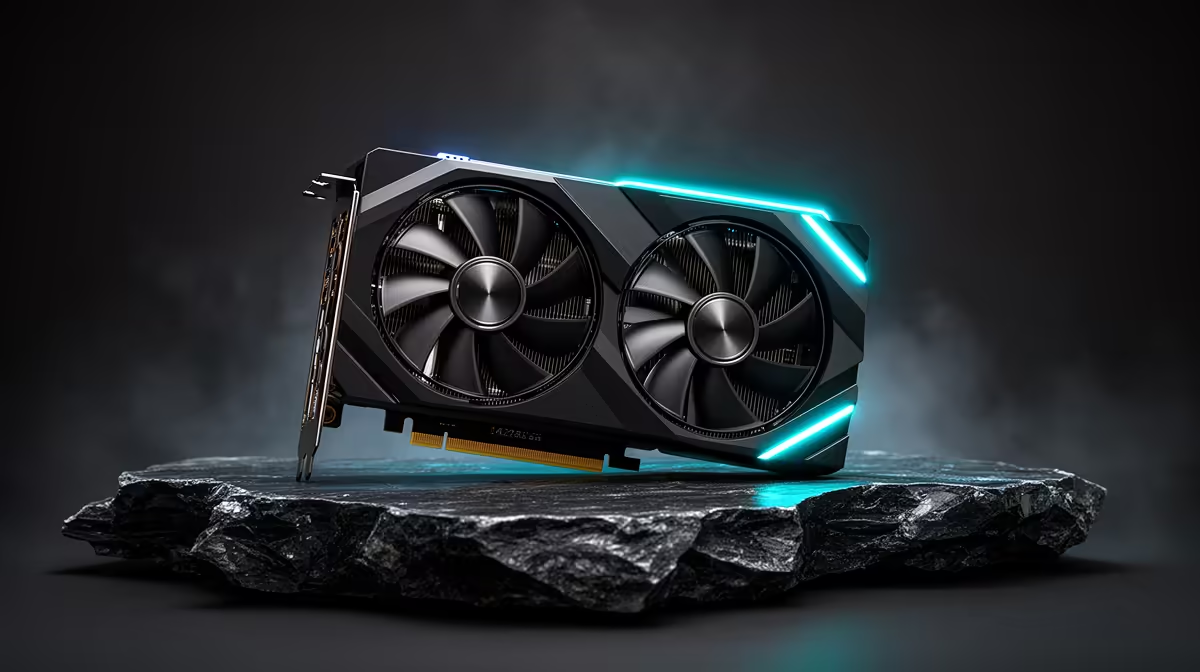
Moving from an RTX 2060 to an RTX 5060 replaces a capable first-generation RTX card with a much newer 1080p platform. You gain stronger raster and ray-tracing performance, current DLSS features, AV1 media support and a modest VRAM increase. The rest of the PC decides how much of that leap reaches the screen.
Quick Answer
The RTX 5060 is a sensible upgrade when your RTX 2060 can no longer hold your 1080p frame target or its 6GB memory forces texture cuts. It is less convincing as a long-term 1440p max-settings purchase because the standard RTX 5060 still carries 8GB.
Compare graphics cards across the current range, see which models sit among current GPU best sellers, and check RTX 5060 cards available for comparison. As of July 2026, the dated price pack lists R6,999 for Palit's RTX 5060 Infinity 2 OC 8GB. That is one named reference for the full upgrade budget.
What Changes Across Three Steps
NVIDIA launched the RTX 2060 with 1,920 CUDA cores and 6GB of GDDR6. It introduced hardware ray tracing and first-generation DLSS support to the mainstream tier, but new games can press hard against both its processing power and memory.
The RTX 5060 specification uses 3,840 CUDA cores, 8GB of GDDR7 and newer Blackwell hardware. Architecture and clocks change across generations, so doubling the core count does not describe the frame-rate gain. Recent game tests do.
Power remains manageable. NVIDIA specifies 145W total graphics power for the reference RTX 5060, while partner cards can set their own limits. That creates a chance to gain performance without moving into a large power class, subject to the exact card and PSU.
The VRAM Upgrade Has Limits
Six to eight gigabytes is an improvement. It can reduce pressure at 1080p and give current texture packs more room. It is still an 8GB pool, so demanding 1440p textures, ray tracing and heavy mods may need careful settings during a long ownership period.
Do not confuse allocated memory with a hard shortage. Look for poor lows, texture pop-in or stutter that improves when texture quality drops. If the RTX 2060 misses the target because its GPU core is saturated, the 5060 can help even when memory use stays below 6GB.
If you plan to move to 1440p soon, compare the 5060 with cards offering more VRAM and a wider performance margin. Price the monitor and GPU as one upgrade rather than buying twice.
DLSS Adds Useful Choices
The RTX 5060 supports current DLSS Super Resolution, Ray Reconstruction and Multi Frame Generation features in compatible games. The RTX 2060 can use supported DLSS upscaling, but it lacks the frame-generation path of later GeForce generations.
Start with native rendering to understand the real hardware gain. Then test DLSS Quality. Use generated frames after the base rate feels responsive, since they improve display smoothness without increasing game-state updates at the same rate.
For a cinematic single-player title, that toolset can extend visual settings. For a competitive shooter, spend the raw performance on stable rendered frames and low latency first.
Your CPU May Become the Next Limit
Many RTX 2060 systems were built around older six-core processors or early DDR4 platforms. The RTX 5060 can expose a CPU ceiling at 1080p, especially with reduced settings and a high-refresh monitor.
Run the old card at a lower resolution. If frame rate rises sharply, the GPU has room to improve. If the result barely changes while GPU utilisation drops, check CPU performance, memory configuration and background tasks.
A platform upgrade is not automatic. Plenty of older systems can still make good use of a 5060. The test protects you from expecting a graphics card to solve a simulation or draw-call limit.
Check PCIe, Power and Fit
The RTX 5060 uses a PCIe 5.0 x8 interface. It remains physically compatible with older PCIe slots, but bandwidth behaviour can differ by platform and game. A PCIe 3.0 system deserves a review test that matches your motherboard generation.
Check the partner card's length, thickness and connector. Follow its PSU recommendation rather than applying the reference figure to every model. An older PSU should be assessed for quality, age and available cable arrangement.
Clean the case filters and inspect fan airflow before installing the new card. A compact dual-fan model can suit an older chassis, while a blocked intake can make any cooler louder.
Media and Display Gains
The newer generation adds AV1 encoding, useful for compatible streaming, recording and creative workflows. Updated display support can also suit a new high-refresh monitor. Check the exact ports on the partner card and the cable standard your screen needs.
These features add value when they solve a real job. If you only play at 1080p, build the decision around frame times and image settings first.
Keep the Old Card Until Testing Is Done
Do not sell the RTX 2060 before the new card has passed a proper game session. Install the 5060, check every display output you need, and let its cooler settle under load. Watch for driver resets, unusual fan noise and power instability.
Repeat one saved RTX 2060 benchmark route with the same game patch and settings. The result confirms the gain your system delivers, including any CPU or PCIe limit. Once the upgrade is stable, clean and pack the 2060 with its invoice and accessories if you plan to pass it on.
Decide With Three Tests
Test your hardest current game, the next release you plan to buy, and your main competitive title. Record the RTX 2060 result at the settings you use. Compare RTX 5060 reviews with the same resolution and a similar CPU class.
Add the complete cost, including a PSU or platform change. The upgrade earns its keep when it fixes the old card's 6GB or performance limit while fitting the PC you have. If your goal is demanding 1440p over several years, widen the comparison before settling on 8GB.
FAQ
Is the RTX 5060 a good replacement for an RTX 2060?
Yes, for a stronger modern 1080p experience. Check CPU limits and whether 8GB fits your future resolution.
Can I use an RTX 5060 in a PCIe 3.0 motherboard?
PCIe generations are backward compatible. The x8 link can lose some performance on an older platform, so check matching tests.
Will my RTX 2060 PSU run an RTX 5060?
It may, since the power class is manageable. Follow the exact card maker's requirement and assess PSU quality, age and connectors.
Test where the RTX 2060 falls short, then price an exact RTX 5060 and any platform changes as one upgrade.