



How to Use a Nano SIM 4G Router for Reliable Home Internet
Master using a Nano SIM 4G router as your primary internet solution. Get stable speeds and seamless connectivity for gaming and streaming at home! 🌐🚀
Read moreLean on the specs that actually change day-to-day use when comparing USB Power Convenience Versus Other Power Sources for Wall Li. We line up specs side by side so the trade-offs are obvious. The comparison sticks to specs you can verify.
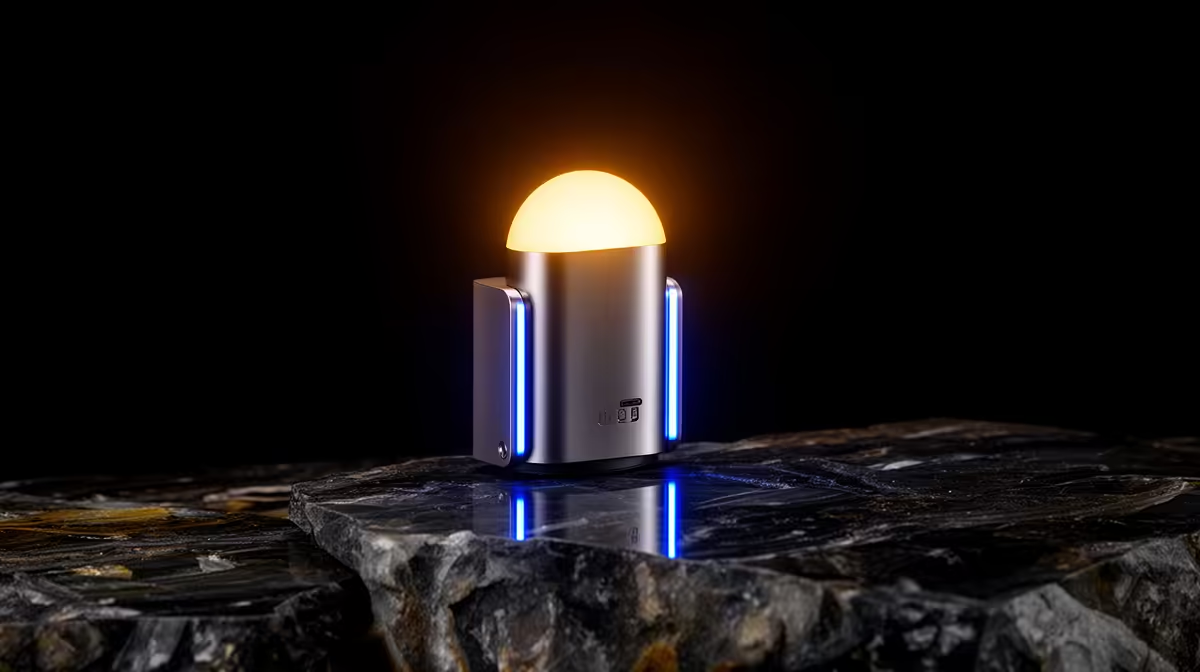
USB-powered wall lights offer genuine convenience for gaming setups because they share power with your PC or monitor hub, eliminating a separate wall adapter. However, they cap at 5 V/2.5 A (12.5 W), limiting the panel count per USB port. AC-powered and dedicated 12 V DC adapters handle larger installations but require an extra plug point and cable management planning.
The primary advantage of USB-powered gaming wall lights is cable simplicity. A single USB-A cable from your PC case handles both data and power, keeping your desk power strip free for monitors, speakers, and charging. USB 3.0 ports on modern cases supply up to 900 mA per port, while USB-C ports support up to 3 A at 5 V via USB PD, enough to drive eight to ten mid-brightness hexagon panels. For a compact gaming corner in a student flat where plug points are scarce, USB power is a meaningful practical advantage. USB-powered lights also power off automatically when the PC shuts down, so there is no risk of leaving ambient lighting on overnight.
Larger installations of twelve or more panels, or high-density addressable LED strips at full brightness, exceed what a single USB port can supply. AC-powered systems and 12 V DC adapter kits bypass this by drawing directly from the wall. A dedicated 12 V/3 A adapter (R80 to R200 at most electronics suppliers) powers a substantial LED strip installation without the brightness throttling that occurs when USB ports are overloaded. AC-powered systems also allow lights to function independently of the PC, which matters for streamers who want their background lighting on before the PC boots and after it shuts down. The trade-off is an additional cable to manage and an occupied plug point on an already-busy gaming desk strip.
For renters in SA apartment blocks where modifying electrical points is prohibited, USB power is clearly the lower-friction option. No adapters beyond the USB cable and no additional wall sockets needed. AC-powered setups require routing a power adapter cable from the nearest socket to the panel cluster, introducing cable management considerations when mounting lights above eye level or on a side wall. For most single-desk gaming setups with six or fewer panels, USB power is sufficient and simpler. Scale to more than ten panels and the power calculus shifts toward a dedicated adapter.
Passive (non-powered) USB hubs share the host port's power budget, so plugging your panel into a passive hub alongside a keyboard and mouse may cause flicker or reduced brightness under the combined draw. Always use an externally powered USB hub rated at least 3 A total output when running gaming lights alongside other peripherals.
Yes, any USB-A charger rated at 5 V/2 A or higher works. This is useful when you want the panels on without the PC running, such as during console gaming sessions.
The panels will typically dim to a lower brightness automatically rather than turning off. To resolve it, split the panel array across two USB ports or switch to an AC adapter.
Yes, newer smart panel systems increasingly ship with USB-C power inputs, which support higher wattage via USB PD and are more future-proof as PC cases and monitors adopt USB-C as the primary peripheral connection.
Looking for USB-powered gaming lights that keep your setup tidy? Evetech carries a range of USB and AC-powered gaming light panels and strips to suit any desk configuration and budget.
Master using a Nano SIM 4G router as your primary internet solution. Get stable speeds and seamless connectivity for gaming and streaming at home! 🌐🚀
Read more
Confused by Cat4 vs Cat6 LTE routers? 🌐 We break down the technical differences to help you choose the right router for faster gaming and streaming. Get the speed you deserve today! 🚀
Read more
Learn how to setup a VPN server on your 4G LTE router to secure your remote access. Protect your data and browse safely from anywhere with our easy guide! 🌐🔐
Read more
Choosing the best 4G LTE router for South Africa ensures reliable internet when fibre is unavailable. Discover top connectivity tips for rural and urban areas. 🌐📶
Read more
Discover what is passive PoE and how it streamlines outdoor router installations. Eliminate messy cabling and simplify your network setup with this efficient power delivery method. ⚡🌐
Read more
Need to extend internet coverage to outbuildings or farms? 📡 An outdoor 4G router is the ultimate solution for stable, high-speed connectivity in remote locations. Discover how to boost your range and stay connected anywhere on your property. 🌐
Read more
Wondering if a TKL wireless mechanical keyboard is worth it for everyday productivity? We break down latency, battery life, comfort, and workflow gains for real work. ⚡⌨️

Maximise battery life on a fanless 15-inch laptop using efficiency core architecture. Cut idle drain, tune power profiles, and improve thermals for longer runtime. 🔋⚙️

Learn how to reduce desk clutter with a TKL wireless keyboard using fewer cables, smart placement, and tidy essentials. Get a faster, calmer workspace with better ergonomics. ✅🧼

RGB keyboard lighting too distracting? Learn how to manage backlight modes, set brightness, and reduce distraction for focus and productivity 😌🖱️

Are themed gaming keyboards worth the extra cost? Compare build quality, switch options, features, and resale value to find the best fit for your setup 🎮⌨️

Full-Size vs Tenkeyless mechanical keyboards for gaming: find out if a smaller layout truly improves aim, speed, and comfort. We break down layout, desk space, latency-feel, and keybinds 🎮⌨️

Dedicated media rollers vs function key shortcuts: learn which setup gives you better workflow control, faster media access, and fewer mistakes. 🖱️🎧

Best Mechanical Switch Type for Gaming: Clicky vs Linear vs Tactile. Find your feel, speed, and noise balance with practical guidance for FPS, MOBA, and productivity 😄🎮

Direct mouse answer: Mouse not keeping up with your work? Everything that matters about dual-mode 2.4GHz + BT 5.0: DPI behaviour, channel switching, battery curves and per-app button mapping. Covers when 2.4GHz USB wins (low-latency desk) and when BT 5.0 wins (laptop, d

Plain wireless mouse guide: Mouse not keeping up with your work? Everything that matters about wireless productivity mouse: DPI behaviour, channel switching, battery curves and per-app button mapping. Includes DPI tuning tips, channel switch shortcuts, and ZAR-aware fea

Real productivity numbers: Set up your wireless mouse in this order: everything that matters about wireless productivity mouse: DPI behaviour, channel switching, battery curves and per-app button mapping. Includes DPI tuning tips, channel switch shortcuts, and ZAR-aware

Pen not feeling like paper? Stylus lag and skipping usually trace to old drivers, dirty nibs, or display refresh mismatches, not the pen itself. Covers pressure curve tuning, tilt thresholds, nib swap timing, and SA pricing brackets.