



How to Use a Nano SIM 4G Router for Reliable Home Internet
Master using a Nano SIM 4G router as your primary internet solution. Get stable speeds and seamless connectivity for gaming and streaming at home! 🌐🚀
Read moreChecklist: Evaluate latency; assess signal integrity; match features to your use case. Video signal converter quality affects image, sync, and reliability. Learn what specs to test and buying tips. 🔍🎮
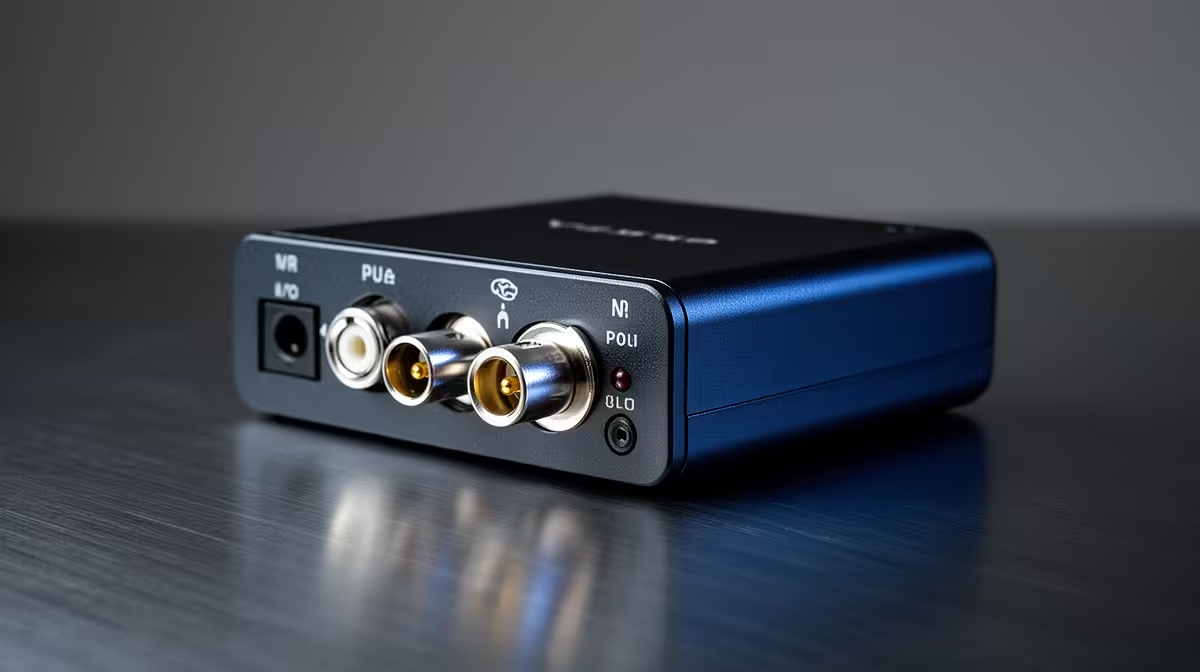
Video signal converter: Why quality matters for reliable video — it sounds obvious, but the difference shows up on tournament night or live streams. In South Africa, where long cable runs, old AV gear and mix-and-match monitors are common, a poor converter can mean stuttering captures, flicker or colour shifts right when your frag streak matters. This guide helps you pick gear that keeps your image locked and your audience happy.
Cheap converters cut corners on buffering, shielding and power. That can create frame drops, audio lag or missing sync on capture cards. For compact builds, even cable quality inside the case matters — poorly sleeved or unshielded leads increase interference. For neat PC builds and better signal integrity, compare options like the Gamemax ARGB extension and its connectors on Evetech to see construction and compatibility details (see Gamemax ARGB extension cable on Evetech) — prices and stock are shown in ZAR on the product page. ⚡
Active converters boost and re-time the signal; passive ones just adapt pins. If you’re running long HDMI or SDI runs to a capture device, active converters are usually the safe bet. Also match bandwidth and resolution: converters that only support older HDMI versions will bottleneck 4K60 or variable refresh-rate gaming. When you tidy cables inside a high-end build, premium sleeved cables reduce strain and tangles — check the NZXT individually sleeved premium cables listing for examples of build-friendly cabling and finish (see NZXT premium cables at Evetech). ✨
For runs longer than 5 metres, prefer active converters and shielded cables. Keep power-fed converters close to a wall outlet, and use well-sleeved internal cables to avoid EMI when your GPU and fans are working hard.
A small spend on a better converter and proper cables saves hours of frustration during streams and tournaments. It’s the kind of upgrade that doesn’t look flashy in a benchmark, but everyone notices the moment it’s missing. 🚀
Ready to Find Your Perfect Match? The Mac vs Windows debate is complex, but for maximum power, choice, and value in South Africa, Windows is hard to beat. Explore our massive range of laptop specials and find the perfect machine to conquer your world.
Quality affects image fidelity, latency, and reliability. High-quality converters reduce signal loss, prevent sync issues, and prolong equipment life.
Poor converters add processing delay. Choose low latency video converters for gaming and live streaming to keep input lag and A/V sync minimal.
Yes. Cheap units often mishandle timing and buffering, causing audio-video sync drift and dropped frames—look for converters with stable clocking.
Look for low latency, high bit-depth support, robust signal equalization, reliable EDID handling and error correction for signal integrity.
Only if your camera and workflow demand 4K. For many streams, a reliable 1080p low latency converter offers better stability and lower cost.
Check image clarity, test with long cables, measure latency, confirm stable resolution switching, and test audio sync. Use real-use scenarios.
Choose reputable brands with pro-audio/video reviews. Search reviews for hdmi to sdi converter quality and real-world reliability reports before buying.
Master using a Nano SIM 4G router as your primary internet solution. Get stable speeds and seamless connectivity for gaming and streaming at home! 🌐🚀
Read more
Confused by Cat4 vs Cat6 LTE routers? 🌐 We break down the technical differences to help you choose the right router for faster gaming and streaming. Get the speed you deserve today! 🚀
Read more
Learn how to setup a VPN server on your 4G LTE router to secure your remote access. Protect your data and browse safely from anywhere with our easy guide! 🌐🔐
Read more
Choosing the best 4G LTE router for South Africa ensures reliable internet when fibre is unavailable. Discover top connectivity tips for rural and urban areas. 🌐📶
Read more
Discover what is passive PoE and how it streamlines outdoor router installations. Eliminate messy cabling and simplify your network setup with this efficient power delivery method. ⚡🌐
Read more
Need to extend internet coverage to outbuildings or farms? 📡 An outdoor 4G router is the ultimate solution for stable, high-speed connectivity in remote locations. Discover how to boost your range and stay connected anywhere on your property. 🌐
Read more
Wondering if a TKL wireless mechanical keyboard is worth it for everyday productivity? We break down latency, battery life, comfort, and workflow gains for real work. ⚡⌨️

Maximise battery life on a fanless 15-inch laptop using efficiency core architecture. Cut idle drain, tune power profiles, and improve thermals for longer runtime. 🔋⚙️

Learn how to reduce desk clutter with a TKL wireless keyboard using fewer cables, smart placement, and tidy essentials. Get a faster, calmer workspace with better ergonomics. ✅🧼

RGB keyboard lighting too distracting? Learn how to manage backlight modes, set brightness, and reduce distraction for focus and productivity 😌🖱️

Are themed gaming keyboards worth the extra cost? Compare build quality, switch options, features, and resale value to find the best fit for your setup 🎮⌨️

Full-Size vs Tenkeyless mechanical keyboards for gaming: find out if a smaller layout truly improves aim, speed, and comfort. We break down layout, desk space, latency-feel, and keybinds 🎮⌨️

Dedicated media rollers vs function key shortcuts: learn which setup gives you better workflow control, faster media access, and fewer mistakes. 🖱️🎧

Best Mechanical Switch Type for Gaming: Clicky vs Linear vs Tactile. Find your feel, speed, and noise balance with practical guidance for FPS, MOBA, and productivity 😄🎮

Direct mouse answer: Mouse not keeping up with your work? Everything that matters about dual-mode 2.4GHz + BT 5.0: DPI behaviour, channel switching, battery curves and per-app button mapping. Covers when 2.4GHz USB wins (low-latency desk) and when BT 5.0 wins (laptop, d

Plain wireless mouse guide: Mouse not keeping up with your work? Everything that matters about wireless productivity mouse: DPI behaviour, channel switching, battery curves and per-app button mapping. Includes DPI tuning tips, channel switch shortcuts, and ZAR-aware fea

Real productivity numbers: Set up your wireless mouse in this order: everything that matters about wireless productivity mouse: DPI behaviour, channel switching, battery curves and per-app button mapping. Includes DPI tuning tips, channel switch shortcuts, and ZAR-aware

Pen not feeling like paper? Stylus lag and skipping usually trace to old drivers, dirty nibs, or display refresh mismatches, not the pen itself. Covers pressure curve tuning, tilt thresholds, nib swap timing, and SA pricing brackets.