



Hot-Swappable PCB Architecture in Modern Keyboards: Guide
Learn hot-swappable PCB architecture in modern keyboards—what it is, how sockets and traces work, and how to pick the right board. Speed up swaps, reduce risk, and upgrade faster 🔧⚡
Read moreAgainst air cooling, a GPU support bracket wins on sustained temps, especially with PCIe slot stress. Heavy 3-slot cards stress the PCIe slot over months, so a height-adjustable holder keeps the card level. Compare picks against your CPU and case spec before paying.
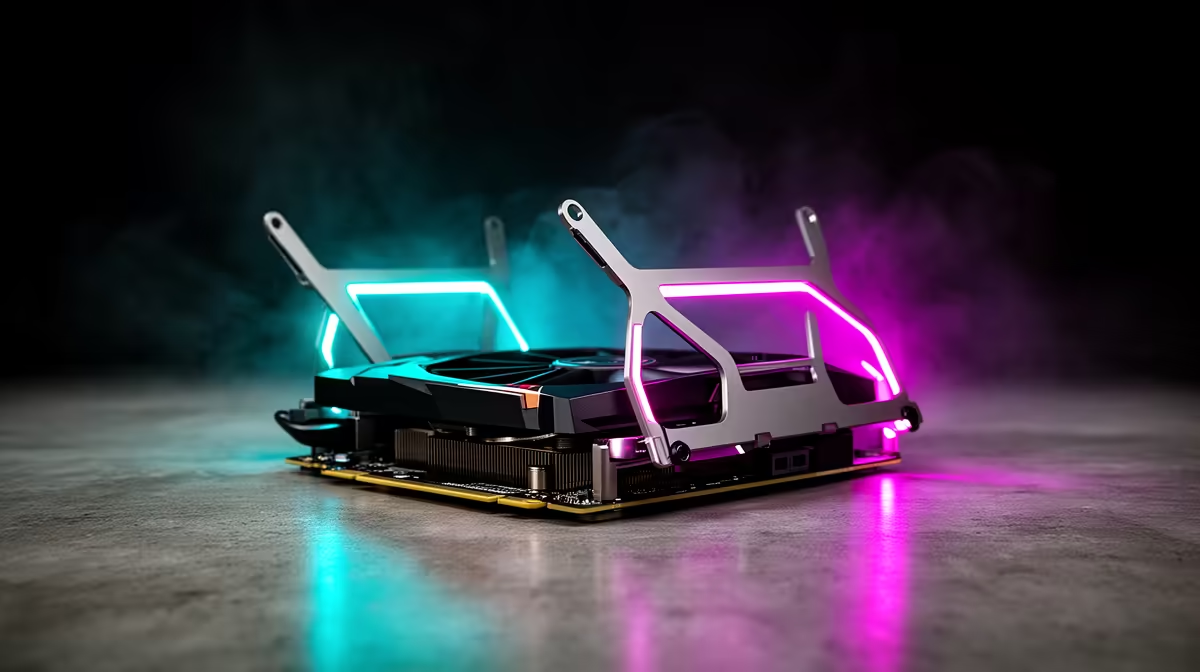
Your graphics card sags because its weight is only supported at one end by the PCIe slot, creating a cantilevered load that bends the card and stresses the connector. A GPU holder adds a second support point under the shroud, levelling the card and removing that lever-arm stress entirely.
A modern triple-slot GPU is essentially a long, heavy beam anchored only at the PCIe connector end. The card's backplate, PCB, VRM heatsinks, and three-fan cooler shroud all hang from that single mechanical attachment point. Cards like the RTX 5090 and RX 9070 XT weigh 1.8 kg to 2.1 kg, and when that load is distributed along the card's full length with only one fixed end, the free end droops. The longer and heavier the card, the greater the deflection. Most builders notice around 3 mm to 8 mm of downward sag at the far edge of a flagship GPU in a mid-tower case. Over time, thermal cycling (the card expanding and contracting as it heats and cools through hundreds of gaming sessions) causes that sag to become permanent as the PCB subtly warps.
A GPU holder works by placing a support post under the GPU shroud near its midpoint or far end, converting the cantilevered load into a simply-supported beam. This means the weight is now distributed between two points (the PCIe connector and the support post) rather than loading the connector alone. The result is that the GPU sits level, the PCIe connector experiences far less bending stress, and the card's long-term physical condition is preserved. Most holders use a silicone or rubber contact pad at the top of the post to protect the shroud finish. Height adjustment (via a telescoping post or notched mechanism) lets you dial in the exact contact point for your specific GPU and case combination.
Mild sag (3 mm to 5 mm) is often cosmetically visible but causes no immediate performance issue. Severe sag (above 8 mm) starts to create micro-stresses in the PCIe x16 connector that accumulate over time. In extreme cases this contributes to intermittent display output, artifacting under load, or PCIe error codes in your system logs. Replacing a PCIe slot requires a motherboard swap, which for a mid-range SA build can cost R4,000 to R8,000 in motherboard cost alone. A GPU holder in the R150 to R450 range is categorically the smarter insurance.
Lay a small spirit level (or use a free bubble-level app on your phone) flat on top of your GPU shroud with the PC upright and the card installed. Any visible deviation from horizontal tells you exactly how much sag exists and confirms whether a holder is needed.
No, but heavy cards experience it most severely. Budget dual-slot cards around 500 g to 800 g show negligible sag. Cards above 1.2 kg in the mid-to-high range show measurable sag over time, and anything above 1.5 kg should have a holder fitted from day one.
Yes. Once the holder is adjusted to contact the GPU shroud and locked in place, the card returns to a level or near-level position immediately. The holder maintains that position for as long as it is installed.
Directly, no. Sag does not change the GPU's electrical or thermal behaviour. However, if sag is severe enough that the GPU shroud contacts the case bottom or a cable, vibration and noise can result. A holder prevents that contact from occurring.
Seeing sag on your graphics card and want to fix it today? Evetech stocks GPU support brackets for all common case sizes and card weights. Browse the accessories section and sort out the sag before it causes long-term stress on your PCIe slot.
Learn hot-swappable PCB architecture in modern keyboards—what it is, how sockets and traces work, and how to pick the right board. Speed up swaps, reduce risk, and upgrade faster 🔧⚡
Read more
Mechanical switch lifespan explained—what the 50 million keystroke rating really means, plus tips to extend switch life and reduce double-press issues 🔧⌨️
Read more
60-percent vs full-size mechanical keyboard layouts—learn what each layout includes, who it suits, and how to choose the right fit 🧩⌨️ for typing, gaming, and productivity.
Read more
Double injection keycaps last far longer than standard printed keycaps in most setups. Learn typical lifespan ranges, what shortens them, and how to maximize durability for smoother daily typing and gaming 😊⌨️
Read more
Full-key anti-ghosting: does it stop missed inputs during fast-paced gaming? We break down latency, polling, and key matrix limits so you can buy smarter 🎮⚡
Read more
Protect mechanical keyboard switches from South African dust and summer humidity with practical cleaning and storage habits. Keep your switches smooth, reduce failures, and extend lifespan. 🌬️💧
Read more
Wondering if a TKL wireless mechanical keyboard is worth it for everyday productivity? We break down latency, battery life, comfort, and workflow gains for real work. ⚡⌨️

Maximise battery life on a fanless 15-inch laptop using efficiency core architecture. Cut idle drain, tune power profiles, and improve thermals for longer runtime. 🔋⚙️

Learn how to reduce desk clutter with a TKL wireless keyboard using fewer cables, smart placement, and tidy essentials. Get a faster, calmer workspace with better ergonomics. ✅🧼

RGB keyboard lighting too distracting? Learn how to manage backlight modes, set brightness, and reduce distraction for focus and productivity 😌🖱️

Are themed gaming keyboards worth the extra cost? Compare build quality, switch options, features, and resale value to find the best fit for your setup 🎮⌨️

Full-Size vs Tenkeyless mechanical keyboards for gaming: find out if a smaller layout truly improves aim, speed, and comfort. We break down layout, desk space, latency-feel, and keybinds 🎮⌨️

Dedicated media rollers vs function key shortcuts: learn which setup gives you better workflow control, faster media access, and fewer mistakes. 🖱️🎧

Best Mechanical Switch Type for Gaming: Clicky vs Linear vs Tactile. Find your feel, speed, and noise balance with practical guidance for FPS, MOBA, and productivity 😄🎮

Direct mouse answer: Mouse not keeping up with your work? Everything that matters about dual-mode 2.4GHz + BT 5.0: DPI behaviour, channel switching, battery curves and per-app button mapping. Covers when 2.4GHz USB wins (low-latency desk) and when BT 5.0 wins (laptop, d

Plain wireless mouse guide: Mouse not keeping up with your work? Everything that matters about wireless productivity mouse: DPI behaviour, channel switching, battery curves and per-app button mapping. Includes DPI tuning tips, channel switch shortcuts, and ZAR-aware fea

Real productivity numbers: Set up your wireless mouse in this order: everything that matters about wireless productivity mouse: DPI behaviour, channel switching, battery curves and per-app button mapping. Includes DPI tuning tips, channel switch shortcuts, and ZAR-aware

Pen not feeling like paper? Stylus lag and skipping usually trace to old drivers, dirty nibs, or display refresh mismatches, not the pen itself. Covers pressure curve tuning, tilt thresholds, nib swap timing, and SA pricing brackets.