Four serial ports tell a different story from coloured lights and a large gaming GPU. BIOSTAR MS-U320 is built around industrial integration, with a fanless chassis and specialised expansion options. For a South African home buyer, the first decision is whether those connections solve a real problem or simply make the specification look longer.
Quick Answer
Treat the MS-U320 as an industrial platform, not a ready-made gaming recommendation. BIOSTAR announced it on October 29; recent coverage highlights its Core 5 320 and fanless design. A workload and port audit costs R0, and no exact South African selling price for this configuration has been verified.
🏭 Start with the task rather than the enclosure
The manufacturer positions this compact system for edge computing and industrial infrastructure. Its four COM connections and two 2.5GbE network ports make sense in that setting. They are less persuasive reasons to buy a machine whose everyday job is browsing, video calls and occasional games.
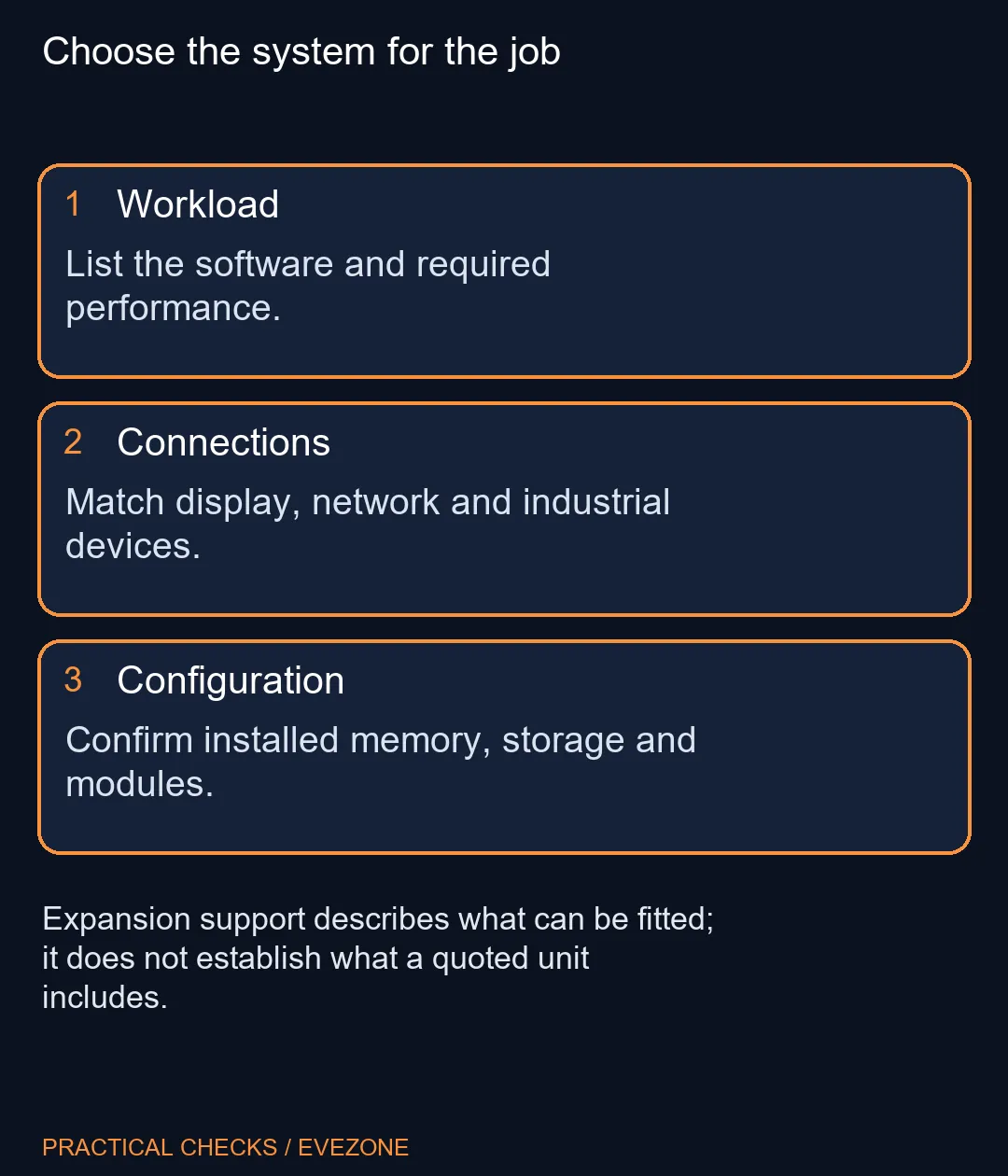
List the applications you need to run, the operating system they require and the devices they must connect to. A product being small or fanless does not establish that your software will run well. Do not use its AI marketing figure as a substitute for measurements of the workload you actually care about.
The introduction names an onboard Intel Core 5 320 processor. Choose around that exact platform rather than reading the broad Core family name as a promise of desktop gaming performance. The announcement supplies no measured gaming or acoustic results. Choose around the exact configuration and your workload rather than an untested performance expectation.
🧰 Read expansion support as a parts question
The product specification supports DDR5 SO-DIMM memory up to 64GB. That is a limit, not proof that a seller's entry configuration contains 64GB. Request the installed capacity and module arrangement on the quote before comparing complete-system prices.
BIOSTAR lists a key-M slot for NVMe storage, a separate wireless slot, and another slot intended for a cellular module. The useful distinction is support versus inclusion. Ask which SSD, wireless module, antennas and cellular parts are actually supplied. A diagram showing expansion capability cannot answer that purchasing question.
🌡 Give a fanless installation suitable space
A fanless design still has to shed heat into its surroundings. Plan where the enclosure will sit and follow the manufacturer's installation guidance for that environment. Do not turn an operating-temperature rating into permission to bury the unit under papers or seal it inside an arbitrary cabinet.
The power input and industrial interfaces also deserve attention before installation. A familiar display connector is only one part of a working setup. Confirm the power equipment, display connection and the exact peripherals together, particularly if a machine will be integrated into an existing cabinet or kiosk.
For an ordinary desk, compare the complete experience instead. Can the chosen configuration connect the display you already own? Is the required software supported? Will the supplied memory and storage hold your files? These questions matter more than unused industrial connections.
💻 Compare complete local computers fairly
The November 2 Evetech mini-PC check found a Ninkear M7 V2 Ryzen 5-7430U system with 16GB RAM and a 512GB SSD at R6,999, marked in stock at capture. That is a different platform and configuration, not a locally available MS-U320 or a benchmark-equivalent substitute.
Browse mini pcs for complete configurations and monitors on special for the display you intend to attach. Keep the OS, memory, storage and supplied power equipment in the comparison. A bare platform and a configured home computer should not be ranked solely by the smaller price.
If industrial I/O is essential, wait for a precise configuration quote. If it is not, buy around your normal software and desk setup. The October announcement provides a useful new option for a specialised job; it does not make every compact-PC buyer an industrial-system buyer.
Frequently Asked Questions
When was this model announced?
BIOSTAR dates its announcement October 29, 2026. Later coverage does not make it a November 2 first launch.
Is the MS-U320 fanless?
BIOSTAR describes a fanless industrial system. That description does not establish a gaming benchmark or a measured case temperature.
Does up to 64GB mean 64GB is installed?
No. It is the stated memory capacity limit. Confirm the exact memory supplied in the configuration being quoted.
Are 4G and 5G included as standard?
The product page describes an expansion slot for a cellular module. Slot support alone does not prove the module is installed.
What makes the port selection unusual?
Four COM ports and dual 2.5GbE are industrial integration features. Most home buyers should start with their actual peripherals.
Is its South African price confirmed here?
No. The separate local mini-PC example is a category comparison, not a quote for the MS-U320.
Choosing a small desktop?
Compare complete mini-PC configurations at Evetech against the applications, display and peripherals you actually need.