Ask five players what a gaming keypad is for and you will get five different answers. An MMO player wants spare controls for an ability bar, an FPS player wants fast resets under the left hand, and a strategy player wants a reachable bank of hotkeys for building and unit control. Those needs point at different features, so the useful question is not whether a keypad is good, but which of its features solves your problem. This guide sorts the features by playstyle and places the Razer Tartarus V2 Pro against each one.
Quick Answer
MMO players lean on spare controls, FPS players lean on fast resets, and strategy players lean on a reachable bank of hotkeys. The Tartarus V2 Pro brings 31 programmable controls, Rapid Trigger and 0.1mm through 4.0mm analog actuation, and Evetech puts it at R4,799, VAT-inclusive. Match those features to the way you play, and you will know quickly whether the keypad solves a real problem or adds a new one.
🧙 MMO play: spare controls and a steady bar
MMO play is mostly about keeping a large bar of abilities within reach while you move through the world. A keypad takes part of that bar off the main keyboard, so your fingers are not stretching across the board mid-fight. Count the abilities you cast in a typical dungeon, then decide how many of them need a dedicated key under your left hand. Eight binds on the keypad leaves 23 controls free for items and chat. Test the bar in 10 minutes of practice.
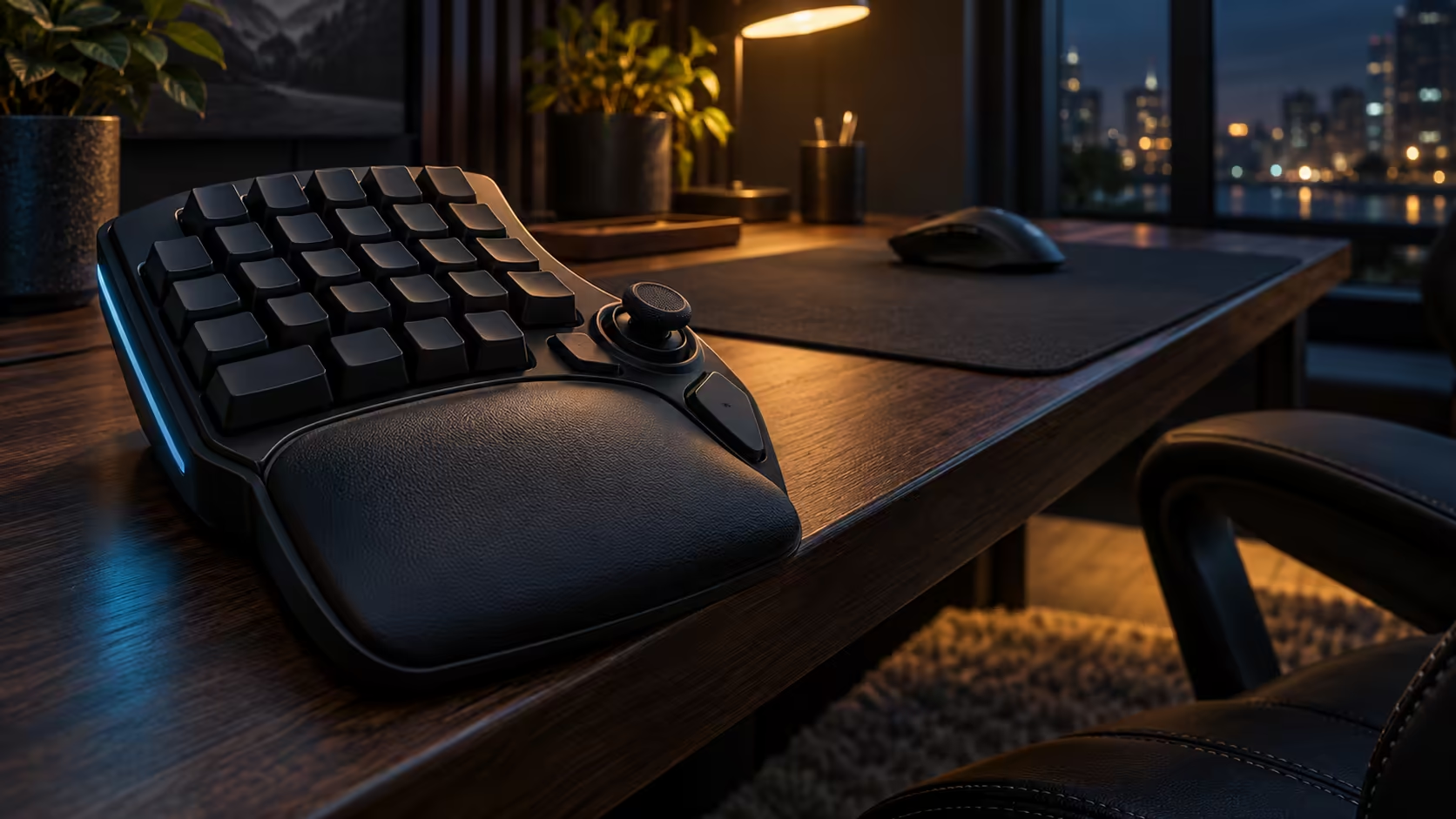
The 31 controls matter most here. One workable split puts 8 movement and combat binds on the keypad and 12 more for items and chat, which leaves the main keyboard free for typing. The three buttons beside the thumbstick suit a secondary action you press often but not constantly.
South African MMO players often run long sessions on shared PCs, sometimes with a second person waiting for the desk. Keep the bar simple enough that a new user understands it in a minute, and label the layout so the next player does not wreck it by accident.
🎯 FPS play: fast resets and clean movement
FPS play is about how quickly a movement key can fire again after a short press. Rapid Trigger matters most here: the reset comes once the key lifts a little, not once it returns fully. For strafing and repeated movement taps, that shorter wait is the feature to check first.
Test the depth as well. A movement key set near 1.0mm fires on a light tap, which suits fast movement, while a deeper setting protects you from accidental presses when you rest a finger. Test both in a training room for 10 minutes before you commit to a value.
🧠 Strategy play: a reachable bank of hotkeys
Strategy games reward fast access to many hotkeys, usually for building, unit selection and camera control. A keypad gives you a block of keys under the hand that does not move the mouse, so you can issue commands while the mouse stays on the map. Pick out the five or six hotkeys that come up in any one engagement, and place those first. Five or six hotkeys cover most engagements, leaving 25 controls spare. Test the five hotkeys for 5 minutes in a skirmish.
The thumbstick is less important here, but the controls around it still help. Put your most frequent group-select and build hotkeys on the keys closest to your left thumb, and push rarely used commands to the outer edge of the layout. A layout built around three or four hotkeys you press constantly will beat one that tries to hold everything at once.
A quick way to choose
List your three most-played games, and write down the single action you repeat most in each one. Then check which feature answers that action best: spare controls for a long ability bar, Rapid Trigger for repeated taps, or the reachable hotkey block for strategy commands. If one feature solves all three games, the keypad has a clear case. If each game needs a different feature, consider whether you need the keypad at all, or whether one game matters enough to justify it.
🏡 Matching the keypad to a South African household
The right feature depends on who uses the PC. A player in a Pretoria flat who runs one MMO and the occasional strategy game may only need the spare controls. A shared family PC with a student who plays FPS games between lectures may care more about the reset. Work out who uses the keypad and how often before you decide which feature to prioritise.
Dust affects every playstyle equally. On a Highveld desk, grit sits between keys and under keycaps within days, so clean the keypad every 7 days and cover it when it is not in use. Keep the routine short enough that you will actually do it.
Frequently Asked Questions
Which feature matters most for MMO players?
The spare controls matter most, because they take ability binds off the main keyboard. Count the abilities you cast in a typical session before you decide how many controls you need.
Is Rapid Trigger useful for strategy games?
It can help with repeated taps, but most strategy players care more about reachable hotkeys than about reset speed. Test the feature if you also play FPS games, and skip it if your games are mostly commands.
How many controls does a strategy layout need?
Five or six hotkeys that you press during one engagement is a good starting point. Place those first, then add others only when you find yourself reaching for them often.
Does the R4,799 price fit a student budget?
Put next to the the R5,200 laptop allowance from NSFAS, the keypad is plainly a second purchase for most students. Make sure the feature you need solves a problem your current setup creates before you spend.
Our gaming add-ons range carries other add-ons, and the gaming keyboards range holds the keypad and its neighbours.
Know which game needs the keypad most?
Browse our gaming keyboards and accessories, then choose the layout that fits your favourite game first.