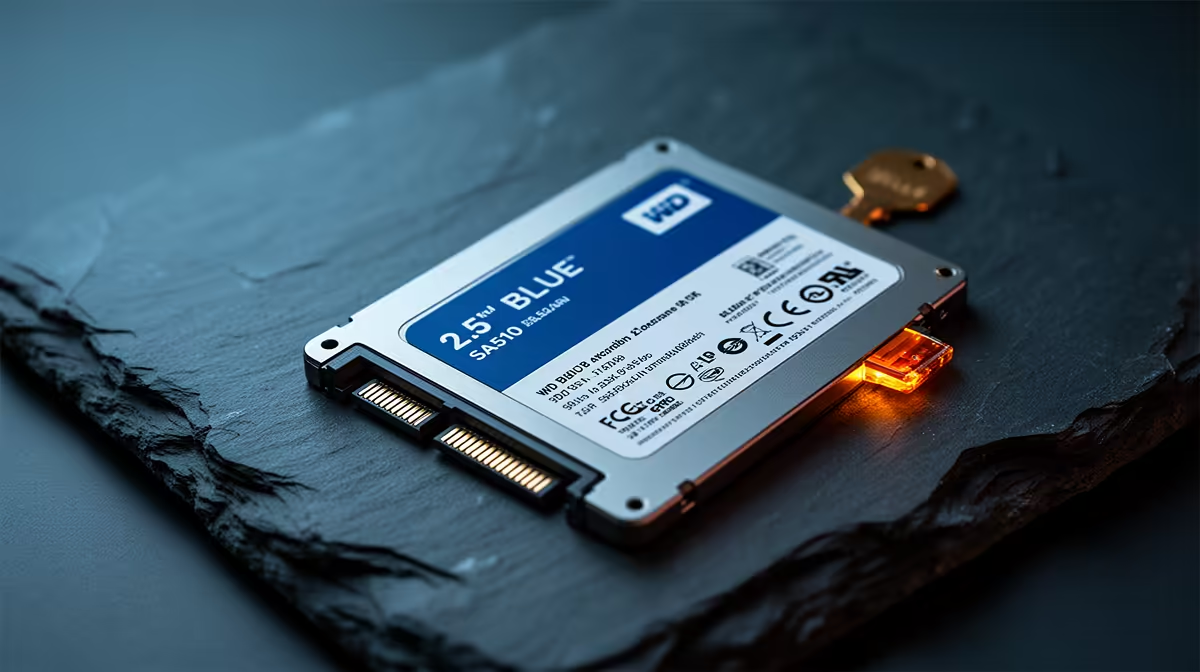
Is your PC taking longer to boot up than it takes to boil the kettle? You’re not alone. That frustrating wait... the slow-loading apps... it's a productivity killer. For many South African gamers and creators, an old mechanical hard drive is the bottleneck. It’s time for an upgrade that delivers instant results without breaking the bank. The WD Blue SA510 SSD is designed to do exactly that: boost boot times and app launch speeds with minimal fuss. ⚡
Why Your Old Hard Drive is Holding You Back
For years, the humble hard disk drive (HDD) was the standard. It stores your data on spinning platters, kind of like a tiny record player. The problem? That physical movement is slow. It creates delays when your system tries to find and load files, whether it's Windows starting up or your favourite game loading a new level.
An SSD, or Solid-State Drive, has no moving parts. It uses flash memory, making it incredibly fast and durable. By upgrading to a solid-state drive, you're not just getting a minor speed bump; you're fundamentally changing how quickly your PC can access data.
Experience the WD Blue SA510 SSD Difference
The WD Blue SA510 SSD is a purpose-built solution for breathing new life into older laptops and desktops. It focuses on delivering a tangible performance lift where you feel it most. Imagine turning on your PC and being at your desktop, ready to go, in seconds. That's the first major benefit.
Next, consider your daily apps. Opening Chrome, Photoshop, or Steam feels instantaneous. In gaming, a faster drive can reduce those pesky loading screens, getting you into the action quicker. This drive optimises your system's responsiveness, making the entire user experience smoother and far less frustrating. For a noticeable and affordable upgrade, the SA510 makes a compelling case.
Real-World Speed: What It Feels Like 🚀
Benchmarks and specs are great, but what does this upgrade actually feel like?
It’s the feeling of your PC keeping up with your thoughts. It’s launching Adobe Premiere Pro for a quick video edit and not having time to go make coffee while it loads. It's joining a round of Warzone before your mates are even halfway through their loading screens. The WD Blue SA510 SSD delivers this snappy, responsive feel that, once you experience it, you'll wonder how you ever lived without it. While Western Digital offers a fantastic product, it's always wise to check out other trusted manufacturers, like the reliable SSDs from Kingston, to find the perfect fit for your needs.
Upgrade Pro Tip 🔧
Don't want to reinstall Windows from scratch? Use free software like Macrium Reflect (Free Edition) or Clonezilla to 'clone' your old hard drive directly onto your new WD Blue SA510 SSD. This copies your entire system—OS, apps, and files—exactly as it is, saving you hours of setup time.
Is This the Right SSD for Your Rig?
The WD Blue SA510 SSD is a SATA drive, which makes it compatible with a huge range of desktops and laptops from the last decade. It's the perfect choice for:
- First-time upgraders: Moving from an HDD to this SSD is one of the most cost-effective performance boosts you can make.
- Older Laptops: Give your trusty mobile companion a massive speed injection and extend its useful life.
- Secondary Storage: Use it as a dedicated 'games drive' to slash loading times for your most-played titles.
It’s available in both the traditional 2.5-inch size and the more modern, compact M.2 2280 form factor. While it offers incredible value, power users seeking the absolute pinnacle of performance might look towards the latest Gen 5 NVMe drives for workstation tasks. For everyone else, the SA510 hits the sweet spot, with strong competition from options from brands like ADATA also providing excellent value.
Ultimately, if you want to boost boot times and app launch speeds without a complex installation or a hefty price tag, the WD Blue SA510 is a brilliant and reliable choice.
Ready to Ditch the Wait?
An SSD upgrade is the single best way to make an old PC feel brand new. Stop waiting and start doing. Explore our massive range of SSDs and find the perfect drive to unleash your PC's true potential.