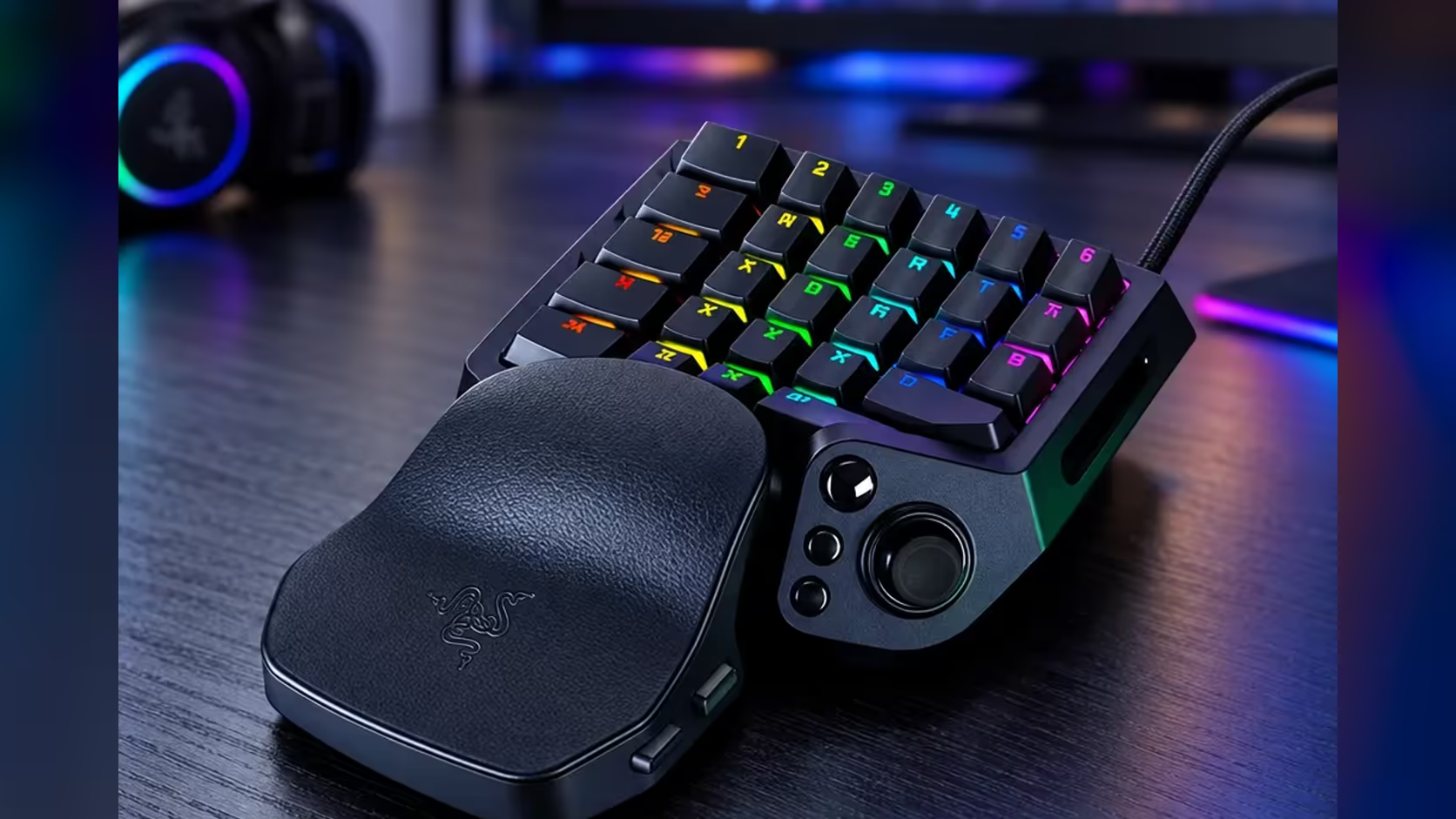
Yes, each of the Tartarus V2 Pro's 31 programmable controls can carry its own game action, and you do not need to fill all of them on day one. The practical question is how to decide which action goes where, and how to avoid giving two actions the same key by accident. Plan the first ten actions carefully, then fill the rest as your game asks for them.
Quick Answer
Yes, the Tartarus V2 Pro's 31 programmable controls can each carry a different game action. Start with the 10 actions you press most, then fill the rest as your game needs them. At R4,799 the keypad gives you the full set of controls to map, so no action has to share a key.
🔟 Start with the ten you press most
Write down the actions you use most in the game you play, and rank them by how often they fire in a typical 10 minutes. The top ten get the keys closest to your resting hand, because those are the keys your hand finds without looking. A ranking based on real play beats a guess, so run a short session and count before you assign anything.
Leave the remaining 21 controls empty at first. An empty control costs nothing, and it gives you room to add an action after you see how the first ten behave. The first week will show which of the ten need moving, and the empty keys make those moves easy.
🚫 Avoid giving two actions one key
The main risk with 31 controls is double-binding, where two actions share one key. A key bound to both a dodge and a heal fires both, or fires the one the game picks first, and either outcome costs you in a fight. Check the list for duplicates before you save it, and look at each key once more after 2 days of play.
Give each action its own control. If you run out of keys, drop the least-used action rather than sharing a key. An action you press twice a match is the easiest to move to a spare slot, and it frees up a key for something you use every few seconds.
🧩 Fill the rest as the game asks
Once the top ten are set, add actions in groups of three or four. Each new group should come from a real need, such as a new ability added in a patch or a utility action you find yourself reaching for. Add a group, play two sessions, and check that the new keys sit where your hand can reach them without a stretch.
If a new action needs a key in the inner ring, move the least-used action from that ring to the outer ring to make space. Keep the swap to one key at a time, so you can see whether it helped before you make the next move.
For the wider choice of keypads with this many controls, the gaming keyboards range lists the options. If you plan to keep a keypad and a keyboard side by side, our keyboard accessories range has items that help keep the space organised.
Frequently Asked Questions
Can I really use all 31 controls for different actions?
Yes. Each control can carry its own action in the Razer software, so none of them has to share a key with another.
Which actions should go first?
The ten you press most often in a typical session. Count them over 10 minutes of play rather than guessing, because the most-pressed keys are not always the ones you expect.
What if I run out of keys?
Drop the least-used action to a spare slot, or move it to a key you rarely press. Avoid sharing a key between two actions, since that causes the double-fire problems.
How many controls should stay empty?
Keep four or five empty for patches and new abilities. The rest can fill as your game asks for them.
Ready to map the first ten?
Run one session, count what you press, and assign the keys in that order before you touch anything else.