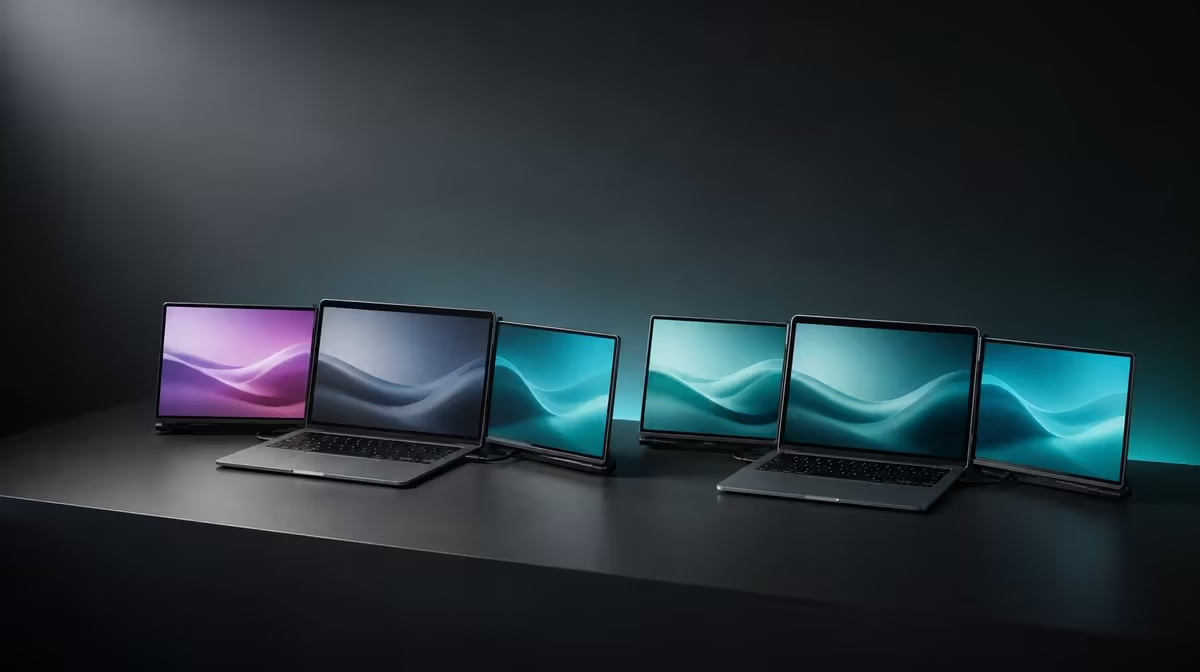
Two panels only expand a workspace when they are allowed to show different things. Independent dual screens vs mirroring separates extension, where each Delta display becomes its own task area, from mirror mode, where the same image repeats. The R4,299 UPERFECT Delta is built around independent 15.6-inch Full HD panels.
Quick Answer
Choose extended-desktop mode for multitasking because each Delta panel can carry separate windows at 1920 x 1080. Choose mirroring when two viewers need the same image. The dual monitor costs R4,299 and can also connect each independent screen to a different device, a use that mirror mode does not describe.
🪟 Extend for distinct task zones
In operating-system display controls, identify both Delta screens and choose extension. Arrange the digital rectangles to match their physical positions.
Put the main task on one panel and references, communication or controls on the second. Keep the laptop display only when a third visible area helps.
Maximised windows remain contained by each panel, creating predictable zones instead of one repeated picture.
Browse Evetech portable monitors to compare mobile multi-display formats.
🪞 Mirror for a shared image
Mirroring repeats the same content across displays. It can suit a demonstration or shared view where independent workspace is unnecessary.
The repeated image does not reduce the Delta's 25ms response figure or create another task area.
Check resolution and scaling if mirrored images do not match the intended view. Return to extension before assessing a multitasking layout.
🔀 Use separate devices deliberately
Each independent Delta panel can display another source. This can place two systems beside one another without relying on one laptop desktop.
Label which device belongs to each panel and route the connections without tension around the built-in stand.
One compatible USB-C laptop can still operate both screens as an expanded workspace. Host capability remains essential.
Compare fixed monitors through the Evetech PC monitor range when the setup will stay in one place.
⚙️ Test the mode with real work
Drag a document across both extended panels, maximise it on each and confirm pointer flow. Then switch briefly to mirror mode and observe the difference.
Save the chosen arrangement only after sleep and reconnect tests. The laptop should recover both identities predictably.
Use Evetech's monitor best-seller page for broader comparison after independent and mirrored uses are understood.
Create three display profiles: extended laptop work, mirrored presentation and two-device view. Record the physical screen direction and cable arrangement for each.
In the extended profile, move a window to every display and maximise it. This confirms that both Delta panels have their own usable desktop boundaries.
In the mirror profile, check which screens should repeat the laptop image and whether the audience can see the chosen panel without moving the built-in stand unsafely.
For two-device use, open a recognisable window from each source. Label the physical panel so the user does not send input or sensitive work to the wrong system.
The laptop companion can remain active during extension. Place it below or beside the Delta in operating-system settings so pointer movement feels natural.
Test sleep and wake for the preferred profile. If the system returns in mirror mode unexpectedly, restore extension before launching the normal workload.
Keep 1920 x 1080 on the Delta panels across modes. A display-mode change should not become an unnecessary resolution change.
Save only the profiles used in real work. Independent screens provide flexibility, while a simple daily mode remains easier to recover during travel.
Save two small presets in the working method even when the operating system does not preserve them automatically: one map for independent tasks and one for repeated presentation content. Note which application belongs on each panel, how the laptop screen is used and where the pointer should cross. Switching modes then becomes a deliberate response to the audience or task rather than an improvised rearrangement.
Frequently Asked Questions
What does an extended desktop provide?
It provides separate visible areas for different applications and windows.
What happens in mirror mode?
The same image is repeated across the selected displays.
Can each Delta screen use a different device?
Yes. The panels are independent and can show separate sources.
Which mode suits multitasking?
Extension suits multitasking because it expands the usable desktop.
Does mirroring reduce 25ms?
No. Display mode does not change the panel's response characteristic.
What is the price?
The two independent Delta panels cost R4,299 as one monitor assembly.
Ready to choose between repeated content and two genuine work areas?
Compare Evetech portable monitors and configure the Delta's independent screens for the exact display mode your task needs.