Information Technology learners spend a lot of hours at a keyboard, and code is harder on a keyboard than prose. Brackets, braces, semicolons, function keys for running and debugging, and arrow and navigation keys for jumping around a file all get constant use. If you are buying a keyboard for Grade 10 to 12 coding practice at home, the layout matters more than the lighting. Here is how the AULA range lines up as a keyboard for coding practice.
Quick Answer
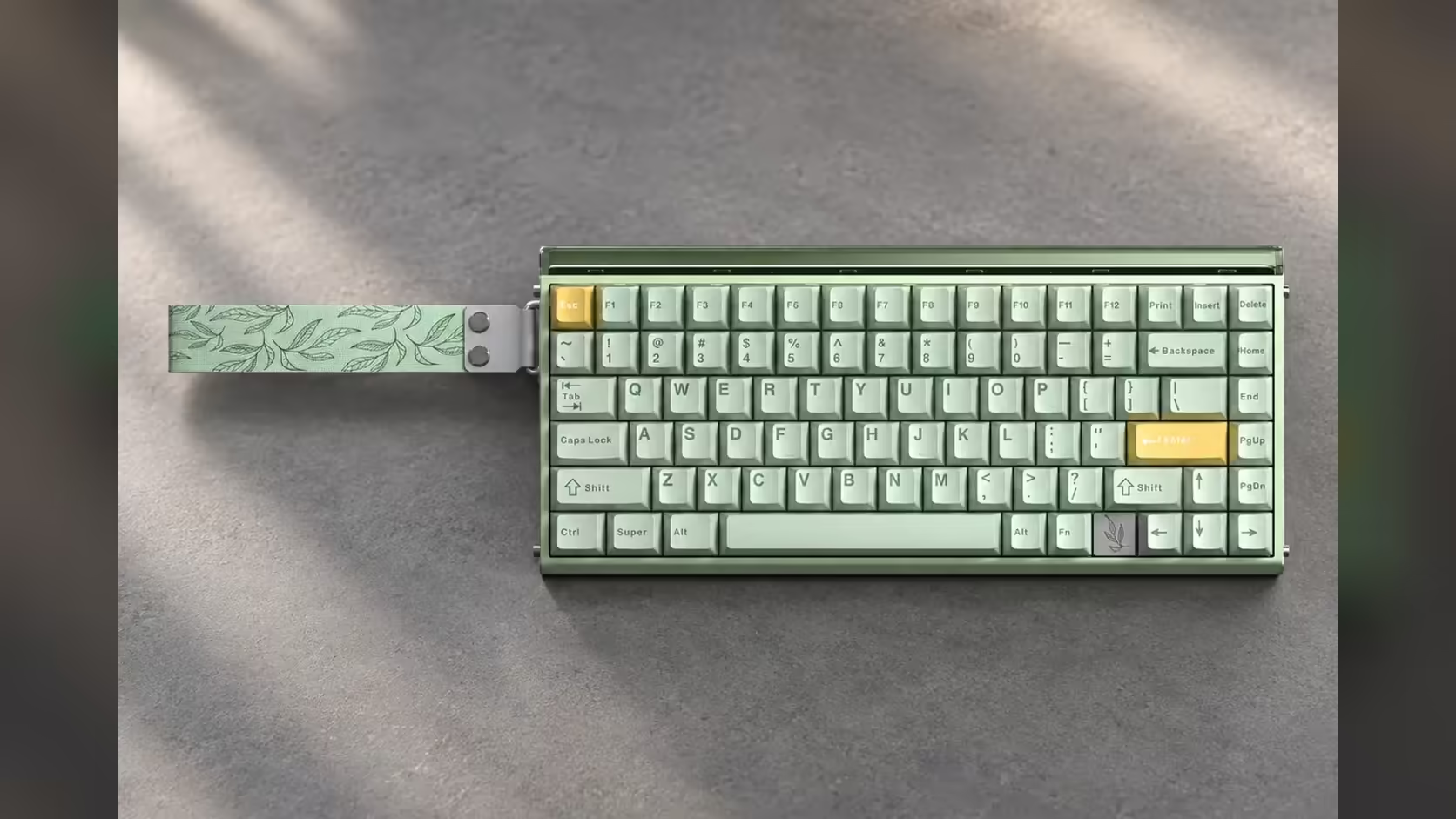
Coding leans on brackets, function keys and arrows, and the 75% AULA HERO 84 HE and the tenkeyless F87 Pro V2 keep all of them on dedicated keys. The F99 Max adds a number pad, while the 65% WIN68 moves the F-keys onto Fn combinations. Check with your school what equipment is used in any practical assessment, since your own keyboard is most useful for practice at home. Evetech lists the HERO 84 HE at R719, the F99 Max at R799, the F87 Pro V2 at R899, and the WIN68 HE and WIN68 MAX at R449 and R699.
💻 What coding asks of a keyboard
Every programming language uses the same awkward characters: round and square brackets, curly braces, semicolons, colons, quote marks and angle brackets. On any standard layout these sit on the right-hand side of the letters and need Shift for half of them, so a layout that keeps that area normal and uncramped is a big help.
Beyond symbols, code editors and IDEs lean heavily on:
- Function keys to run, compile, step through and debug code.
- Arrow keys to move through lines and select text.
- Navigation keys such as Home, End, Page Up and Page Down to jump around a long program.
A layout that keeps all of these one press away saves time and frustration during long practice sessions.
🧭 How the AULA layouts compare
HERO 84 HE: 75%
84 keys in a 75% layout, keeping the full function row and the arrow keys. AULA describes it as saving desk space without losing the keys you use most. It is a wired magnetic board polling at 8000Hz, which is plenty for games after homework too.
F87 Pro V2: tenkeyless
The tenkeyless layout keeps the function row, arrows and the full navigation cluster in their standard positions. Only the number pad is removed. For coding, that standard spacing is the most familiar option in the range. Being tri-mode, it can also hop between up to three Bluetooth devices or run from its USB receiver.
F99 Max: 96% with a number pad
The F99 Max keeps a number pad as well as a function row in a 96% frame, which suits learners who also do a lot of maths or data work. Up to five devices can be paired to it, which suits a learner who moves between a home PC and a laptop.
WIN68: 65%
The 65% WIN68 keeps the arrows but has no function row; F-keys move onto Fn combinations. That is workable once learned, but it is less convenient for debugging shortcuts. It shines as a gaming board with room for the mouse.
🔌 Study desk with a laptop: cable or tri-mode?
If the learner works on a desktop PC, a wired board such as the HERO 84 HE is the simplest choice, with no battery to charge. If the study desk has a laptop that moves between home and school bags, a tri-mode board like the F87 Pro V2 or F99 Max frees the laptop's USB port and pairs over Bluetooth.
The L99 adds something different: its 3.98-inch touchscreen can act as a numpad or a calculator, which is handy during maths or data exercises on a compact 75% board.
🇿🇦 Why buy locally in a matric year
Grade 12 has no room for a keyboard sitting in a courier queue overseas. Buying in South Africa means a fault is handled locally rather than posted back to a foreign seller. Evetech covers the magnetic HERO 84 HE and WIN68 with a 2 Years Local Warranty, while the F87 Pro V2, F99 Max and L99 carry one year, with claims handled here.
Compare these layouts in the gaming keyboards category at Evetech, and if a hot-swap board appeals, the keyboard switches range lets you change its feel later.
Frequently Asked Questions
Which AULA layout suits coding practice best?
A 75% or tenkeyless board, such as the HERO 84 HE or F87 Pro V2, keeps function keys, arrows and symbols on dedicated keys.
Is the 65% WIN68 a problem for coding?
Not a problem, but F-keys need Fn combinations, which slows debugging shortcuts until you are used to it.
Does a number pad help an IT learner?
It helps with maths and data entry. The F99 Max is the compact AULA option that keeps one.
Why should a Grade 12 learner buy locally?
A fault is handled in South Africa through Evetech, avoiding a long wait on an overseas return.
Cable or tri-mode for a study desk with a laptop?
Tri-mode frees the laptop's USB port and pairs over Bluetooth; a cable board suits a fixed desktop.
Can the L99 screen help while coding?
It can act as a numpad or calculator, which is useful for maths and data exercises.
Setting up a coding desk for the matric year?
Browse the keyboards at Evetech and pick a layout that keeps brackets, arrows and function keys within easy reach.