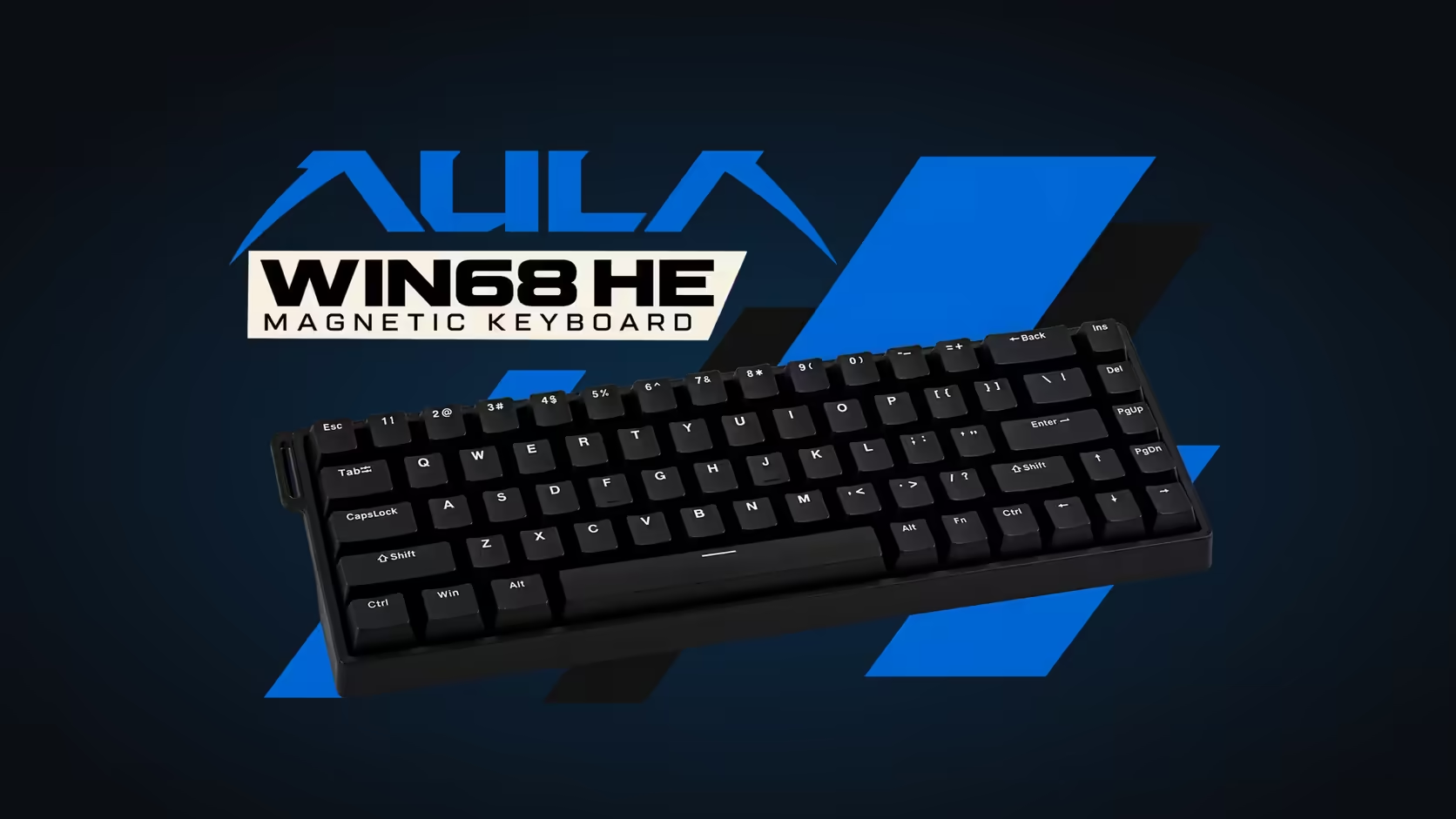
If your hands learned to type on the rubbery keyboard that came with an office PC, your opening minutes on a magnetic board will feel strange. Keys go down with less effort, they bounce back more crisply, and letters appear before you think you have pressed hard enough. Moving from a membrane keyboard to the WIN68 HE is mostly about adjusting to a lighter touch, and the board gives you tools to make that easier.
Quick Answer
Coming from a membrane office keyboard, the AULA WIN68 HE will feel lighter, because its Gray Wood magnetic switches register at 32gf. You can move each key's actuation point deeper in AULA's web driver while you adapt, which cuts stray letters. After a week or two most people settle in, and the lighter press tends to reduce effort over a long day. Evetech sells the WIN68 HE at R449.
🫳 Why it feels lighter than what you are used to
A membrane keyboard uses a rubber dome under each key. Pressing it means pushing against the dome until it suddenly collapses and closes a circuit underneath. That collapse takes a fair bit of force and feels vague, so membrane users learn to press firmly, often all the way to the bottom.
The Gray Wood switch works differently. A magnet in the stem glides past a sensor, and the key registers at 32gf, with resistance building smoothly to 50gf at the bottom of its 3.4mm stroke. There is no dome to overcome, so the key fires earlier and with less effort than your fingers expect. The result is a few extra letters in the opening days while your hands recalibrate their habits.
🎚️ Cutting accidental keystrokes while you adapt
This is where a magnetic board helps more than a mechanical one would. In AULA's browser-based driver, you can set the actuation and release points for each key. While you adjust:
- Push the letter keys a little deeper so a brushing finger does not register.
- Leave the space bar and Enter at a comfortable depth to avoid missed presses.
- Once your touch lightens, bring keys back up gradually if you want a quicker feel.
AULA does not publish an actuation range for the HE, so experiment within what the driver offers. It is a web page rather than a download, and AULA supports it on Windows.
🗂️ Office habits on a compact layout
Many office keyboards are full size, so the WIN68's 65% layout is the other change. You keep the letters, numbers, arrows and modifiers, so Ctrl-based shortcuts such as copy, paste and undo work exactly as before. The function row and some navigation keys, like Home and End, move to Fn combinations.
The numpad is gone, which matters most if you key in figures all day. The top number row covers occasional use; a separate numpad is the fix for heavy data entry. For everything else, the compact board frees up desk space and puts your mouse closer, which many people find more comfortable.
🔊 Fatigue, noise and the long day
A lighter switch usually means less effort per keystroke, and across thousands of keystrokes that adds up. Many people coming from membranes notice their hands feel less tired by the end of the day, especially once they stop bottoming out every key.
On noise, expect a change in character rather than a jump in volume. Membranes have a soft, dull thud. The HE has a crisper sound, because AULA packs the case with foam, Poron included, and thickens the shell to stop the hollow ring. Typing lightly keeps it quieter still.
Any fault in the early going is Evetech's to sort out under the HE's 2 Years Local Warranty. If you want to compare layouts before switching, Evetech's gaming keyboards cover compact and full-size options, and the hot-swappable sockets mean different switch types are available later if you want a heavier or lighter magnetic feel.
Frequently Asked Questions
Why does the HE feel so much lighter than a membrane?
It registers at 32gf with no rubber dome to push through, so keys fire earlier and with less effort.
How can I stop accidental letters while getting used to it?
Set the letter keys deeper in AULA's web driver, then bring them back up as your touch lightens.
Will my usual office shortcuts still work?
Yes. Ctrl, Shift, Alt and the Windows key are all there; only function keys and some navigation keys move behind Fn.
What do I do without a numpad?
Use the number row for occasional figures, or add a separate numpad if you enter numbers all day.
Will my hands tire less?
Many people find they do, because each keystroke takes less force, particularly once they stop pressing to the bottom.
Is it louder than a membrane keyboard?
It sounds crisper rather than much louder, and the foam layers inside damp the hollow echo.
Ready to leave the membrane behind?
Explore Evetech's gaming keyboard range and find a magnetic board with a touch light enough for work and play.