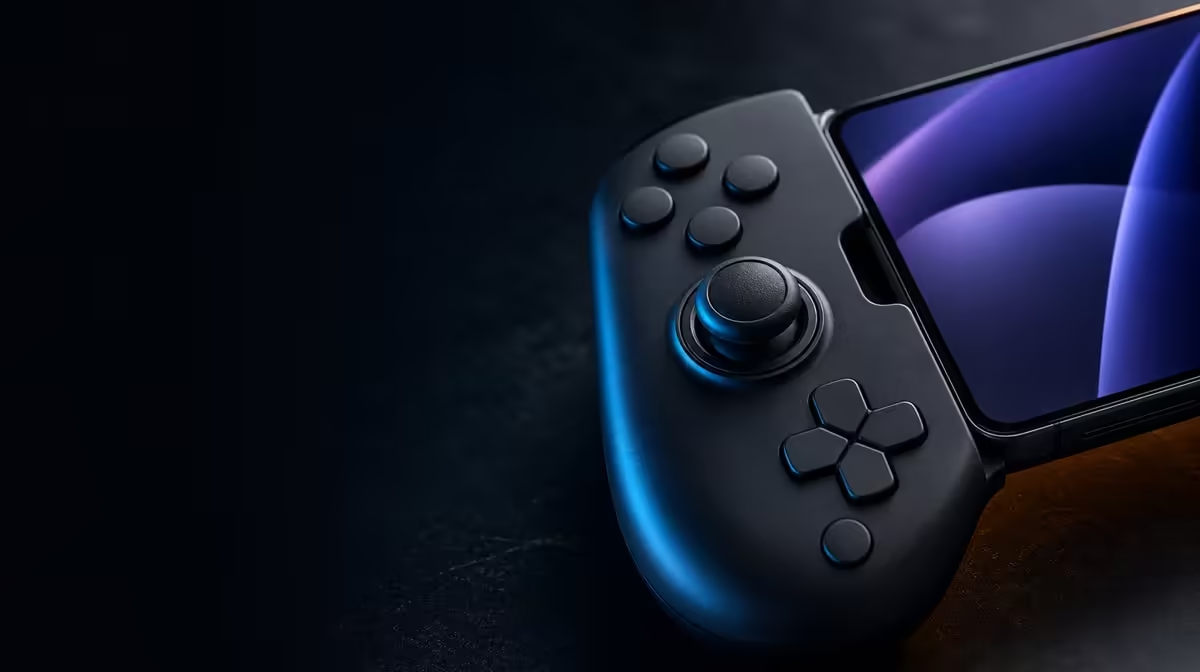
Stick drift is easiest to manage before a small neutral error becomes an in-game distraction. To prevent controller drift, protect the sticks from pressure, keep the surrounding controls clean and check neutral input periodically. The R699 GameSir X5s adds Hall Effect anti-drift sticks, reducing contact-related wear while still benefiting from careful calibration and storage.
Quick Answer
Store the controller with both sticks free, clean around the controls gently, and run a neutral-position check before raising deadzone. At R699, the GameSir X5s uses Hall Effect sticks that measure position magnetically and resist the contact-wear mechanism behind some drift. Hall hardware helps, but software, damage and physical obstruction can still affect accuracy.
🧲 Reduce avoidable mechanical stress
Do not leave a controller wedged in a bag with a stick held against its edge. Constant pressure stops the control from resting naturally and can stress the surrounding mechanism. Give the X5s enough room that both sticks remain untouched during transport and storage.
Keep food, grit and moisture away from the moving controls. Cleaning should be gentle and external, without forcing a stick beyond its normal range. Hall sensing removes a rubbing potentiometer track from the measurement method, but the physical stick assembly still moves.
Travel deserves a check at both ends. Before packing, confirm that no cable or accessory can press against a stick. After arrival, move the controls through their normal range and let them return. That routine catches a transport issue before a game session turns it into a confusing sensitivity hunt.
The Evetech gaming controller selection is useful when comparing drift-resistant designs, yet care remains relevant regardless of sensing technology.
🎯 Check neutral before hiding movement
Place the controller on a steady surface and release both sticks. Observe the game's input view or supported software, then move each stick slowly through its range and allow it to return without guidance. Repeat the check in several directions.
If unwanted movement appears, write down when it occurs. A consistent offset at rest is different from overshoot after intentional input. Movement caused by the controller pressing against a surface is different again. Accurate diagnosis prevents a sensitivity change from masking the wrong symptom.
Deadzone can ignore a small area around centre, but increasing it immediately may create a sluggish first movement. Confirm calibration and restore a known profile before adding compensation. If a small adjustment is appropriate, make it gradually and retest fine movement as well as neutral.
Record the stable value for each game rather than expecting one deadzone to fit every title. Games apply response differently, and a profile that feels precise in one may feel dull in another. A short note preserves the known result without implying that the controller itself changed.
Hall Effect anti-drift sticks lower the risk associated with worn contact tracks; they do not make every software setting correct forever. Periodic checks provide evidence instead of relying on a label.
🧪 Preserve a working baseline
Save default or stable settings before experimenting with sensitivity, mappings or gyro. The X5s supports software customisation, and that flexibility is more useful when there is a known point to restore.
Check connection stability before diagnosing the controls. An interrupted Bluetooth session can look like missing or delayed stick input. Compare USB-C if necessary, keeping the game and test movement unchanged, then return to drift checks only after the input path is dependable.
The same discipline applies after firmware or software changes: recheck neutral before adjusting a previously stable game profile. That gives the new setup a clean reference and protects carefully chosen values from unnecessary edits.
Test stick input separately from its analog triggers and 6-axis gyro. Motion aim can move the view while the sticks are untouched, and a mapping can change what the game does with input. Disable or isolate those layers during a drift check.
For the surrounding setup, browse gaming accessories through Evetech. The Evetech accessory best-seller list offers broader context once the controller itself has a dependable baseline.
Frequently Asked Questions
How often should I check the stick centre?
Check when setting up a new profile and whenever unexplained movement appears. A quick periodic check also gives you a useful comparison with earlier behaviour.
Can dust matter with Hall Effect sensing?
Yes. Hall sensing changes how position is measured, but the stick remains a moving physical assembly. Keep the surrounding control area clean and avoid forcing debris inward.
Why not solve every offset with a larger deadzone?
An oversized deadzone can make early stick movement feel unresponsive and may hide rather than identify the cause. Confirm neutral, calibration and the profile first.
What is the price of the anti-drift X5s?
Evetech's R699 GameSir X5s includes Hall Effect anti-drift sticks as part of its mobile controller package.
Ready to protect accurate input from day one?
Compare Hall-equipped gaming controllers at Evetech and build a storage, cleaning and calibration routine around the one you choose.