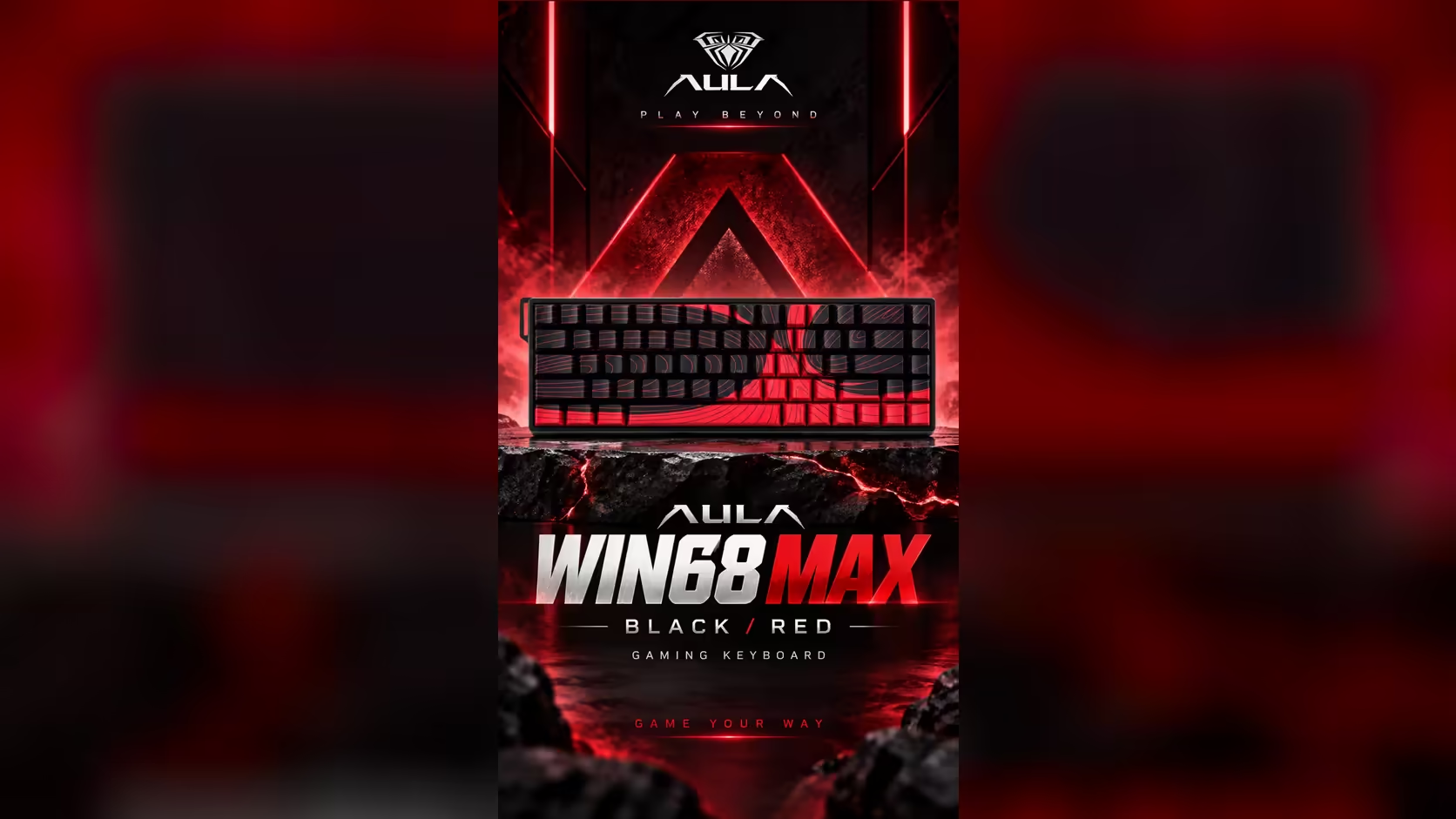
Scroll through the key modes on the AULA WIN68 MAX and two names are easy to skip past: Toggle and Rapid Switch. They sit beside the headline features, SOCD and DKS, and neither needs switching on for everyday play. But each solves a specific annoyance, and knowing when to reach for Toggle and Rapid Switch saves you from holding keys down longer than you need to or fumbling fast direction changes.
Quick Answer
Toggle on the AULA WIN68 MAX turns a key into an on-off latch, which suits long-held actions like auto-walk or a sustained crouch. Rapid Switch is one of the MAX's competitive modes and sits with SOCD for fast direction changes. Both are set per key in AULA's web driver on this wired 65% board, which polls at up to 8000Hz and costs R699 at Evetech.
🔒 Toggle: a key that stays pressed
Normally a key only acts while you hold it. Toggle changes that. Press once and the key behaves as if held down; press again and it releases. Your finger is free in between.
Where it earns its keep:
- Survival and crafting games that ask you to hold a key to gather, charge or walk for long stretches.
- Long runs across big maps where holding a movement key for minutes gets tiring.
- Accessibility, for anyone who finds sustained key holds uncomfortable.
The trade-off is that a toggled key can be forgotten. If a character keeps crouching after you thought you had stood up, a toggled key is the likely culprit. Use it on one or two keys, not across the board.
🔀 Rapid Switch: fast transitions in competitive play
AULA lists Rapid Switch among the MAX's advanced modes but does not spell out its exact behaviour on the product page. The name points to quick handovers between keys, and it sits in the same competitive group as SOCD, which decides the winner when two opposite keys are held together. On other magnetic keyboards, features with similar names manage how quickly the board hands off from one key to the next during rapid direction changes.
Because the product page is silent on details, the safest approach is to read the description inside AULA's web driver and test it in a practice area. Try strafing left and right quickly with it off, then on, and see which feels cleaner for your style.
🏆 Do casual players need either?
Honestly, not often. Rapid Trigger, which the MAX rates at 0.01mm precision, already makes keys reset the moment they start lifting. That alone sharpens movement for most players. Toggle is a comfort feature you add when a game demands long holds, and Rapid Switch is aimed at players chasing the last bit of consistency in fast shooters.
Tournament play needs care. Some competitive games and events restrict certain input modes, and rulings change between seasons. Before you rely on Rapid Switch, SOCD or any similar mode in ranked or organised play, read that game's current rules or the event's rulebook.
⌨️ How the switches shape the feel
The MAX runs Wing Chun magnetic switches: a 36gf press to register, rising to 49gf by the end of a 3.4mm stroke. Starting a little stiffer than featherweight switches helps with Toggle, since you are less likely to bump a latched key off by accident. For fast direction changes, the ability to set actuation per key from 0.1mm, with the dead zone removable, lets the movement keys respond almost instantly while other keys stay calmer.
Toggle and Rapid Switch are MAX features. The WIN68 HE shares the same 68-key shell but sticks to Rapid Trigger and per-key actuation.
Both WIN68 editions appear in Evetech's gaming keyboards line-up, and since the sockets are hot-swap, Evetech's switch selection is worth a look whenever the stock feel wears thin; stay magnetic. The MAX is backed by Evetech with a 2 Years Local Warranty.
Frequently Asked Questions
What happens to a key set to Toggle?
One press latches it on as if held, and a second press releases it, leaving your finger free in between.
Is Toggle useful in survival games?
Yes, for actions that ask you to hold a key for a long time, such as gathering or walking across a large map.
How does Rapid Switch relate to SOCD?
Both sit in the MAX's competitive group for handling fast key transitions. AULA's page does not detail Rapid Switch, so check the driver.
Should a casual player turn either on?
Usually not. Rapid Trigger already helps movement; add Toggle for comfort and Rapid Switch only if you play fast competitive titles.
Are these modes allowed in tournaments?
It depends on the game and event, and rules change. Read the current rulebook before using them competitively.
Does the Wing Chun switch feel different with Toggle on?
The switch feels the same; Toggle only changes what the board does with the press. Its 36gf start helps avoid bumping a latched key.
Want finer control over how your keys behave?
Browse magnetic boards with advanced key modes in Evetech's gaming keyboard range and match the features to the games you play.