The 2026 memory-price pressure changed the shape of a South African budget build by making RAM capacity harder to treat as a small afterthought. The practical response is to preserve a matched 16GB kit for an entry gaming PC and build the current GPU choice around the money left. Do not invent a historical increase; compare named July 2026 baskets.
Quick Answer
Set the minimum memory capacity from measured game and background use. Price a named two-module kit, motherboard and processor as one platform line. Then choose the GPU. Use 16GB for a focused budget system when it fits the workload, and move to 32GB for streaming, creation or heavy multitasking when the complete basket can absorb it.
Step 1: stop using old percentage splits
A build guide written under different RAM prices can direct too little money to memory. Rebuild the basket from current named parts rather than applying a fixed 10 or 15 percent.
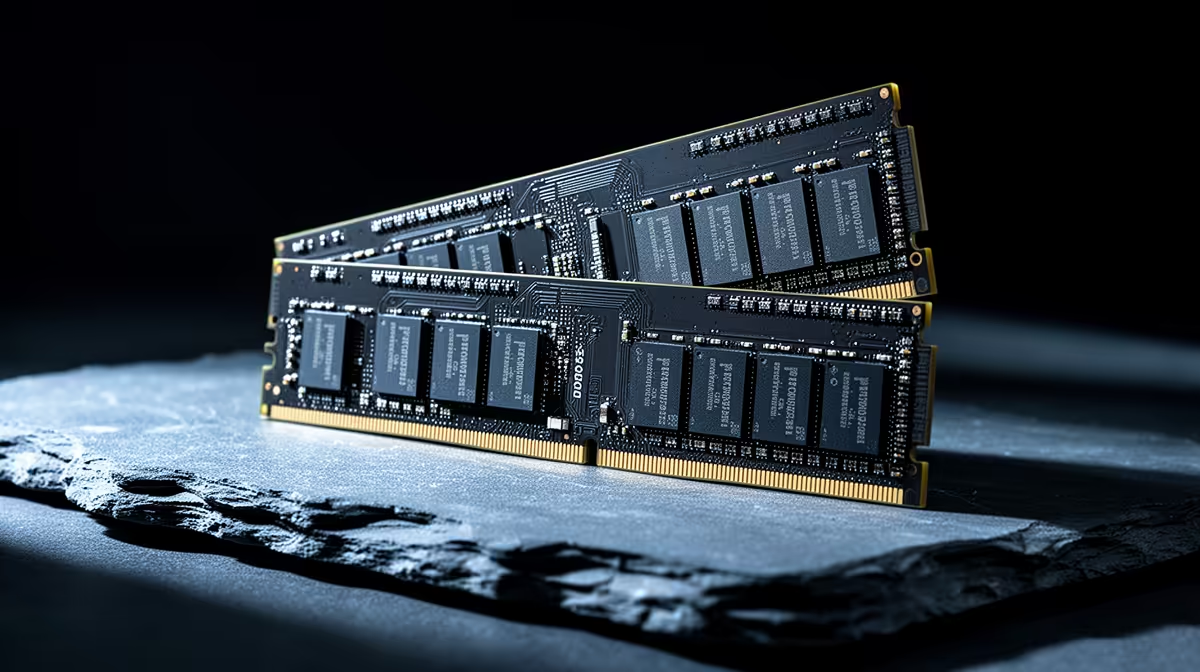
Open the DDR5 memory range and memory best-seller page. Confirm the generation, capacity, module count, rated profile and full part number. The category minimum can be a different memory type or accessory, so it is not a budget fact.
Step 2: keep the intended channel layout
One large module can look like an easy saving and reduce memory bandwidth. Use a matched pair in the motherboard's recommended slots where the platform expects dual-channel operation.
Two modules also leave less electrical load than filling four slots on many consumer boards. If the final capacity is known, buy the intended kit together rather than planning to mix separate kits later.
Enable the memory profile after first boot and test stability. A rated speed is an overclocking profile on many platforms and may need current firmware.
Step 3: decide 16GB versus 32GB from evidence
Open the heaviest game with voice chat, browser and recording tools you use. Watch committed memory and paging. If 16GB remains comfortable, keep it and protect GPU spend. If the system approaches capacity or stutters while paging, 32GB has a job.
Do not run a clean benchmark with every normal application closed. The build should cover the real session.
Step 4: recover budget without weakening the foundation
Choose a mainstream motherboard with the ports you use. Start with 1TB or a smaller suitable SSD when a second drive can follow. Use a simple airflow case rather than decorative glass and extra lighting.
Keep PSU quality, correct memory layout and enough GPU performance. A weak power supply or one-module shortcut can create a system that looks complete and performs below its parts.
Step 5: compare DDR4 and DDR5 as platforms
A budget build may face an older DDR4 platform and a newer DDR5 option. Compare CPU, motherboard and memory together. A cheaper DDR4 kit can be useful when the existing board and processor still meet the game target. Buying an old socket from zero needs a clear total-cost advantage because the later processor route may be limited.
DDR5 provides more bandwidth and a current platform path, but high rated speed does not guarantee a visible gain in every game. Latency, CPU architecture and graphics load all shape the result. Check benchmarks for the exact kits and processors rather than comparing generation names.
Do not place DDR4 into a DDR5 slot or the reverse. The modules and boards are physically and electrically different. Confirm the full motherboard model before ordering.
Step 6: keep upgrade timing realistic
Buying 16GB now and adding another separate kit later can create a mixed layout that does not hold the same speed. If 32GB is a near-term certainty, compare the cost and GPU impact of buying the matched capacity once.
If 16GB is enough for the next two years, leave the planned upgrade on paper. Empty slots are useful flexibility, not a command to fill them. Storage is often easier to add because a second SSD does not need to match the first controller or memory timings.
Keep the original memory kit packaging and part number. If troubleshooting begins, return firmware settings to default and test one approved configuration at a time.
Step 7: date every quoted number
Use prices only from the local pack or named current pages and write as of July 2026 beside each quote. A claim that RAM rose by a certain percentage needs historical evidence, which this build does not invent.
The verified output is the complete current basket. Save it with date and part numbers so another builder can reproduce the decision.
Build two baskets before checkout
The first basket uses 16GB and protects the intended GPU. The second uses 32GB and shows the exact graphics, storage or CPU compromise. Compare both in the games and creator tools you use.
This exercise turns the memory crisis from a headline into a choice. If both baskets clear the same frame target, buy the capacity that supports your work. If the 32GB version drops a full GPU tier while memory use remains comfortable, the 16GB build is the sharper gaming balance.
Frequently Asked Questions
Did RAM prices force every build to use less GPU?
The pressure can reduce the remaining allocation, but the effect depends on current named parts and the capacity required.
Is one 16GB module acceptable?
It can run, while a matched two-module layout usually provides the intended channel bandwidth for a gaming build.
Should I buy 32GB for future use?
Buy it when your workload or near-term plan uses it and the GPU target remains intact. Empty capacity has no frame-rate value.
Rebuild the budget from a dated matched-memory kit, then protect graphics performance without weakening power, layout or stability.