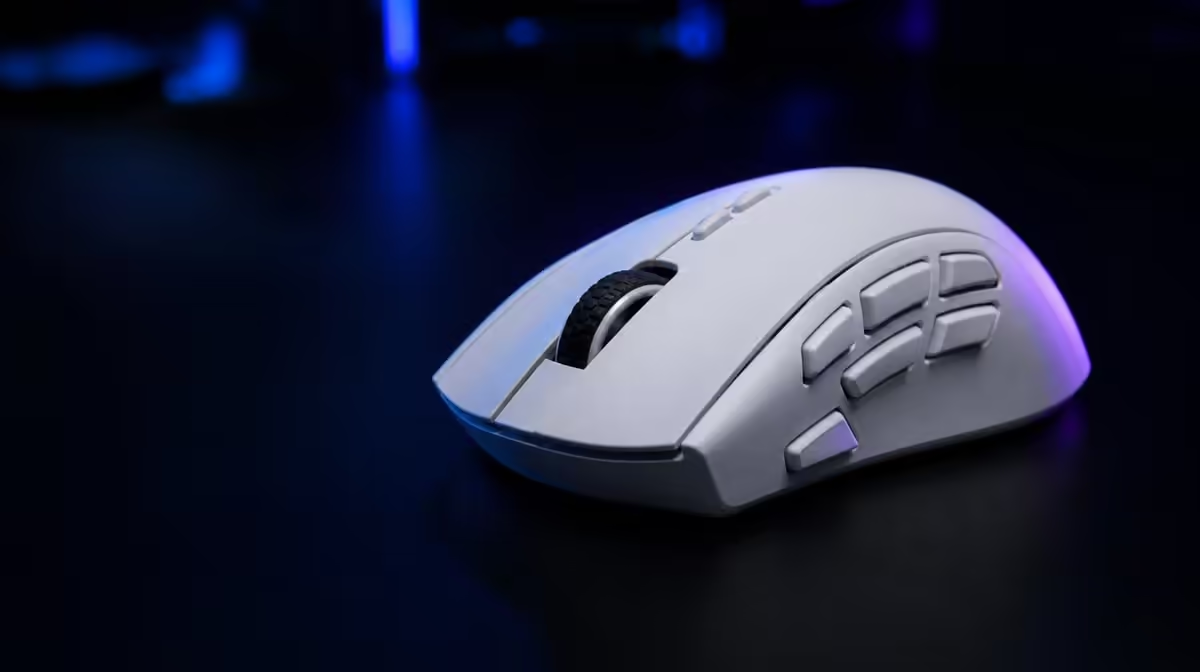
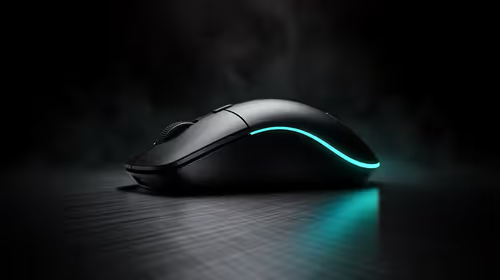
A six-button mouse works best when every input earns its place through frequency, comfort and clarity. To configure six mouse buttons for better gaming, start with default clicks, add one high-value command at a time and test each assignment while moving the mouse. The G305 X SUPERLIGHT gives players enough programmable controls for a focused layout without turning the mouse into a crowded command board.
Quick Answer
Assign frequent, time-sensitive actions that remain comfortable during tracking, then keep rare or complex commands on the keyboard. At R1,499, the G305 X SUPERLIGHT combines six programmable buttons with tri-mode connectivity and a Hero 44K sensor, so each game can use a compact profile without changing the movement settings that already work.
🔹 Establish a clean starting profile
Reset the six inputs to a known layout and save the profile under the game's full name. Keep the primary and secondary clicks familiar, then confirm a moderate DPI, stable connection and dependable report rate before changing any commands. This separates button decisions from movement tuning.
Write down the actions currently performed by the mouse hand and keyboard hand. Mark which commands are frequent, which are time-sensitive and which interrupt movement when reached on the keyboard. The overlap between those groups identifies the best first candidates.
Evetech's Logitech gaming mouse selection provides related layouts for comparing input placement.
Test reach before assigning importance
Place the hand in its normal grip and touch each programmable input without looking down. Reject any mapping that requires the thumb to stretch, the wrist to twist or the index finger to leave a critical control. An important action belongs on a button only when the player can reach it cleanly.
🔹 Build an FPS utility map
FPS players often benefit from one or two quick utility actions rather than a densely filled mouse. Consider a communication command, melee action or other frequent control that can be activated without disturbing aim. Keep primary movement and weapon choices where the player already handles them reliably.
Run a pressure drill with fine tracking, a rapid turn and every new button press. Watch the pointer path and count accidental activations. If a side-button press pushes the shell sideways, move that command or return it to the keyboard.
Protect the aiming grip
Repeat the test during a long match rather than judging the first five minutes. A mapping that feels reachable when the hand is fresh may create tension after repeated use. The winning FPS profile is the smallest layout that preserves relaxed movement.
🔹 Organise MOBA and strategy commands
MOBA and strategy games mix map movement, selection, items and communication. Group two related actions on neighbouring inputs so their positions are easier to remember. Keep commands with severe consequences away from buttons that are commonly squeezed during camera control.
Use an empty practice environment first, then repeat the layout during a busy team fight or multi-unit sequence. The profile should remain understandable when attention is divided, not only when the player is studying the bindings menu.
The broader gaming mouse category helps compare six-button designs with other input arrangements.
Limit context changes
If the same button changes meaning across several profiles, name every profile clearly and build a short switch check. Confirm the game name, one side-button command and the active sensitivity before play. This catches a productivity or MMO map left active by mistake.
🔹 Create a practical MMO or productivity layer
Six buttons cannot carry an entire MMO rotation, so choose a coherent group such as targeting, communication or movement support. Put longer action chains and infrequent abilities on the keyboard where their order remains visible and deliberate.
A productivity profile can use the same principle. Navigation or repeated editing commands may deserve easy access, but a destructive shortcut should not sit on a button that can be pressed accidentally. Separate work and game profiles instead of forcing one layout to serve both.
Add assignments one at a time
Use the new command for several sessions before adding the next one. A gradual build reveals whether the action genuinely saves effort and makes the source of an accidental input obvious. Filling every slot immediately hides both answers.
Keep connection roles visible
Connection choices on the G305 X SUPERLIGHT include Lightspeed, Bluetooth and a wired route. Label the intended mode beside each profile and confirm that the correct bindings become active after switching devices. Do not assume a connection change preserves every software state without checking.
Use Evetech's accessories best-seller view for wider R1,499 context, then check current availability when the layout suits the intended games.
🔹 Audit the six-button budget
After two weeks, list how often every custom input was used, whether it caused a grip change and whether the player remembered it under pressure. Remove dormant assignments. An unassigned input is better than a surprising command that appears once a month.
Keep a compact recovery profile with moderate DPI, a dependable report rate, the main connection and default buttons. It gives troubleshooting a clean baseline after a game, software or PC change.
The Hero 44K sensor reaches 44,000 DPI and 678 IPS, with reporting up to 8kHz. Preserve those movement choices while reviewing buttons; remapping an input should never be confused with retuning sensitivity or tracking.
Frequently Asked Questions
Which actions deserve a mouse button first?
Start with commands that are frequent, time-sensitive and awkward to reach on the keyboard. They must also be comfortable to press without disturbing tracking.
Should every button be assigned in every game?
No. Leave an input unused when no command clearly improves the game's control flow. A smaller, memorable map is safer than a filled layout with marginal actions.
How can FPS players use the six-button layout?
Keep aiming and primary clicks stable, then test one or two utility actions during movement drills. Remove any binding that changes grip or causes accidental input.
What mappings can suit MOBA or strategy games?
Related item, communication or camera-support commands can form a small group. Test them during busy encounters, where memory and control are under real pressure.
Why should separate profiles be named clearly?
Clear names reveal which game, device and connection the bindings serve. They reduce the chance of entering play with a work or secondary-game layout.
How can accidental inputs be diagnosed?
Add one mapping at a time and record the exact movement that triggers the mistake. Then change the assignment or button rather than rebuilding the entire profile.
When should an assignment return to the keyboard?
Move it back when the press strains reach, disrupts aim, creates repeated errors or is too rare to remember. The keyboard remains the better home for many complex commands.
Ready to make every mouse button earn its place?
Compare gaming mice at Evetech, build one focused six-input profile and pressure-test each new command before adding another.