Thinking of upgrading your PC rig? Awesome. But before you splash out on that shiny new CPU, there’s a critical question every South African gamer needs to ask: what about the RAM? The debate around DDR4 and DDR5 compatibility can seem complex, with conflicting advice online. Get it wrong, and you’re left with pricey components that won’t even fit.
This guide cuts through the noise. We'll break down exactly what you need to know to make the right choice for your build and budget.
The Golden Rule: Motherboards Call the Shots
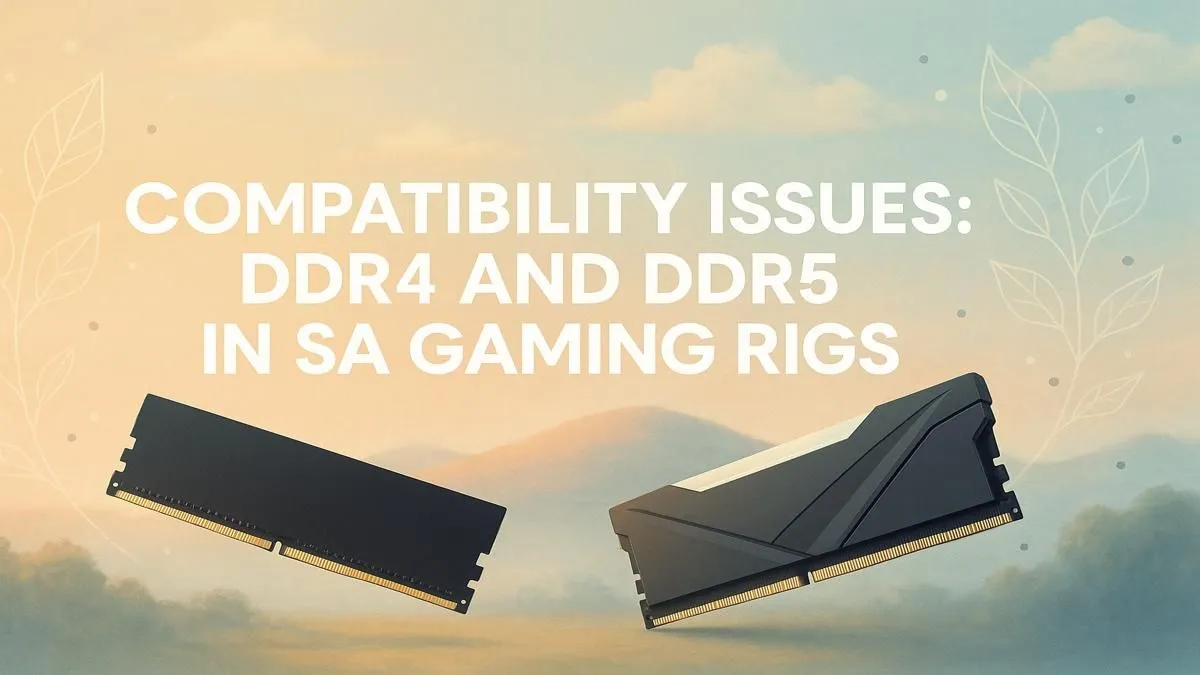
Let's get the most important point out of the way first. You cannot mix DDR4 and DDR5 RAM. They are not forwards or backwards compatible. Why?
It comes down to two things:
- Physical Design: DDR4 and DDR5 modules have a small notch in the connector pins, but it's in a different place for each. This physically prevents you from inserting a DDR5 stick into a DDR4 slot, and vice-versa. It’s a foolproof way to stop you from damaging your components.
- Electrical Differences: They operate on different voltages and have completely different memory controllers.
The bottom line is simple: your motherboard determines your RAM type. A motherboard will have either DDR4 slots or DDR5 slots, never both. This is the first and most crucial check when planning your DDR4 and DDR5 compatibility.
DDR4 vs. DDR5: Is the Upgrade Worth It for Your Rig?
So, your motherboard forces the choice. But which one should you choose if you're building from scratch? It depends on your priorities: performance, budget, and future-proofing.
Performance and Speed 🚀
DDR5 is the newer technology, boasting significantly higher theoretical speeds (measured in MT/s) and more bandwidth. For tasks like video editing, 3D rendering, and compiling code, this extra bandwidth is a massive advantage. In gaming, the benefits can be more subtle, often appearing in CPU-heavy titles or at higher resolutions where the system needs to feed the graphics card data faster.
Budget and Value
This is where the decision gets interesting for SA gamers. DDR4 has been around for years, and the prices reflect that maturity. You can get fantastic, high-performance DDR4 memory kits for a fraction of the cost of their DDR5 counterparts. If you're building a mid-range PC or trying to maximise your frames-per-Rand, DDR4 offers undeniable value.
Future-Proofing ✨
While DDR4 is still brilliant for today's games, DDR5 is the future. All new CPU platforms are being built with DDR5 in mind, and as games and applications become more demanding, its higher bandwidth will become more important. Investing in cutting-edge DDR5 RAM now means your system is better prepared for what's coming next, potentially saving you a bigger motherboard-and-RAM upgrade down the line.
Pro Builder's Tip 🔧
Always check your motherboard's Qualified Vendor List (QVL) on the manufacturer's website before buying RAM. The QVL is a list of specific RAM kits tested and guaranteed to work at their advertised speeds on that board. This is especially important for hitting high-speed XMP or EXPO profiles without stability issues.
How to Check Your PC's RAM Compatibility
Unsure what your system supports? Here’s how to check.
For a Brand-New Build
This is the easy part. When you're looking at a motherboard on Evetech, check the specifications list. It will clearly state "Memory Support: DDR5" or "Memory Support: DDR4". This is your definitive answer. Pick one and stick with it for your RAM purchase.
For an Existing PC Upgrade
If you're upgrading an older PC, you need to identify your motherboard model first. You can use a free tool like CPU-Z to find this. Once you have the model name, a quick Google search will take you to its official product page with all the specs you need.
It's a common mistake to think older RAM, like the once-popular DDR3 gaming modules, might work in a pinch if you have some lying around. They absolutely will not—the physical and technical standards are completely different.
Ultimately, understanding DDR4 and DDR5 compatibility is about knowing your motherboard is the boss. Match your RAM to your board, and you're set for a smooth build.
Ready to Upgrade Your Memory?
Whether you're squeezing every frame with cost-effective DDR4 or building a future-proof beast with DDR5, the right RAM is waiting. Browse our full range of RAM at Evetech and give your PC the boost it deserves.