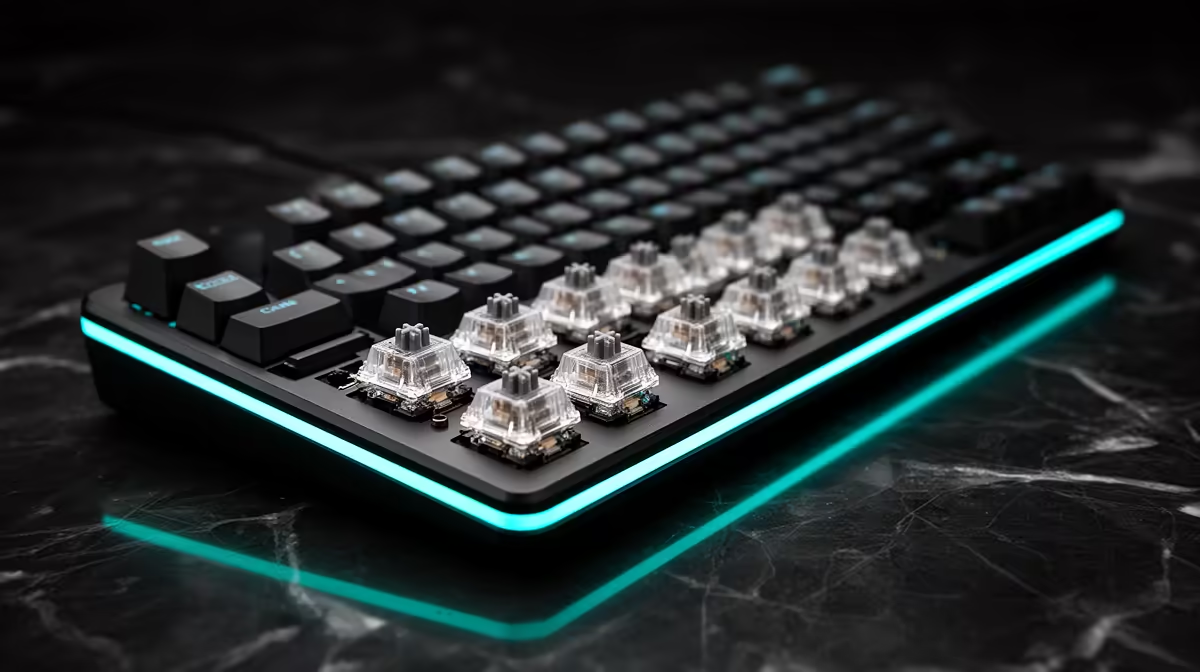
You pull one keycap, lift the switch beneath it and change the feel of a single key in under a minute. That is the appeal of a hot-swap keyboard. The socket replaces solder for routine switch changes, but bent pins and incompatible optical switches can still ruin the easy part.
Quick Answer
Confirm the keyboard uses hot-swap mechanical sockets, check whether it accepts 3-pin, 5-pin or a specific switch system, then unplug it. Remove the keycap, pull the switch straight up, align the replacement pins and press it into the plate. Gaming keyboards in Evetech's July 2026 stock snapshot had a R899 median price; verify the socket before buying a bag of switches.
🔎 Check the socket and switch type
Open the manual or product page and look for hot-swap support. A removable keycap does not prove the switch can come out. Soldered boards need desoldering from the underside, and forcing one will damage the plate or circuit board.
Mechanical 3-pin switches have two metal pins plus a centre plastic post. A 5-pin housing adds two plastic alignment legs. Many 5-pin sockets accept both. Optical and magnetic switches use different sensing systems and may fit only the keyboard family designed for them.
Check the switch orientation as well. North-facing and south-facing sockets place the LED on different sides, and some keycap profiles can touch a switch housing in one arrangement. The key may still work, but the sound and travel can change.
Evetech's gaming-keyboard deals can help you identify hot-swap models before you compare switch packs.
🧰 Pull the old switch straight out
Disconnect USB or switch the keyboard off. Use a wire keycap puller to lift the cap with even pressure. Place the switch puller under the top and bottom retaining clips, squeeze them inward and pull straight up.
If the switch will not move, stop. Check for a hidden latch, plate foam or soldered construction. Rocking it hard from side to side can loosen the socket from the circuit board.
Look into the empty socket with a light. A hot-swap contact should sit in place without a split or bent leaf. If the socket moves when you touch it, stop using that position and inspect the back of the board only when the case can be opened without harming the warranty.
📌 Straighten every pin before insertion
Turn the new switch over and inspect both metal pins. They should sit straight and parallel. Align the centre post plus guide legs with the socket, then press down through the top housing until the clips seat in the plate.
A switch that sits high or feels springy may have folded a pin underneath. Pull it out, straighten the pin with a fine tool and try again. Do not keep pressing; a bent pin can enter the wrong opening and damage the socket.
Fit the keycap after the electrical test. Some long keys use stabilisers that must remain clipped while the switch changes. Press the cap over the stem, check its height against neighbouring keys and make sure it returns without rubbing.
Keep removed switches in a rigid box so their pins stay straight. Label the switch type and the keys where you tested it.
⌨️ Test each change before filling the board
Reconnect the keyboard and use a key tester or plain text editor. Press the new key at the edges and centre. If it misses inputs, reseat the switch and inspect the pins.
Change four or five switches first when trying a new type. Put them under common gaming or typing keys and use the board for an evening. A whole set is expensive and time-consuming to remove if the spring weight tires your fingers.
Evetech's keyboard best-seller page gives you complete-board options if you decide the current layout, stabilisers or socket system no longer suits the project.
Frequently Asked Questions
How do hot-swap keyboard sockets work?
Metal contacts in the socket grip the switch pins, allowing removal and replacement without soldering.
Do you need a special tool to remove switches?
Use a switch puller for the retaining clips and a wire keycap puller for the cap.
What is the difference between 3-pin and 5-pin switches?
A 5-pin housing adds two plastic guide legs. Electrical operation still uses the metal pins and centre structure.
Can you mix switch brands on a hot-swap board?
Yes, when the physical pin layout and sensing system match. Key feel can vary across the board.
Do hot-swap sockets loosen over time?
Repeated rough removal can wear or lift a socket. Pull switches straight and stop when one resists.
Is hot-swap worth choosing over soldered?
It suits anyone who wants easy switch replacement or experimentation. A soldered board can still serve for years with one chosen switch.
Choosing a keyboard you can tune switch by switch?
Compare hot-swap boards at Evetech, then match the socket, pin layout and switch technology before ordering replacements.