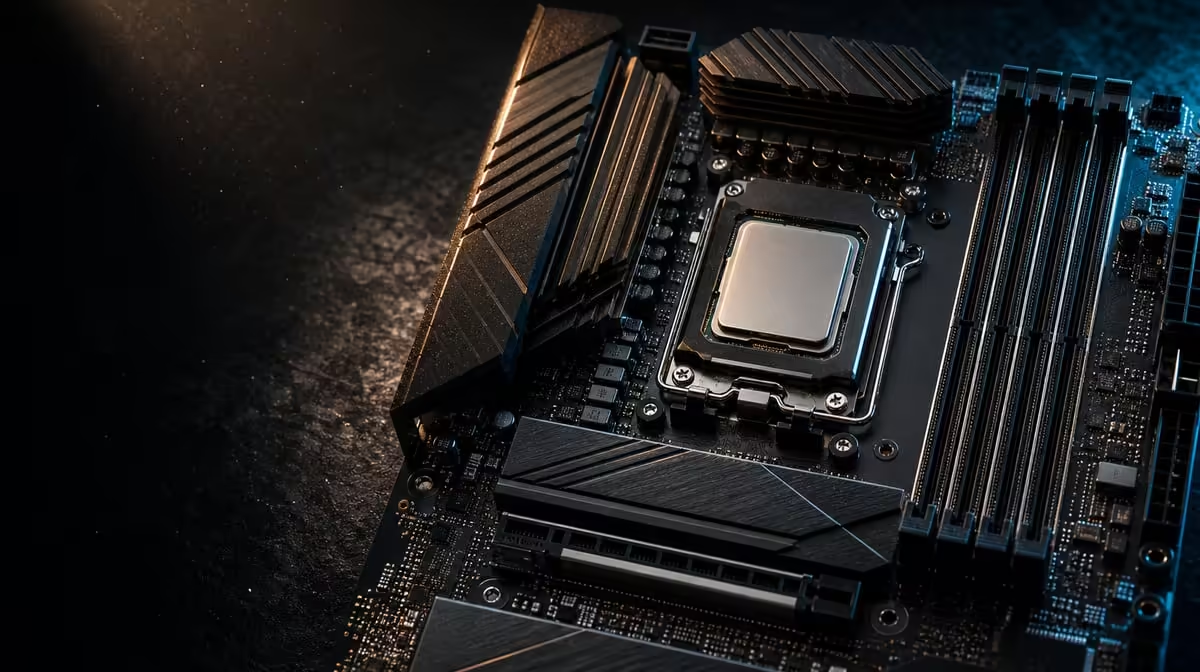
A Ryzen generation is not a motherboard compatibility certificate. To choose a motherboard for a Ryzen 9000 gaming PC, identify the exact processor, verify current board support and firmware, then plan DDR5, graphics, storage and case fit. The X870E Extreme offers a broad flagship route after those checks.
Quick Answer
Match the full Ryzen 9000 model to current motherboard support and any firmware requirement before buying memory or assembling the PC. The R24,899 ROG Crosshair X870E Extreme uses AM5 and DDR5, supports PCIe 5.0 and has five M.2 positions, but the X870E name alone does not confirm every processor.
?? Fix the exact CPU
Use Evetech's AMD processor range to record the full model. Check that exact item against the exact board.
Do not extend a support result from another Ryzen 9000 processor or similarly named motherboard.
?? Prepare firmware and DDR5
Understand the support path before assembly. Record the intended firmware state and directed minimum DDR5 arrangement.
If the first boot fails, check power, CPU seating, memory and support one controlled step at a time.
Keep a baseline
Boot essential devices first. Add storage and expansion after the processor and memory prove stable.
?? Map gaming storage
Five M.2 positions allow staged libraries and project drives. Assign each route and preserve cooling and access.
Compare X870 motherboards by exact layout, not merely position count.
Protect GPU space
Check the graphics card against the E-ATX case, cooling and storage access. Install hard-to-reach drives in a sensible order.
?? Balance the flagship spend
At R24,899, the Extreme also includes Wi-Fi 7, 5G and 10G LAN and USB4 Type-C. Several should serve the build.
Compare Evetech's AMD motherboard category with the CPU held constant. Another board may free money for graphics or useful SSD capacity.
Record the finished platform
Save CPU, firmware, DDR5 positions, drives and stable tests. The record supports later upgrades.
Prepare a first-boot sequence
Install the processor, directed minimum memory arrangement and essential display path before adding every optional device. Confirm power leads and allow the initial platform process to complete according to the board guidance.
If startup fails, record indicators and change one variable. Randomly rotating memory, drives and settings together removes the evidence needed to find the cause.
Plan firmware before assembly
Check the support path while exact model names are in front of you. Note any preparation required and understand the directed process before the cooler and full device set make access difficult.
Keep power stable during firmware work and preserve the known-good state. Do not treat a Ryzen generation label as sufficient preparation.
Design the DDR5 plan
Choose capacity for the actual games and productive tasks, then use the recommended installation arrangement. Avoid combining an untested memory change with first diagnosis of the new processor.
After a stable boot, run representative work more than once. Startup alone does not prove the completed system is reliable.
Coordinate storage with the graphics card
Map all intended M.2 positions and identify those that become difficult to reach beneath expansion hardware. Install in a sensible order, fit the relevant thermal parts and label every drive.
Leave open positions for credible growth. Five small launch drives are not automatically better than sufficient capacity with a clean expansion route.
Match networking to the home
Wi-Fi 7 needs compatible wireless equipment and suitable signal conditions. The 5G and 10G ports need switches, cabling and endpoints that can use them. Online gaming still depends on the external service and server.
Test the intended desk over a stable route before assigning networking much of the R24,899 premium.
Compare two Ryzen 9000 builds
Hold the exact CPU and total budget constant. Place the Extreme in one basket and a narrower compatible board in the other. Allocate the saving to graphics or storage, then compare real gaming outcomes.
The Crosshair wins when multiple flagship routes serve the system. Compatibility alone does not require the highest tier.
Rehearse the next upgrade
Identify which drive or network device is likely to be added first and confirm its physical route now. Keep spare mounting parts and the build map together.
This small rehearsal tests whether the claimed expansion is truly accessible without purchasing hardware before it is needed.
Update the route whenever the graphics card, case or storage layout changes.
Keep the processor compatibility packet with the completed machine. It should contain the exact CPU, firmware state, DDR5 layout and stable test results, giving the next upgrade a reliable starting point instead of a generation-level assumption.
Frequently Asked Questions
What confirms Ryzen 9000 support'
The exact CPU must match current support for the exact board and required firmware path.
Does X870E confirm every Ryzen 9000'
No. A chipset name cannot replace model-level checking.
Why plan firmware early'
Preparation before assembly reduces uncertainty during first boot.
What case format is required'
The Extreme is E-ATX, so the chassis must explicitly support it.
Should Wi-Fi 7 outrank CPU support'
No. Compatibility and a stable platform come before networking extras.
Ready to build around an exact Ryzen 9000 model'
Pair Evetech's AMD processor and motherboard choices through current support, then map DDR5, storage and E-ATX case fit before assembly.