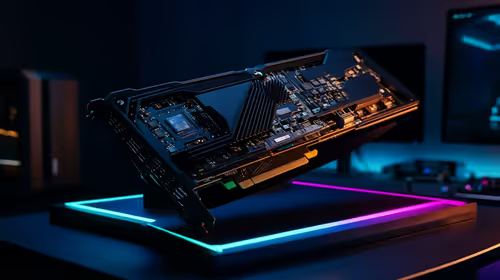
The copper base plate is the only part of an AIO cooler that meets the processor, so its contact decides whether the rest of the loop gets to do any work. Most builders worry about the thermal paste and the screws, but the order you assemble things in matters just as much. This guide walks through what happens between the plate and the processor during installation, step by step, so the contact is flat and even when the cooler is finally tightened.
Quick Answer
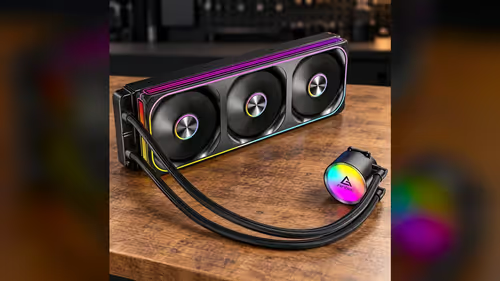
The copper base plate sits flat on the processor when the mounting bracket pulls it down evenly across four mounting points. The paste fills small gaps between the plate and the spreader, so only a little is needed at the centre. This cooler's plate is copper, and the unit is R1,199 including VAT.
🧭 Lay the bracket on before the paste goes on
Most AIO brackets fix to four mounting points on the board, with the bracket sitting over the processor and the plate centred on its heat spreader. Dry-fit the bracket first, with no paste on the processor, so you can see how the plate sits and whether the mount lines up with the board's holes.
Check that the plate is centred over the 37.5mm square of an LGA 1700 spreader. An off-centre plate leaves one side of the processor with less contact, and that side will run hotter than the rest. Lift the plate, adjust, and dry-fit again until the plate sits square on the heat spreader.
Remove the protective film from the plate only after you have confirmed the fit. Leaving the film on during the dry fit protects the copper from scratches, and taking it off too early means the plate can pick up a mark from a bracket or a screwdriver.
🟤 Apply the paste in the centre
Thermal paste fills the small gaps between the copper plate and the processor's heat spreader. A dot about 5mm across in the centre is enough for most processors, because the plate spreads the paste as it is pressed down. More paste does not help: excess paste squeezes out to the edges and can leave a film that insulates instead of conducting.
Work quickly once the paste is on, because the mount is tightened straight after. Leaving paste exposed for long periods lets it dry or pick up dust, so set the cooler down on the processor and move to the mounting screws as soon as the paste is in place.
🔩 Tighten the four points in a cross pattern
Tighten the four mounting points in a cross pattern, a little at a time, moving from one point to the one opposite it. Working around one corner pulls the plate down unevenly, and an uneven plate tilts across the processor. A tilted plate leaves a gap on one edge, and that gap costs more temperature than the wrong amount of paste.
Go round the 4 points at least 2 times, one quarter turn at a time, so each screw takes the same load. The first pass seats the bracket, and the second pass brings the pressure up evenly. Stop once the bracket feels firm and the plate no longer rocks when you press lightly on the radiator frame. The plate should sit within 1mm of level across the spreader before you stop.
🌡️ Check the contact after the first boot
After the first boot, watch the processor temperature during a short load test. A reading that settles within a normal range suggests good contact. A reading that climbs quickly and does not stop usually points to a plate that is tilted or paste that is too thin in one area.
If the reading looks wrong, power down, remove the cooler, clean the old paste and reseat it. A warm room makes this check more important, since a summer afternoon near 30C leaves less headroom for a poor contact to hide in.
The CPU coolers category offers AIO options, while the thermal solutions range has paste and related parts for the install.
🧱 Why the plate must sit flat, in numbers
The mounting bracket on most sockets holds four points, and each one pulls the plate down at a different corner. A plate that is pulled harder at one point by even a fraction of a turn will tilt across a spreader only 37.5mm wide. Work the screws in the cross order described above, and check the plate once it is seated, looking for a gap along any edge.
Frequently Asked Questions
How much thermal paste should I use?
A dot about 5mm across in the centre is enough for most processors. The plate spreads it when the cooler is tightened.
Why tighten the mount in a cross pattern?
It pulls the plate down evenly. Working around one corner tilts the plate and leaves a gap on one edge of the processor.
Should I remove the plate's protective film before the dry fit?
Leave the film on during the dry fit to protect the copper, then remove it once the fit is confirmed.
What does a poor contact look like?
A temperature that climbs quickly under load and never settles usually means a tilted plate or uneven paste. Reseat the cooler and check again.
Ready to install a copper base plate cooler?
Browse Evetech's CPU cooler and thermal solutions ranges, then dry-fit the bracket before you apply any paste.