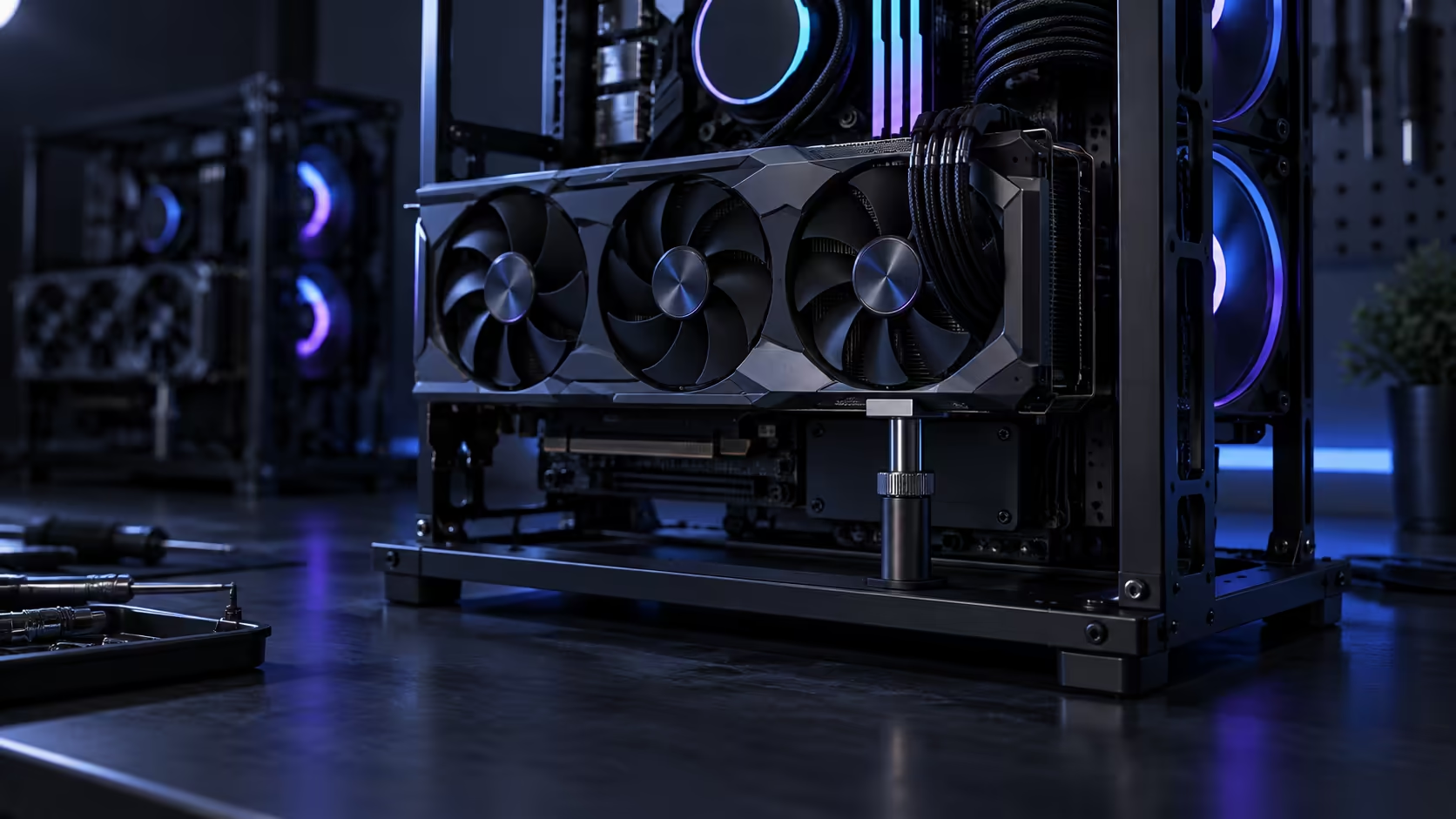
A drooping graphics card is not just a cosmetic problem waiting to be photographed badly. Left alone, GPU sag slowly bends the PCIe slot itself, and on an open frame with no case floor to catch the weight, that bend happens faster than most builders expect. Three fixes actually solve it, and two popular habits do not.
Quick Answer
Fit a support bracket that takes weight off the slot, or mount the frame horizontally so gravity pulls the card into the connector rather than away from it, and confirm the PCIe slot's own locking tab has actually engaged. A zip tie or a random prop underneath does not count; neither removes the stress causing the sag in the first place. A bracket from the case accessories range costs a small fraction of a R15,999 chassis or the card it is protecting.
🔧 Fix one: a support bracket that takes the load off the slot
An adjustable support arm, mounted to the frame or the desk and raised to meet the card's underside, is the most reliable fix because it removes weight from the slot entirely rather than just disguising the sag. Set it up so it is snug against the card without lifting it, since over-tightening a support arm can bend a card upward just as easily as gravity bends it down.
A rigid L-bracket screwed between the frame and the card's backplate does the same job with less adjustability but more permanence, and it suits a vertical mount that will not change position again. Either option, found in the graphics card accessories range, costs a small amount relative to the card it is protecting.
🔄 Fix two: change orientation before you add hardware
The cheapest fix costs nothing: lie the frame flat so the card's length runs level rather than hanging off the PCIe x16 slot. In a horizontal orientation, gravity pulls the card down into the slot instead of away from it, and the case frame beneath the card takes real weight through simple contact.
This is worth doing before buying a support arm, not instead of one on a very long or very heavy card, but for a card in the middle of the weight range it can be the entire fix. Where the build's final position is still open, a card's weight is a fair reason to settle on flat over upright.
🔩 Fix three: a PCIe slot with a locking latch, used properly
Most modern boards ship with a PCIe slot that has a small locking tab at the rear, designed to grip the card's retention notch and resist exactly the kind of downward pull sag creates. That tab does real work, but only if the card was seated with enough force to click it fully, which on a heavy card can be less firm than it should be if you are being cautious about damaging anything.
Check that the tab has actually engaged after installation by looking at it directly, not just by feel. A card that seems seated but has not triggered the latch is carrying its full weight on friction alone, which is a much weaker hold than the latch provides.
❌ What does not actually fix sag
A zip tie looped from the card to the top of the case is a common suggestion online, and it treats the symptom rather than the cause. It can visually straighten a card while doing nothing about the ongoing stress on the slot itself, and a tie pulled tight enough to lift a 3kg card by even a few degrees can bend it upward at an angle that looks fine from one side and is still under load.
Propping the card up with a random object, a book, a stack of coins, anything within reach, has the same problem: it may look level while the actual weight distribution across the slot has not changed at all. Neither fix addresses the mechanical issue a proper bracket or a horizontal orientation solves.
📏 Preventing it on the next build
If you are choosing a card and a case together, check the manufacturer's stated card weight before you buy, since a card north of roughly 1.5kg is where sag becomes likely enough to plan for from day one rather than reacting to it later. Case accessories, including anti-sag brackets sized for specific case widths, are worth buying alongside the card itself rather than as an afterthought once you notice a lean, and the case accessories range is the place to check for a bracket that matches your frame.
Whichever fix you choose, a chassis with real GPU clearance and more than one placement mode, like the mid-tower cases built with long cards in mind, gives you options that a fixed, narrow frame does not.
Frequently Asked Questions
Does a zip tie actually fix GPU sag?
It can make the card look level without addressing the underlying stress on the slot, so it is a cosmetic fix rather than a mechanical one.
At what weight does sag become a real concern?
Roughly 1.5kg and up is where a support bracket or a horizontal orientation stops being optional and starts being worth planning for from the start.
Can changing orientation alone fix sag?
For a mid-weight card, often yes. For a very heavy flagship card, orientation helps but a support bracket is still the more complete fix.
How do I know if the PCIe locking tab has engaged?
Look at it directly after installation. A properly seated card triggers a visible click on the tab; if you cannot see it engaged, the card may be resting on friction alone.
Should I buy a support bracket before or after the card sags?
Before. Fitting a bracket to a card that has already sagged for months does not undo stress the slot has already absorbed, so buy it at build time.
Ready to stop your graphics card leaning on the slot?
Fit a support bracket or change orientation before the sag becomes a habit.