A warm phone during a demanding task and a temperature warning are different situations. iPhone overheating should be approached by reducing heat exposure and reading the actual message. A charging pause can be the device protecting itself, rather than evidence that the cable or battery has suddenly failed.
Quick Answer
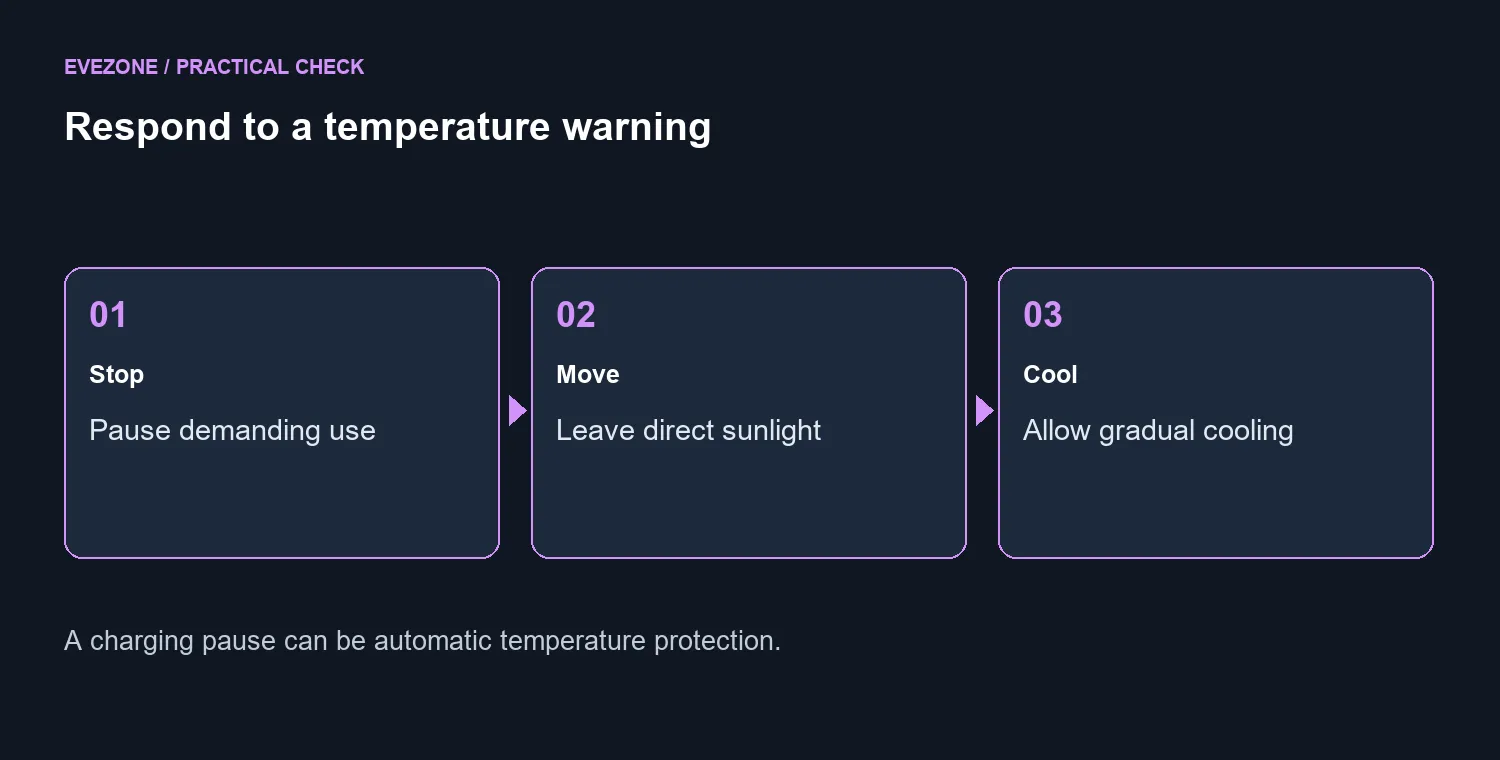
If a temperature warning appears, turn the device off, move it away from direct sunlight and allow it to cool. Do not force rapid cooling with ice or a freezer. These first environmental steps cost R0. Charging can slow or pause automatically until temperature returns to a suitable range.
☀️ Change the environment before changing accessories
Move the phone out of direct sun and away from a hot parked car. Pause a demanding game, recording or navigation session when a warning appears. The useful first action is to remove the heat source and activity, not to keep testing performance while the device is asking to cool.
Some warmth can occur during setup, a restore, an update, wireless charging or intensive apps. That does not make every warm surface a failure. Read the message and note the activity. Avoid deciding that a particular update broke the phone solely because the timing overlaps.
🔌 Recognise temperature-limited charging
A Charging On Hold message can explain why the percentage stops rising. Give the device a suitable environment and time to recover before replacing accessories. Do not try to defeat the protection by repeatedly reconnecting the cable.
If your ordinary routine includes long listening sessions, Bluetooth headsets and wireless headsets are separate comfort choices. Neither category is presented as a cooling remedy. Keep accessory shopping apart from the immediate response to a temperature alert.
📝 Record repeated warnings under ordinary use
After the phone has cooled, note whether the warning returns in a normal environment with light activity. Record the task, charging method and exact message for support. That is more useful than repeatedly restarting without keeping track of the conditions.
Do not open the phone or use improvised cooling treatments as part of this guide. If heat alerts recur, use an appropriate support channel to assess the device. The absence of a warning also does not establish that every charging accessory is suitable; follow the device's normal accessory guidance. Keep the response proportionate to what you can actually observe, with a cooler environment and a pause in use before any purchase decision.
Frequently Asked Questions
Is some warmth normal?
Setup, updates, intensive apps and wireless charging can make the device warm. A temperature warning needs a different response.
What should I do at a temperature warning?
Turn the device off, move it away from sunlight and allow it to cool in a suitable environment.
Should I use ice or a freezer?
Do not force rapid cooling with ice or a freezer. Move to a cooler environment and let the phone cool naturally.
Why has charging stopped?
Temperature protection may pause charging. Check the message before assuming the cable has failed.
Can I leave it in a parked car?
Avoid that. A parked vehicle can become much hotter than the normal operating environment.
When should I seek help?
If alerts recur under ordinary conditions, contact support with the activity, charging method and warning details.
Respond to the temperature message
Give the phone a cooler environment first. Record recurring alerts under ordinary use for a focused support assessment.