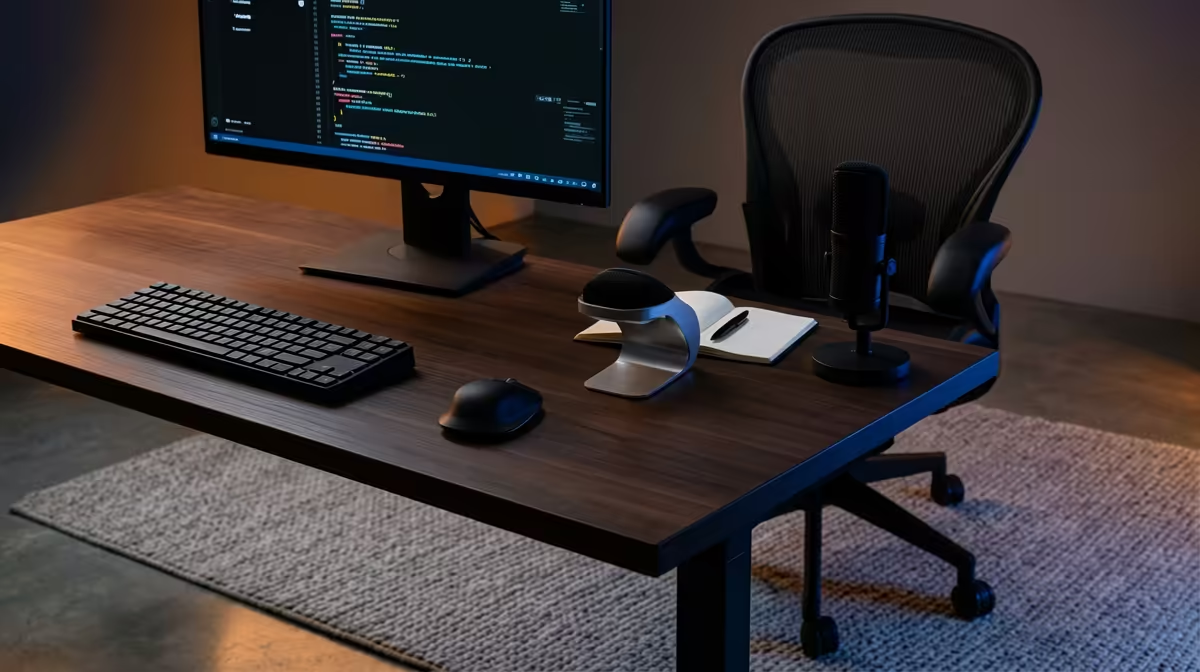
A well-set ergonomic desk is built from the chair up, not the desk down. Most people raise their screen and tweak their keyboard while ignoring the one measurement that drives all the others: where their seated eyes land. Fix the chair and eye line first, and the monitor height, keyboard depth, and wrist angle fall into place in minutes.
Quick Answer
Set it in order: adjust the chair so your feet are flat and your elbows sit near 90 degrees, then raise the monitor until its upper edge aligns with your seated eye line at roughly arm's length, then set keyboard and mouse depth so your wrists stay straight. Doing it in that sequence stops you fighting one adjustment with another.
Why Order Matters
Each part of an ergonomic setup depends on the one before it. Your chair height fixes your seated eye line. Your eye line fixes where the monitor goes. Your elbow height fixes where the keyboard sits. Start with the monitor and you will end up re-doing everything once the chair changes. Work bottom to top and you only set each thing once.
Step By Step
1. Set The Chair First
Raise or lower the seat until your thighs are roughly parallel to the floor and your feet rest flat. If your feet dangle, lower the seat or add a footrest; if your knees crowd the desk, raise it. Aim for your elbows to fall close to a 90-degree angle when your forearms reach the desk. This is the foundation, so do not skip ahead until it feels right.
2. Find Your Seated Eye Line
Sit back properly, look straight ahead, and note where your gaze naturally lands on the wall. That horizontal line is your reference for the monitor. You should not have to tilt your head up or drop your chin to look at the screen.
3. Raise The Monitor To Eye Level
Position the screen so its upper edge aligns with or sits just under that eye line, with the centre of the screen dropping slightly below it. That keeps your neck neutral and your eyes drifting gently downward, which is the most relaxed angle for reading. A monitor arm or a sturdy riser makes this easy; a stack of stable books works in a pinch. Aim for a viewing distance of roughly arm's length from your face.
4. Set Keyboard And Mouse Depth
With elbows near 90 degrees, your keyboard should sit so your wrists stay flat and straight, not bent up or down. Keep the mouse on the same level and close to the keyboard so you are not reaching. If the desk is too high to keep wrists neutral, raise the chair and add a footrest rather than hunching.
5. Sort Lighting And Glare
Angle the monitor away from windows and overhead lights so reflections do not force you to lean or squint. In a bright South African afternoon, a screen facing a window can wash out badly, so position it side-on to natural light where you can.
6. Add Support Where It Helps
A chair with proper lumbar support does more for an eight-hour day than almost any other single upgrade, because it keeps your lower back in its natural curve. The gaming and ergonomic desk range at Evetech includes height-adjustable options with sit-stand capability that make steps one and four far easier to nail by giving you a stable, correctly-sized surface to build from.
Browsing the best-selling workspace accessories at Evetech is a practical first step before committing, since it shows which desk gear other home-office buyers have already settled on.
and move for a couple of minutes every half hour. No desk setup, however perfect, beats the simple fact that the body is not built to hold one position for hours.
Common Mistakes To Avoid
Laptop users suffer most, because a laptop forces a choice between a good screen height and a good keyboard height. The fix is a laptop riser plus a separate keyboard and mouse, so the screen lifts to eye level while your hands stay low. Other frequent errors include a monitor pushed too far back, armrests set too high so the shoulders shrug, and a chair so low the knees sit above the hips.
Frequently Asked Questions
Where should the top of my monitor be?
Level with or just fractionally under your seated eye line, roughly an arm's length in front of you. Your eyes should drift gently downward to the centre of the screen, keeping your neck neutral rather than craned up or down.
What angle should my elbows be at?
Close to 90 degrees when your forearms rest at the keyboard. If they open much wider or fold much tighter, adjust the chair height first and the desk or keyboard second.
I use a laptop. How do I make it ergonomic?
Lift the laptop onto a riser so the screen reaches eye level, then add a separate keyboard and mouse at elbow height. Trying to use the built-in keyboard at a good screen height guarantees a bad wrist or neck angle.
Do I really need an ergonomic chair?
It is the highest-impact part of the setup for long days, because it sets your eye line and supports your lower back. A poor chair undermines every other adjustment you make above it.
How far should the screen be from me?
About an arm's length, then adjust text size rather than leaning in. If you find yourself moving closer to read, increase the font scale instead of sacrificing your posture.
Start your ergonomic setup where it counts, with the right desk. Browse the adjustable desk range at Evetech, set your eye line, and build the rest of the workspace around it.