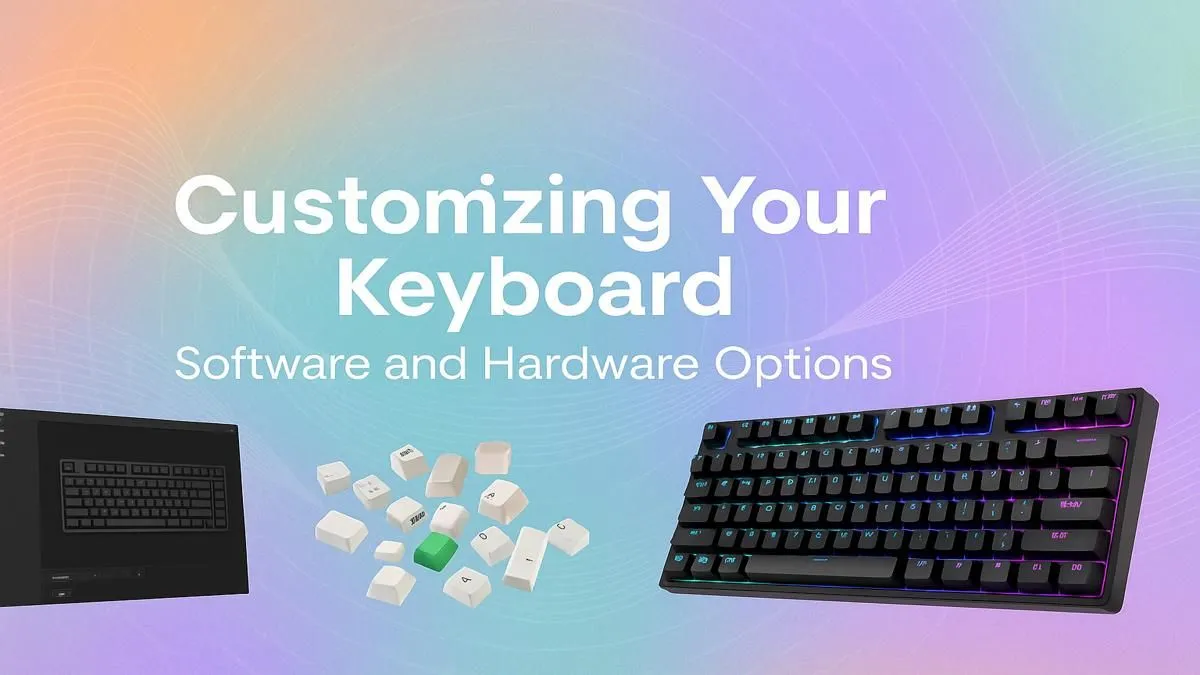
That generic, out-of-the-box keyboard you're using? It gets the job done, sure. But for South African gamers and creators, "good enough" is a four-letter word. Your keyboard is your primary interface for every clutch play and creative spark. This keyboard customization guide will show you how to transform that dull plastic slab into a personalised masterpiece of form and function, perfectly tuned to your touch, style, and setup. Let's get modding. 🚀
Software Customization: The Instant Upgrade
Before you even think about reaching for a screwdriver, the easiest and most impactful keyboard customization happens in software. If you've recently bought a gaming keyboard, chances are it came with a powerful software suite like Corsair's iCUE, Razer's Synapse, or SteelSeries' GG. This is your command centre.
Master Your Lighting & Macros
The most obvious software mod is RGB lighting. Don't just settle for the default rainbow wave. Spend some time creating custom profiles that match your PC's colour scheme or even sync with in-game events. A subtle, static colour can look incredibly clean, while a reactive typing effect adds a touch of flair.
Beyond the aesthetics, this is where you gain a competitive edge. Use the software to:
- Remap Keys: Put essential commands exactly where your fingers expect them.
- Create Macros: Automate complex, repetitive keystrokes in games or applications like Photoshop and Premiere Pro. A single button press can execute a sequence that would normally take seconds... and seconds matter.
- Set Up Profiles: Have a dedicated profile for CS:GO that switches to your Baldur's Gate 3 layout automatically when you launch the game.
Many of the most popular models with these powerful software features are available in our best gaming keyboard deals, offering a perfect entry point into deep customisation.
Hardware Mods: Fine-Tuning Your Feel & Sound 🔧
This is where the real magic happens. Hardware keyboard mods let you change the physical characteristics of your board, from the sound it makes with every press to the texture of the keys under your fingertips. It’s a journey that’s as satisfying as building your own PC.
Keycaps: Your Keyboard's Look & Feel
Swapping keycaps is the quickest way to overhaul your keyboard's appearance. But it's not just about colour. Keycaps are made from different plastics, most commonly ABS and PBT.
- ABS (Acrylonitrile Butadiene Styrene): Smooth and common on stock keyboards. It tends to develop a "shine" over time from finger oils.
- PBT (Polybutylene Terephthalate): More durable, with a textured, matte finish that resists shine. PBT keycaps often feel more premium and produce a deeper sound.
Upgrading to a fresh set of keycaps is a fantastic first hardware mod that makes your keyboard instantly feel new again.
Switches: The Heart of the Keystroke
The switches beneath your keycaps define the entire typing experience. If your keyboard is "hot-swappable," you can pull the old switches out and pop new ones in without any soldering. This is the ultimate form of keyboard customization.
There are three main types:
- Linear: A smooth, consistent press from top to bottom. Great for rapid key presses in gaming (e.g., Cherry MX Red).
- Tactile: A noticeable "bump" in the middle of the press, confirming actuation. A perfect all-rounder for typing and gaming (e.g., Cherry MX Brown).
- Clicky: A tactile bump accompanied by a distinct, audible "click." Incredibly satisfying for typists, but maybe not for your housemates (e.g., Cherry MX Blue).
Don't be afraid to experiment. You can explore different keyboard switches to find the exact feel you're looking for.
The Famous 'Tape Mod' ⚡
For a deeper, less 'clacky' sound profile (often called 'thock'), try the tape mod. Carefully open your keyboard case, apply two or three layers of painter's tape to the back of the PCB (the circuit board), and reassemble. It’s a simple, reversible mod that costs next to nothing and can dramatically improve your keyboard's acoustics.
Ergonomics & Accessories
Customization isn't just about performance; it's also about comfort during those long gaming sessions. Adding a quality wrist rest can prevent strain and keep you comfortable for hours. Other popular accessories include custom coiled cables to complete the aesthetic of your setup.
Where to Start Your Customization Journey
Feeling inspired? You don't need a R5000 keyboard to get started. The key is to begin with a solid foundation. You can find an affordable gaming keyboard that serves as an excellent base for future mods like keycaps and cables.
For those wanting a complete desk refresh, grabbing a solid keyboard and mouse combo provides great value and ensures your peripherals have a consistent look and feel from day one. From there, you can dive into the world of customisation and make your setup uniquely yours. ✨
Ready to Build Your Perfect Board?
Your keyboard is your primary connection to your digital world. It's time to make it truly yours. Explore our massive range of gaming keyboards and find the perfect base for your ultimate custom build.