Anyone who types my internet light is blinking into a search bar is usually staring at a router that cannot finish logging in. A slow blink means the router is still negotiating with the line, and a light that stays off or turns red means it sees no connection at all. On South African fibre the quickest first move is to look at the small box on the wall, the ONT, before you touch the router.
Quick Answer
A blinking WAN or internet light means the router is trying to connect, send data or sign in, and it should settle to solid within a minute or two. If it keeps blinking, or stays off, the fault is almost always the line, the cable between the ONT and router, or the PPPoE login. Work through the ONT lights, your provider's status page and a power cycle in the right order, which costs nothing, before you spend anything. A replacement router only enters the picture at roughly R450 to R2,500 once the line is proven healthy.
🔦 Read the Lights in the Right Order
Fibre in SA has two boxes. The ONT turns the light in the fibre lead into ethernet, and the router sits behind it. Check the ONT first, because a router can only be as connected as the box feeding it.
On the ONT
- A steady power light and a steady PON or link light mean the line is up.
- A red LOS light means loss of signal. Light is not reaching the ONT, so the problem is the fibre lead or the network, and your provider has to fix it.
- No lights at all points to a dead power adaptor or a loose plug, so test a different wall socket first.
On the router
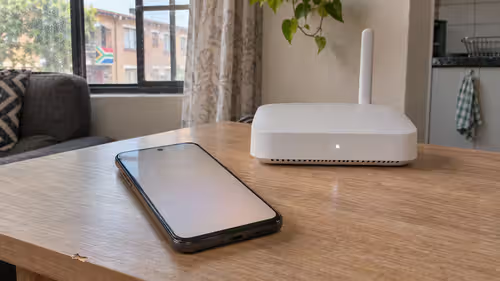
The internet or WAN light is the one that matters. Solid green or white means you are online. A fast blink is normal during login. A slow blink that never settles points to a failed PPPoE sign-in or a line that drops in and out. Off means the router sees no cable signal on its WAN port.
🔌 Restart Everything, but in Order
Random unplugging is how people end up stuck. The order matters because the router asks the ONT for a connection when it starts, and it needs the ONT to be ready first.
- Switch the router off at the wall and leave it off.
- Unplug the ONT, wait 30 seconds, then plug it back in.
- Wait until the ONT lights settle, which can take two to three minutes.
- Power the router on and give it another two minutes.
If the internet light goes solid, you are done. If it does not, move on to the cable and the login rather than repeating the cycle five times.
🧵 Cables, Ports and a Quick Swap Test
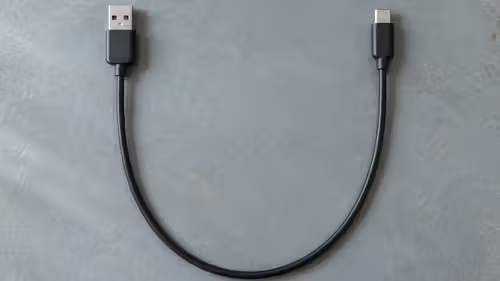
The short ethernet lead between the ONT and the router fails more often than people expect, especially in a flat or townhouse where it gets pinched behind a TV unit. Check that both RJ45 ends click in firmly and that the lead sits in the router's WAN port, not one of the LAN ports. Many routers colour the WAN port differently or label it Internet.
Swap in a lead you know works, even one borrowed from a console. A bent connector costs around R30 to R100 to replace, so ruling it out is cheap. On the fibre side, never bend or pull the thin lead going into the ONT. A tight bend can cause the red LOS light all on its own, and if you see it, stop and call your provider rather than straightening the lead yourself.
🔑 When the Login Is the Problem
A router that powers up, sees the ONT and still blinks is often failing to authenticate. This happens most after a factory reset or when you fit a new router. Open the router's admin page, find the WAN or Internet settings, set the connection type to PPPoE and re-enter the username and password your provider gave you. Some networks also need a VLAN tag, so ask your provider what its network expects.
Typos are common because the password field hides the characters. Retype it slowly, and copy the username exactly as supplied, including any domain after the at sign.
Before you phone anyone, check your provider's outage page or social account, and ask a neighbour on the same fibre network whether they have lost service. If the whole street is down, no setting at your end will help. When you do call, tell them the ONT lights and the router light state, which saves a long script. If everything on the line checks out and the router still will not hold a connection, a newer model from the wireless routers range is the next step, and a wireless adapter is a handy fix if only your PC struggles to pick up Wi-Fi once the line is back.
Frequently Asked Questions
What does a blinking internet light mean?
The router is connecting, passing data or failing to sign in. A brief blink after power-up is normal, but one that carries on for more than a few minutes means a line or login fault.
What does it mean if the internet light is off?
The router sees no signal on its WAN port. Check the lead from the ONT, make sure it is in the right socket, and look at the ONT's own lights for a red LOS indicator.
What is a red LOS light on the fibre box?
LOS stands for loss of signal. No light is reaching the ONT, usually because the fibre lead is damaged or bent, or because of a fault on the network, and your provider must repair it.
In what order should I restart the equipment?
Turn the router off, restart the ONT and let its lights settle, then power the router back on. Starting the router first can leave it stuck without a link.
Could my PPPoE login be wrong?
Yes, particularly after a reset or a new router. A wrong username or password keeps the internet light blinking or off, so re-enter both exactly as your provider supplied them.
Is it an outage in my area?
Look at your provider's status page, then ask a neighbour. If several homes on the same fibre network have lost service, the fault is on the network and nothing in your house will fix it.
Ready to get a router that holds its connection?
If your lights check out and the router keeps dropping, browse the wireless routers category on Evetech and compare Wi-Fi standards, port counts and processor power before you pick the next one.