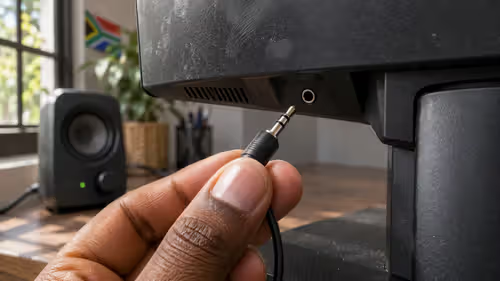
A Seagate drive that goes quiet is rarely finished. Most cases of my Seagate hard drive is not working trace back to a tired cable, a weak USB port or a missing drive letter, and all three cost nothing to test. Work through the checks in this order and stop the moment you hear clicking.
Quick Answer
Swap the USB cable, plug straight into a rear USB 3.0 port and listen for the platters spinning up. If the drive powers on, right-click Start, open Disk Management and look for it there, assigning a drive letter if it has none. A like-for-like portable drive of 1TB to 2TB sits at roughly R1,000 to R2,000, so a drive that clicks or never spins is usually a replacement job, not a software one.
🔌 Rule Out Power and Cable First
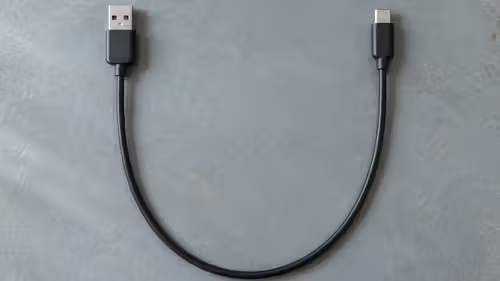
Slim portable Seagate drives take their power from the USB lead. A frayed cable, a cheap phone-charging lead or a front-panel port on a dusty Pretoria desktop can leave the disk with too little current, so it twitches and vanishes. Stick with the lead supplied in the box, switch to a rear-panel USB 3.0 socket, then try the drive on another computer if one is handy.
Larger desktop drives have their own power adapter. Check that the plug is pushed all the way in, the adapter light is on and the drive is not sitting behind an unpowered USB hub. A hub or long extension lead drops voltage, and spinning platters are fussy about that. If you need a straight swap, the external hard drives range covers both portable and desktop sizes.
🔍 Check What Windows Can See
Once the drive spins, right-click Start and open Disk Management. You will meet one of three situations:
Shows up with no drive letter
Open the context menu on that volume and pick Change Drive Letter and Paths, then Add. File Explorer lists it within seconds.
Shows as Offline or Not Initialised
An offline disk can be brought online from the same right-click menu. Not Initialised on an old drive means Windows cannot read the partition table, so do not initialise it, because that can wipe the layout you want back.
Shows as Unallocated or RAW
Stop. Your files may still be on the platters, and formatting would bury them. Copy what you can with a recovery tool first.
If Disk Management shows nothing, open Device Manager and expand Disk drives and Universal Serial Bus controllers. A yellow warning triangle points to a driver fault, which a reinstall of the USB controller often clears.
🛑 Signs the Drive Itself Has Failed
Rhythmic clicking, a repeating beep, a grinding noise or a drive that never spins up all mean a mechanical or board fault. Every extra power cycle risks scraping the platter, so unplug it and leave it. A knock off a desk or a spike on 230V mains mid-write can cause exactly this damage.
If the contents are irreplaceable, a data recovery lab is the only safe route, and the fee can run well above what a new drive costs. If the files are copies, buy a replacement and treat the dead drive as scrap. For a bare drive that lives inside a desktop, see the internal hard drives category. Going forward, keep two copies of anything you care about, because any single drive is a gamble.
Frequently Asked Questions
Why is my Seagate external drive not detected?
Start with power and the lead. A portable drive pulls its current from USB, so a worn cable or a weak front-panel port can leave it blank. Try a rear port, a different cable and another computer before blaming the disk.
Do I need to plug a Seagate drive into the wall?
Slim portable models run from USB alone. Desktop drives with a 3.5-inch mechanism have a separate power adapter, and without it they will not spin. Seat the adapter firmly and confirm its light comes on.
My drive spins but has no drive letter. What now?
Open Disk Management and find it in the lower list. If it has a healthy volume but no letter, right-click it and assign one. If it reads Unallocated or RAW, stop and recover files before touching it.
Does a USB hub or extension cable cause problems?
Often. Unpowered hubs and long leads drop voltage, and a spinning drive reacts badly to that. Connect directly to the PC, ideally to a USB 3.0 port on the back panel.
Could a power surge have damaged my drive?
Yes. A spike on South African mains while the drive writes can corrupt the file system or burn out the controller board. A surge-protected plug for desktop drives is cheap insurance.
When should I stop troubleshooting and ask a data lab?
The moment it clicks, beeps or refuses to spin. Repeated attempts make mechanical damage worse. Weigh the lab fee against what the files are worth to you.
Ready to replace a drive you cannot trust?
Browse the external and internal hard drive categories at Evetech to find a new disk, then keep a second copy of your important files from day one.