


Fix Dead pixel checks on Ryzen 7 9800X3D build
Dead pixel on Ryzen 7 9800X3D build needs careful display-chain checks, not a single-part blame. Test the screen, cable, port, scaling, drivers, and setup context before replacing hardware.
Read moreReady to build Custom DeepSeek PCs in SA? 🤖 This guide provides pro tips on selecting the right GPU, RAM, and storage to optimize your machine for powerful local AI. Unlock peak performance for your DeepSeek projects with an Evetech build. Let's get started! 🚀
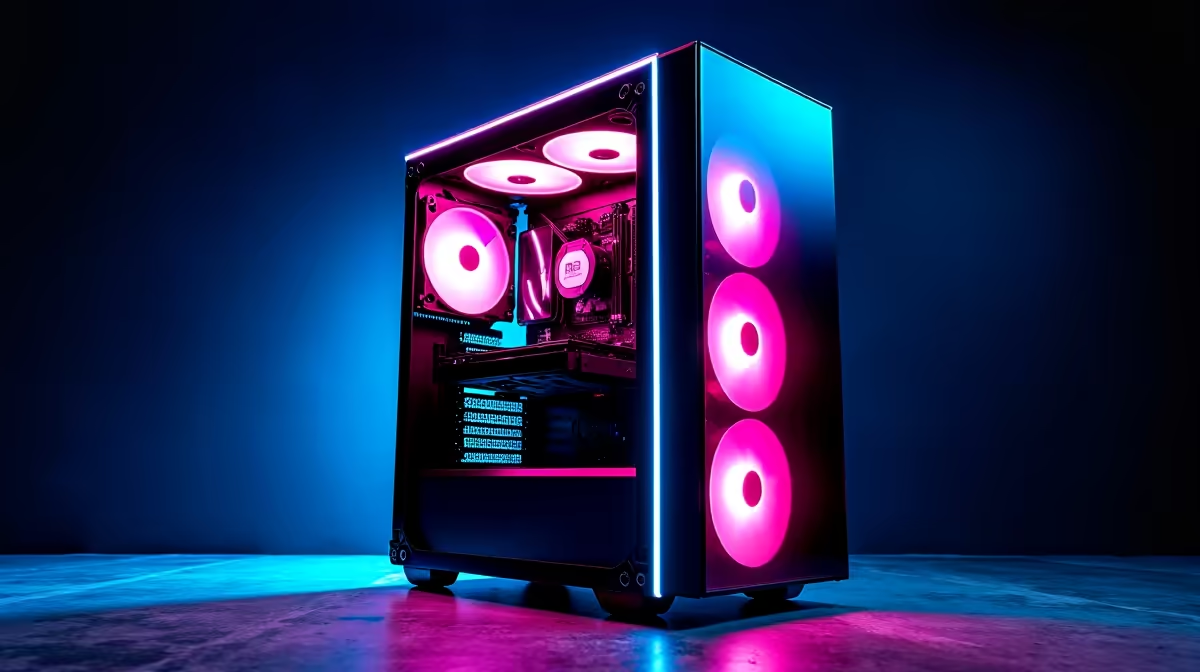
So, you’ve heard the buzz around local AI, and now you’re ready to dive in. Building Custom DeepSeek PCs in SA isn’t just for data scientists anymore… it’s for creators, developers, and curious minds wanting to run powerful models right here at home. Forget cloud costs and latency; a dedicated AI rig gives you total control. But what hardware truly matters? Let's break down the essentials for your ultimate AI build. 🚀
When it comes to AI, your Graphics Processing Unit (GPU) does the heavy lifting. It's not about frame rates here; it's about raw parallel processing power and, most importantly, VRAM (Video RAM). AI models are massive, and they need to be loaded into your GPU's memory to run efficiently.
For years, NVIDIA has been the top choice due to its mature CUDA software ecosystem, which most AI frameworks support out of the box. A card like the RTX 4070 SUPER or 4080 SUPER with 12GB or 16GB of VRAM is a fantastic starting point for many DeepSeek models. If you're serious about performance, exploring our range of NVIDIA GeForce gaming PCs gives you a great look at balanced, pre-configured options.
However, don't count AMD out. Their recent GPUs offer incredible value and performance, with Team Red's ROCm software platform rapidly improving. For those who love an alternative, a high-VRAM card from our AMD Radeon gaming PCs lineup could be the perfect engine for your build.
Before you buy a GPU, check the VRAM requirements for the specific DeepSeek model you plan to run. Some models need at least 12GB to load, while others perform best with 16GB or even 24GB. A quick search can save you thousands of Rands and ensure your new rig isn't underpowered from day one.
While the GPU is the star, your system's RAM and storage play crucial supporting roles. AI tasks can be memory-intensive, so 16GB of system RAM is the absolute minimum. We strongly recommend 32GB or even 64GB of fast DDR5 RAM to prevent bottlenecks, especially when you're preparing data or multitasking.
Storage speed is also key. You'll be loading large models and datasets, and a slow hard drive will bring your workflow to a crawl. A fast NVMe SSD is non-negotiable. Aim for at least a 1TB NVMe drive for your operating system and primary applications, with a secondary SSD for storing your models and projects. The faster you can feed data to your GPU, the better. ✨
Is the CPU important for a Custom DeepSeek PC in SA? Absolutely. While it’s not doing the core AI processing, a weak CPU will bottleneck your powerful GPU, slowing down data preparation and overall system responsiveness. A modern processor with a good core count, like an Intel Core i5 or AMD Ryzen 5 from the latest generations, is a solid foundation.
More importantly, AI workloads run your components at 100% for extended periods. This generates a serious amount of heat. Excellent cooling isn't a luxury; it's a necessity to prevent thermal throttling and ensure stable performance. A good air cooler or an All-In-One (AIO) liquid cooler is a wise investment. For builds designed for these marathon tasks, considering a chassis from our powerful workstation PCs can provide the superior airflow and reliability you need. 🔧
Ready to Build Your AI Powerhouse? Building a custom PC for AI can seem complex, but the performance rewards are massive. Whether you need a machine for coding, inference, or fine-tuning, getting the right parts is crucial. Use our Custom PC Builder to configure the ultimate DeepSeek rig today.
For optimal performance, focus on a high VRAM GPU (like an NVIDIA RTX 40-series), at least 32GB of fast RAM, and a speedy NVMe SSD for quick model loading.
The NVIDIA RTX 4090 is the top choice due to its massive 24GB VRAM. For budget-conscious builds, the RTX 4070 Ti SUPER with 16GB VRAM offers excellent value.
We recommend starting with 32GB of DDR5 RAM. For larger models or multitasking, upgrading to 64GB is a wise investment for future-proofing your AI PC build.
Yes, many modern gaming PCs can run DeepSeek. However, a custom build ensures all components are optimized for sustained AI workloads, not just short gaming bursts.
Fast NVMe SSD storage is crucial for quickly loading large AI models and datasets, significantly reducing wait times and improving your overall workflow efficiency.
Evetech specialises in high-performance custom PCs. Our Build Lab can help you configure the perfect machine optimized for DeepSeek and other AI applications in South Africa.
Dead pixel on Ryzen 7 9800X3D build needs careful display-chain checks, not a single-part blame. Test the screen, cable, port, scaling, drivers, and setup context before replacing hardware.
Read more
AM5 motherboard upgrade dead pixel checks should verify the screen before the platform. This how to fix dead pixel after a AM5 motherboard upgrade guide covers colour tests, ports, cables, BIOS screens, and SA support proof.
Read more
Ultrawide monitor upgrade stuck pixel checks should confirm the panel before blaming the new setup. Test full-width colours, cables, ports, GPU drivers, and scaling in your SA gaming workspace.
Read more
Wi-Fi 7 router upgrades should not change text rendering directly. To fix blurry text after a Wi-Fi 7 upgrade, check display scaling, GPU drivers, remote desktop quality, browser zoom, monitor cables, and PC settings.
Read more
A wireless mouse upgrade should not change monitor refresh rate, but it can expose stutter or input feel issues. Check Windows Hz, receiver placement, drivers, and SA gaming setup basics before replacing gear.
Read more
Wireless gaming headset setups in South Africa do not have a monitor refresh rate. Treat the issue as a display setting problem, then check Windows, GPU drivers, cable bandwidth, and any audio app overlay on the same PC.
Read more
RTX 5090 on a 1200W PSU has usable headroom when the supply is strong and the build is measured. For SA gamers, OC potential depends on CPU draw, cooling, cabling, stability targets, and how much safety margin you keep.

How to fix low FPS on gaming laptop starts with power mode, drivers, heat, and game settings. Use this South Africa-focused checklist to confirm charger use, GPU selection, RAM pressure, and cooling before changing parts or tweaking every setting.

Real world difference between b850 b650 mmo live service games sits in stability, networking, storage, and upgrade room. SA players should compare LAN quality, USB layout, RAM support, and SSD slots for always-updated games.

Dead Pixel on Wi-Fi 7 Router is likely a display-path or source-title issue, so check the screen, cable, driver state, and related system symptoms before blaming the device itself.

Put the headphones in pairing mode, open Bluetooth and devices in Windows 11, then add the headset. If it fails, remove the old pairing and check charge, range and drivers.

Microsoft says upcoming Windows 11 work will target memory use on 8GB PCs and improve boot and sign-in responsiveness. There is no public release date or measured uplift yet.

Windows 11 does not show CPU temperature in its standard Settings pages. Use your CPU maker's supported utility or a trusted monitor, then read idle and loaded temperatures in context.

The Colorful MEOW X16 Pro pairs a Ryzen 7 8745HX with a 115W RTX 5060 Laptop GPU. It is a China-only launch for now, so local RTX 5060 pricing is the practical benchmark.

Industry reports point to another roughly 10 percent Intel processor increase from 5 October, but Intel has not published a consumer price list confirming the scope. South African buyers should treat it as a risk signal, not a guaranteed Rand change.

Tests reported audio capture and local-network scanning on a specific LG television with its screen off. LG says supported standby modes can keep voice and connected-device features active, so owners should review model-specific settings.

Thermalright's AXP120-X77 is a 77 mm top-down cooler with six heatpipes and a slim 120 mm fan. Local availability is not confirmed, so compact-PC builders should verify case height, memory clearance and socket support before comparing it with stocked coolers.

One-sided sound can come from balance settings, a dirty or loose connector, Bluetooth pairing data, firmware, the source device or a failed cable or driver. A short swap test isolates the cause before you reset software or replace the headset.