



Fix Dead pixel checks on RX 9070 XT build
Dead pixel on RX 9070 XT build needs careful display-chain checks, not a single-part blame. Test the screen, cable, port, scaling, drivers, and setup context before replacing hardware.
Read moreBuilding a **silent streaming PC** is crucial for professional audio quality. Discover how to balance high-performance encoding with whisper-quiet cooling. 🤫 We analyze the best cases, fans, and reliable components for glitch-free broadcasts in 2025. 🎙️
You���re live. The final circle is closing in... then your PC fans roar to life, sounding like a jet engine on the runway. Your mic picks it all up, and your audience hears the distracting whine instead of your clutch commentary. For serious South African streamers, a noisy rig isn’t just an annoyance; it’s unprofessional. Crafting a silent streaming PC build for 2025 is the key to crystal-clear audio and ultimate immersion. Let's get it sorted.
In a competitive streaming landscape, production quality matters. A whirring, buzzing PC in the background instantly lowers the quality of your broadcast. Your expensive microphone is designed to pick up your voice, not the desperate cooling efforts of your CPU fan.
A silent streaming PC build provides two massive advantages:
Achieving near-silent operation isn't about one magic component; it's about making smart, synergistic choices across your entire build. A system is only as quiet as its loudest part.
The CPU cooler is often the biggest noise culprit. When your processor is under heavy load from streaming and gaming simultaneously, its temperature spikes, and the cooler's fans spin up aggressively. The foundation of any quiet build is choosing from the right range of high-performance CPU coolers.
Your first big decision is air versus water. While powerful modern air coolers offer incredible value and simplicity, they can struggle to cool high-end CPUs silently under extreme loads.
For the absolute best thermal performance with minimal noise, premium liquid coolers (AIO) are the way to go. The magic lies in the radiator size. A larger surface area, like on a 360mm radiator, allows the fans to spin much slower while still dissipating massive amounts of heat. This is the secret to a truly quiet yet powerful PC. Brands like Corsair have perfected this, offering AIOs that keep even the hottest CPUs frosty without the drama.
Your PC case is more than a pretty box; it's a key part of your acoustic strategy. Look for chassis that feature sound-dampening materials on the panels. Models from brands like Fractal Design and be quiet! are famous for this.
Equally important is airflow. A case with excellent airflow allows your fans to run at lower, quieter speeds. Pair it with large 140mm PWM (Pulse Width Modulation) fans instead of smaller 120mm ones. A larger fan moves more air at a lower RPM, translating directly to less noise. 🔧
Don't overlook the PSU! A cheap, inefficient power supply generates more waste heat, forcing its own fan to spin up and add to the noise floor. Opt for a PSU with an 80 Plus Gold rating or higher. Many high-end models also feature a "Zero RPM" or "Hybrid" mode, where the fan doesn't even spin until the PSU hits a certain load or temperature. For most of your stream, it will be completely silent.
Most motherboards let you set custom fan curves in the BIOS UEFI. Instead of the default 'Standard' or 'Performance' profile, create a custom one. Set your CPU and case fans to run at a low, inaudible speed (e.g., 30-40%) until your CPU hits a higher temperature like 70°C. This ensures your PC stays silent during regular gameplay and only ramps up slightly during the most intense moments.
Achieving a zero-noise setup for your stream is entirely possible. By focusing on a high-quality AIO liquid cooler, a sound-dampened case, and an efficient PSU, you can build a machine that’s both powerful and practically inaudible. This focus on reliability and silence is what separates amateur streams from professional broadcasts. ✨ Every component for the ultimate silent streaming PC build is right here at your fingertips, ready to be delivered anywhere in Mzansi.
Ready to Build Your Silent Sanctuary? A loud PC shouldn't hold your stream back. Building a reliable, silent streaming PC is easier than you think when you have the right parts. From whisper-quiet coolers to sound-dampened cases, we have what you need to go pro. Explore our massive range of PC components and start building the quiet rig of your dreams today.
A silent streaming PC prevents microphone background noise, ensuring professional audio quality without aggressive noise gate filtering that distorts your voice.
A high-quality AIO liquid cooler or a large air cooler, paired with magnetic levitation fans, offers the best balance of cooling and low noise for creators.
Not if chosen correctly. Modern noise-dampened cases have optimized airflow to prevent thermal throttling, ensuring your stream remains reliable under load.
GPU encoding (NVENC) is generally more efficient, producing less heat and allowing fans to spin slower compared to heavy CPU software encoding.
For a smooth experience, 32GB of DDR5 RAM is recommended to handle the game, OBS, alerts, and browser sources without system lag.
Technically yes, but it is risky for high-end gaming. Low-RPM fans are a safer choice for maintaining hardware reliability during long broadcasts.
Dead pixel on RX 9070 XT build needs careful display-chain checks, not a single-part blame. Test the screen, cable, port, scaling, drivers, and setup context before replacing hardware.
Read more
Genshin Impact anti-cheat error on RTX 4090 usually needs service, permissions, overlay, and file integrity checks. Use this SA-focused fix path to isolate launch blockers before reinstalling or changing security settings.
Read more
Mass Effect launch trouble on RX 7800 XT needs focused driver, settings, launcher, and heat checks. Use this SA-friendly guide to isolate the likely cause, protect saves, and return to smoother play without unsupported hardware claims.
Read more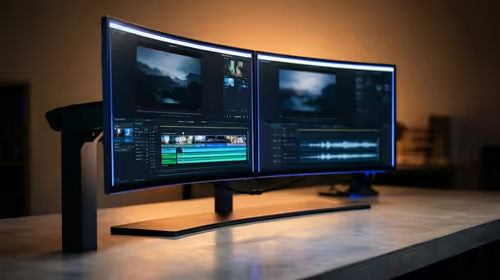
144Hz 1440p setup for video editing in 1080p - what SA needs a balanced, cautious look before buying. Compare fit, budget, workload, warranty support, and upgrade room so the choice makes sense for South African buyers.
Read more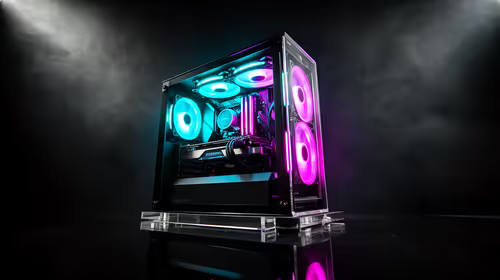
R8,000 gaming PC build in KwaZulu-Natal needs a practical check before you shortlist anything. Compare fit, compatibility, warranty support, timing, and total setup balance for South African buyers.
Read more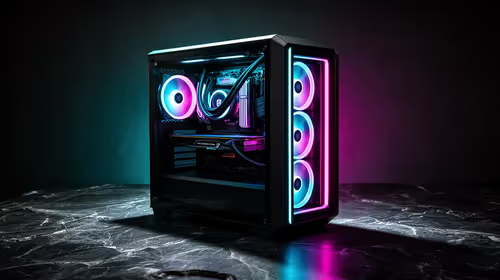
Brits video editing in 4K build under R20,000 needs a balanced parts plan, not a random basket. Map the CPU, GPU, RAM, SSD, cooling, and monitor target to the budget so SA builders know where to spend first.
Read more
Windows never combine taskbar shows separate labelled buttons for open windows. Choose it in Taskbar behaviours, then review space and other-display settings; labels and grouping are linked in the available options.

8BitDo Ultimate 3C+ brings adjustable stick tension to the C Series. Windows uses wired USB or the 2.4 GHz adapter; Android uses Bluetooth. Confirm those modes and local pricing before buying.

EPOMAKER Galaxy75 previews an aluminium 75% keyboard with wireless modes and HUB/VIA customisation. It is still marked coming soon; final pricing and South African supply are not confirmed.

Windows Delivery Optimisation can share update files with other PCs. Review its activity, choose local-only sharing or turn peer sharing off, and use bandwidth controls; those choices do not disable Windows Update.
Windows never combine taskbar shows separate labelled buttons for open windows. Choose it in Taskbar behaviours, then review space and other-display settings; labels and grouping are linked in the available options.
Windows Delivery Optimisation can share update files with other PCs. Review its activity, choose local-only sharing or turn peer sharing off, and use bandwidth controls; those choices do not disable Windows Update.

Windows touch indicator adds visual feedback where you touch a screen. Change it in Accessibility, Mouse pointer and touch; a feedback circle is different from inaccurate input, ghost touches or a damaged panel.

Windows underline access keys makes supported menu letters easier to see. Enable the keyboard accessibility option, then follow the app's displayed Alt cues; this does not remap keys or create missing app shortcuts.

Windows Task View button visibility is a taskbar preference. Hide it in Taskbar settings if you prefer Windows plus Tab, and keep virtual desktop switching separate from closing your applications.

Windows taskbar search box display options can free space without removing search. Choose Hide, an icon or a box in Taskbar settings, then use Windows plus S when you need to search.

Windows text suggestions can offer word choices while you type with a physical keyboard. Enable the setting under Typing, test a supported app, and keep suggestions separate from automatic corrections.

Windows autocorrect settings and application spelling tools are separate controls. Change one at a time, test a harmless sentence, and keep useful spelling highlights if automatic replacements get in your way.