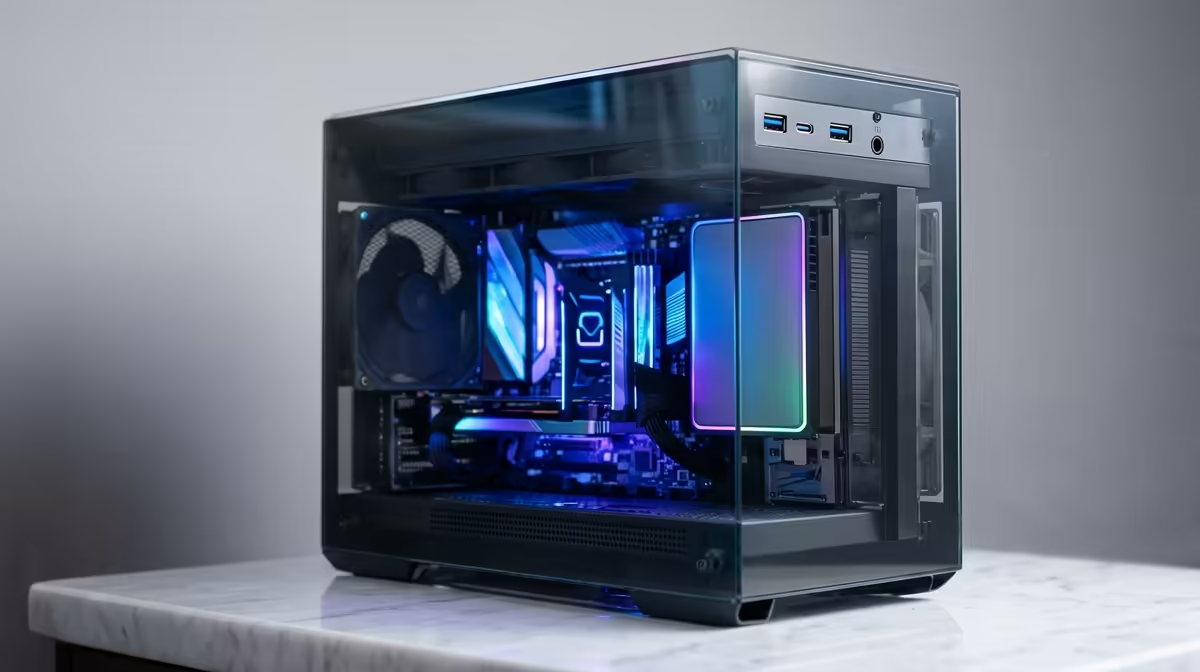
Staring at a render bar that moves slower than Cape Town traffic? We've all been there. For South African video editors, photographers, and music producers, a slow PC isn't just frustrating… it costs you time and money. The solution is a workflow powered by lightning-fast connectivity. This guide will show you how to spec the perfect Thunderbolt editing PC in South Africa for your creative hustle, all while keeping it under the R30,000 mark. 🚀
Why Thunderbolt is Essential for Modern Creators
So, what’s all the fuss about Thunderbolt? Think of it as a supercharged USB port. It uses the familiar USB-C connector but delivers ridiculously fast data transfer speeds—up to 40Gbps. For a creative professional, this isn't just a nice-to-have; it's a workflow accelerator.
Imagine offloading hours of 4K footage from an external drive in minutes, not hours. Picture connecting multiple high-resolution monitors and your super-fast storage all through a single, clean cable. That’s the power a Thunderbolt editing PC brings to your desk. It simplifies your setup and smashes through data bottlenecks, letting you focus on creating, not waiting.
Key Components for Your R30k Editing Build
Building a powerful yet affordable Thunderbolt editing PC in South Africa is a balancing act. You need to invest in the components that have the biggest impact on creative software like Adobe Premiere Pro, DaVinci Resolve, or Photoshop. Here’s where your money should go.
The CPU: The Core of Your Workflow
For video editing and rendering, the Central Processing Unit (CPU) does the heaviest lifting. You want a processor with a good balance of high clock speeds (for smooth timeline performance) and multiple cores/threads (for faster exports). In the sub-R30k bracket, look for modern Intel Core i5 or AMD Ryzen 5 processors with at least 6 cores. These chips offer a fantastic performance-per-rand value. Many of the best gaming PC deals are built around these exact CPUs, making them excellent dual-purpose machines.
Storage & RAM: Speed and Multitasking Muscle ⚡
Your storage and memory are critical. A slow drive means choppy playback and long loading times.
- Storage: A fast NVMe SSD (Solid State Drive) is non-negotiable for your operating system and editing software. For your project files and media, a second, larger SATA SSD provides a great mix of speed and capacity.
- RAM: 16GB is the absolute minimum for 1080p editing. If you’re touching 4K footage or heavy motion graphics, aiming for 32GB will give you the breathing room you need to multitask without your system grinding to a halt.
Storage Pro Tip 💡
Keep your project files on a separate SSD from your operating system and software. This strategy, known as a 'scratch disk', prevents your main drive from getting bogged down during intensive tasks like rendering previews or exporting your final cut. It's a simple change that delivers a noticeable performance boost!
The Graphics Card (GPU): Your Visual Engine
While the CPU is king, the Graphics Card (GPU) is crucial for accelerating effects, colour grading, and providing smooth playback in your timeline. For most editing software, NVIDIA GPUs with CUDA cores offer the best performance and compatibility. You don’t need a top-of-the-line card; a solid mid-range option will handle 4K editing and rendering beautifully. Even many budget-friendly gaming PCs come with GPUs that are more than capable for demanding creative work.
Finding the Right Build for Your Budget
Piecing together the perfect machine can be daunting, but that's where pre-built systems shine. They offer a balanced, tested configuration without the headache of assembly. You can find some incredible pre-built PC deals that pack a serious punch for their price.
Whether you're looking for excellent options under R20k to get you started or have the budget to explore more powerful PCs above R20k, there's a rig out there that will transform your creative process. The key is to find a balanced build that invests in the right places for a smooth, efficient workflow.