Three clearances decide whether a 360mm AIO goes in cleanly: the radiator slot, the fan thickness and the pump head space. The radiator slot is the one everybody measures, and the other two are the ones that cause trouble at the last step. A thick fan can push the radiator off its mount, and a pump head sitting high on the block can meet the board's heatsinks or the case's roof. Here is how to verify all three before the mounting screws go in, with the numbers you need for each.
Quick Answer
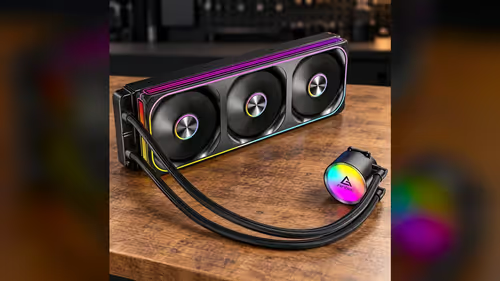
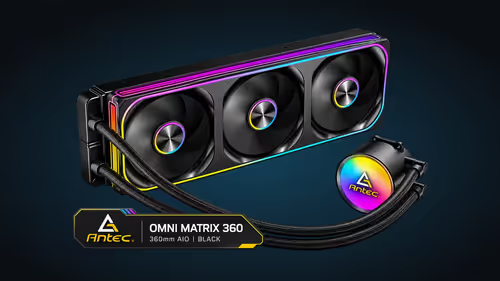
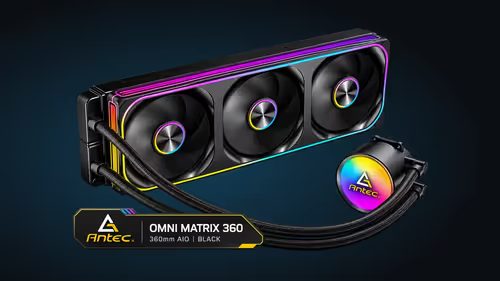
Verify three clearances before fitting a 360mm AIO: the radiator slot, the fan thickness and the pump head space. The radiator needs about 394mm of slot length, the fans add about 25mm each to the depth, and the pump head needs room above the block. The Antec Omni Matrix 360 at R999 needs all three checked with the parts in hand before anything is screwed down.
📏 The radiator slot
The slot is the first clearance. The slot must measure at least 394mm, the length of a 360mm radiator, from one mount edge to the other. Measure the slot with a tape, and record the figure before you go any further.
Check the obstacles in the slot. A front fan, a drive cage or a bracket can sit in the path of the radiator, and each one reduces the usable length. Remove the obstacle or move it if it sits where the radiator needs to go.
The slot also needs to be flat. A mount that is bent or uneven will tilt the radiator, and a tilted radiator puts strain on the tubing. Check the mount with a straight edge before the radiator goes in.
🌀 Fan thickness
Each 120mm fan is about 25mm thick, and the fans sit on the radiator face. Their thickness adds to the depth the radiator takes up, so the combined depth has to be smaller than the space between the case wall and the panel. Work out that gap, deduct the radiator and fan thickness, and the remainder is your spare room.
A thick fan can push the radiator off the mount if the panel is close. Check the gap between the fan frame and the panel with the fans mounted, not before. A fan that touches the panel will rub, and a rub that is not fixed will wear the frame.
Check the fan cable too. A cable that runs between the fan and the panel takes up a few millimetres of depth, and that can close a gap that looked open on the tape measure.
🧱 Pump head space
The pump head sits on top of the block, and the block sits on the processor. That stack means the pump head adds height above the board, and the height has to fit under the case roof or any cooler that sits near the top of the case. Measure the height from the board to the highest point of the pump head, then compare it with the room above the board. Leave at least 5mm of clearance above the pump head so the cover does not press on the roof.
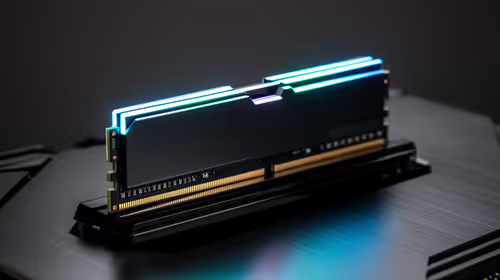
Check the memory height too. Tall memory modules sit close to the block, and the pump head may sit above them. A tall module and a high pump head can meet at the same point, so measure both before you mount the block.
Check the pump header position as well. The pump lead comes out of the head at a set point, and it has to reach the header without pulling on the head. Route the lead first, then tighten the block, leaving slack so the cable does not lift the head.
🧰 A verification routine with the parts in hand
Measure the three clearances with the parts in hand, rather than from the spec sheets. Measure the slot, the fan depth and the pump head height, and write each figure down. Then check each figure against the space in the case.
Mount the radiator and fans without the side panel, and look at each clearance with the parts in place. A fan that touches the panel or a pump head that touches the roof shows up at once when you look from the front.
Tighten the screws only after the fit is confirmed. A radiator that is tightened before the check can be hard to move again, and a loose mount is easier to adjust.
Our mid tower cases range shows the cases with a front or top mount, and the full tower cases range gives more room in every direction. The CPU coolers category shows the coolers by size.
Frequently Asked Questions
How long is the radiator slot I need for a 360mm AIO?
About 394mm from one mount edge to the other, with no obstacles in the path.
How much depth do the fans add?
Each 120mm fan is about 25mm thick, so the fans add that depth to the radiator's own thickness on the side where they sit.
What is the pump head clearance I should check?
The height from the board to the highest point of the pump head, measured against the room above the board and the tallest memory module.
Should I measure before or after mounting the fans?
Both. Measure the depth before buying, then check the gap between the fan frame and the panel once the fans are on.
Checking clearances before you mount?
Browse our mid tower and full tower cases, and measure the slot, fan depth and pump head before you add a cooler.