



Hot-Swappable PCB Architecture in Modern Keyboards: Guide
Learn hot-swappable PCB architecture in modern keyboards—what it is, how sockets and traces work, and how to pick the right board. Speed up swaps, reduce risk, and upgrade faster 🔧⚡
Read moreA 32-inch 4K panel delivers 140 PPI for crisp text and game detail, while 27-inch 1440p sits closer to 109 PPI but takes less desk space and pairs with weaker GPUs. Match specs to your build and use case before you commit to the upgrade.
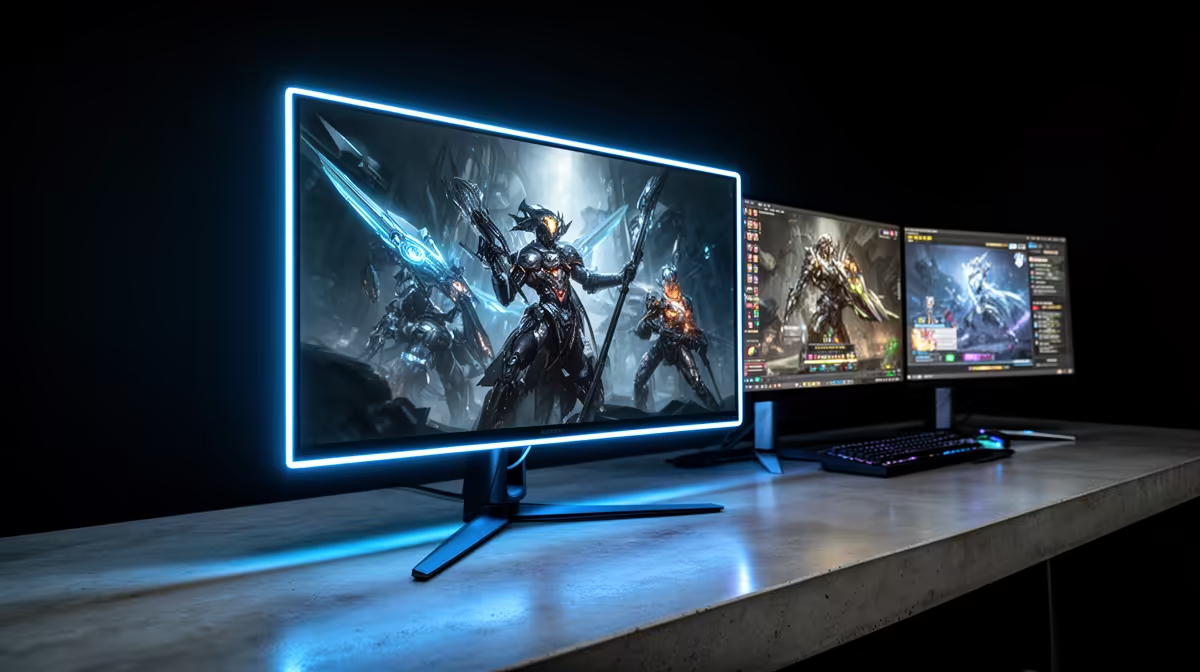
A 32-inch 4K monitor delivers 138 PPI and genuinely benefits from the higher resolution at a normal desk viewing distance of 60 to 75cm. Smaller displays in the 24 to 27-inch range at 1080p or 1440p have a lower pixel density ceiling but occupy less desk space and cost less. The right size depends on whether image quality or desk footprint is the higher priority.
The 4K resolution advantage over 1440p becomes clearly visible when the panel is at least 27 inches. At 27 inches, 4K produces 163 PPI; at 32 inches, 138 PPI, still noticeably sharper than 1440p at 93 PPI on the same 32-inch panel. A 24-inch 1080p monitor produces 92 PPI, adequate at 60cm but with faintly visible pixel edges in fine text. The practical upshot: if your desk has the depth for a 60cm viewing distance to a 32-inch screen (approximately 80cm total desk depth), the 4K panel delivers clearly more detail without requiring you to sit closer.
South African home office and student setups often face space constraints. A 32-inch monitor with a standard stand occupies roughly 73cm of horizontal desk space and places the screen surface about 20cm back from the stand base. That leaves as little as 47cm in front of the stand on a 1.2m desk, tight for a keyboard and mousepad. A 27-inch monitor cuts that footprint to about 62cm, recovering 11cm for peripherals. For SA students in res rooms with limited desk space, a 27-inch 1440p 165Hz panel in the R4,500 to R7,000 range often makes more practical sense than a 32-inch 4K option at R9,000 or more. For a dedicated home office with a 160cm desk, 32 inches fits comfortably.
In visually detailed open-world games, the difference between 27-inch 1440p and 32-inch 4K is clear: the 4K panel renders grass, foliage, and distant buildings with edge detail that 1440p softens into a texture approximation. For esports titles, a 24-inch 1080p 240Hz display is genuinely used by professionals because its smaller size keeps the full play area visible without eye movement. For a SA gamer who plays both genres, a 32-inch 4K monitor at 160Hz is the most versatile single-display solution.
Place a piece of paper 73cm wide on your desk to simulate a 32-inch monitor's footprint. Include the stand depth of 20 to 25cm. South African homes with standard 1.2m desks may find the physical size more intrusive than expected when it arrives.
Yes, at 32 inches. A 4K panel at 138 PPI displays document text and spreadsheet cells with sharp edges that 1440p at 93 PPI softens. The difference is most obvious in small fonts and fine grid lines. SA professionals who switch report they find it difficult to return to lower resolution for full-day office work.
In competitive gaming, smaller screens keep the entire field of view visible without moving the eyes, which reduces reaction time. Professional CS2 players often use 24-inch 1080p displays for this reason. For immersive gaming, larger screens with higher resolution produce a more enjoyable experience.
For consistently good 4K gaming at 60fps or above in demanding titles, you want at minimum an RTX 5070 or RX 9070 XT. Older RTX 30-series cards can run 4K but may not sustain 60fps in GPU-heavy open-world games without reducing settings.
Choosing between 32-inch 4K and a smaller gaming display? Evetech stocks both sizes with a range of resolutions and refresh rates, all stocked in South Africa with local warranty and delivery.
Learn hot-swappable PCB architecture in modern keyboards—what it is, how sockets and traces work, and how to pick the right board. Speed up swaps, reduce risk, and upgrade faster 🔧⚡
Read more
Mechanical switch lifespan explained—what the 50 million keystroke rating really means, plus tips to extend switch life and reduce double-press issues 🔧⌨️
Read more
60-percent vs full-size mechanical keyboard layouts—learn what each layout includes, who it suits, and how to choose the right fit 🧩⌨️ for typing, gaming, and productivity.
Read more
Double injection keycaps last far longer than standard printed keycaps in most setups. Learn typical lifespan ranges, what shortens them, and how to maximize durability for smoother daily typing and gaming 😊⌨️
Read more
Full-key anti-ghosting: does it stop missed inputs during fast-paced gaming? We break down latency, polling, and key matrix limits so you can buy smarter 🎮⚡
Read more
Protect mechanical keyboard switches from South African dust and summer humidity with practical cleaning and storage habits. Keep your switches smooth, reduce failures, and extend lifespan. 🌬️💧
Read more
Wondering if a TKL wireless mechanical keyboard is worth it for everyday productivity? We break down latency, battery life, comfort, and workflow gains for real work. ⚡⌨️

Maximise battery life on a fanless 15-inch laptop using efficiency core architecture. Cut idle drain, tune power profiles, and improve thermals for longer runtime. 🔋⚙️

Learn how to reduce desk clutter with a TKL wireless keyboard using fewer cables, smart placement, and tidy essentials. Get a faster, calmer workspace with better ergonomics. ✅🧼

RGB keyboard lighting too distracting? Learn how to manage backlight modes, set brightness, and reduce distraction for focus and productivity 😌🖱️

Are themed gaming keyboards worth the extra cost? Compare build quality, switch options, features, and resale value to find the best fit for your setup 🎮⌨️

Full-Size vs Tenkeyless mechanical keyboards for gaming: find out if a smaller layout truly improves aim, speed, and comfort. We break down layout, desk space, latency-feel, and keybinds 🎮⌨️

Dedicated media rollers vs function key shortcuts: learn which setup gives you better workflow control, faster media access, and fewer mistakes. 🖱️🎧

Best Mechanical Switch Type for Gaming: Clicky vs Linear vs Tactile. Find your feel, speed, and noise balance with practical guidance for FPS, MOBA, and productivity 😄🎮

Direct mouse answer: Mouse not keeping up with your work? Everything that matters about dual-mode 2.4GHz + BT 5.0: DPI behaviour, channel switching, battery curves and per-app button mapping. Covers when 2.4GHz USB wins (low-latency desk) and when BT 5.0 wins (laptop, d

Plain wireless mouse guide: Mouse not keeping up with your work? Everything that matters about wireless productivity mouse: DPI behaviour, channel switching, battery curves and per-app button mapping. Includes DPI tuning tips, channel switch shortcuts, and ZAR-aware fea

Real productivity numbers: Set up your wireless mouse in this order: everything that matters about wireless productivity mouse: DPI behaviour, channel switching, battery curves and per-app button mapping. Includes DPI tuning tips, channel switch shortcuts, and ZAR-aware

Pen not feeling like paper? Stylus lag and skipping usually trace to old drivers, dirty nibs, or display refresh mismatches, not the pen itself. Covers pressure curve tuning, tilt thresholds, nib swap timing, and SA pricing brackets.