



PCIe 5.0 vs PCIe 4.0 for Strategy and Sim Games in SA
PCIe 5.0 and PCIe 4.0 differ most in lane support, compatibility, and upgrade value for strategy and sim games. SA buyers should match the choice to their actual hardware and games.
Read moreRun 4K 160Hz for AAA games and HDR content, then switch the dual-mode IPS panel to FHD 320Hz when loading competitive shooters that reward higher frames over pixel density. Match specs to your build and use case before you commit to the upgrade.
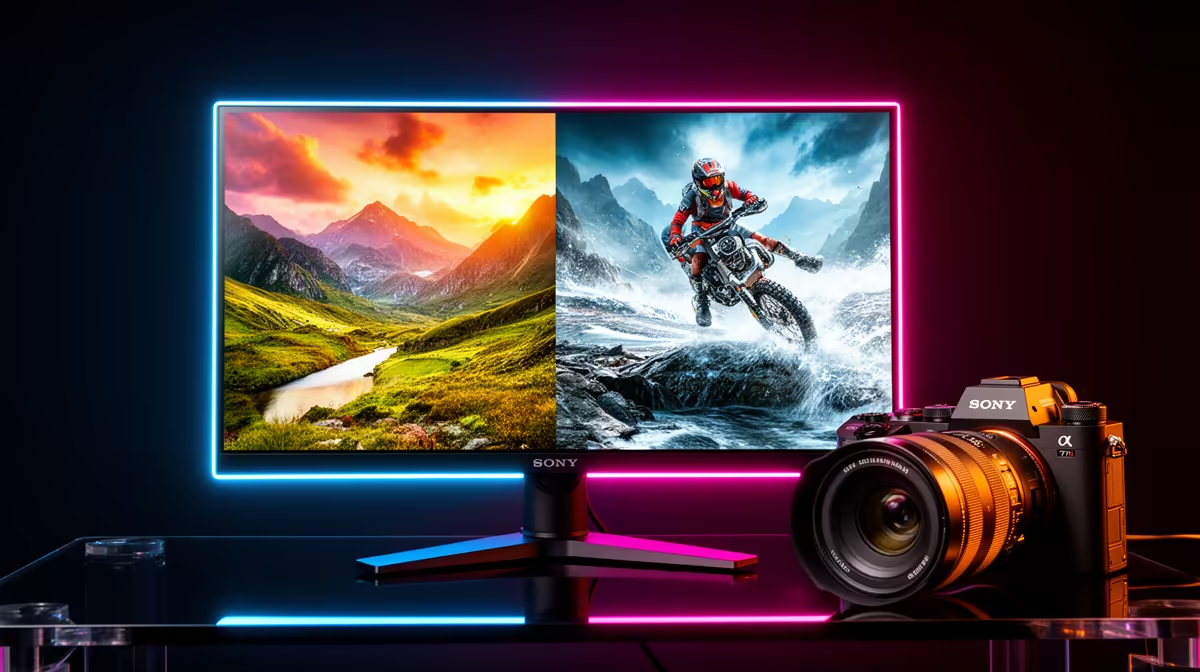
Use 4K 160Hz for immersive and visually demanding titles, and switch to FHD 320Hz for competitive shooters where frame rate and tracking clarity beat pixel count every time. Both modes live on the same dual-mode panel, so the decision is a two-second OSD toggle rather than a hardware swap.
At 4K on a 32-inch panel you get 138 pixels per inch; at FHD you drop to 69 PPI. That difference is obvious in static content but less distracting in motion. The bigger number is on the time axis: a 160Hz monitor refreshes every 6.25ms; a 320Hz monitor refreshes every 3.13ms. In a game running at 280fps the visual system receives a new frame roughly every 3.6ms, so a 320Hz panel can display most of those frames rather than skipping half of them as a 160Hz panel would. For an RTX 5080 pushing 300fps in CS2 at FHD, the difference between 160Hz and 320Hz is visible as distinctly crisper enemy movement during fast flicks.
Open-world games like Cyberpunk 2077, Hogwarts Legacy, and Microsoft Flight Simulator draw much of their appeal from environmental detail: foliage density, texture resolution, and draw distance. Running these at native 4K produces a meaningfully better experience than FHD on a 32-inch panel. Even with DLSS Quality upscaling from 1440p to 4K, the output at 4K 160Hz is sharper than anything achievable at FHD 320Hz for these titles. Productivity tasks also strongly favour 4K: a 32-inch 4K monitor at 138 PPI makes 11pt text in a browser or document genuinely comfortable without scaling, whereas FHD at 69 PPI requires Windows display scaling above 100% and text still looks soft.
Competitive gaming performance in ranked CS2, Valorant, Apex Legends, or Rocket League is determined largely by how quickly you can acquire and track a target. At 320Hz the display presents a new frame every 3.1ms; opponents appear in sharper, better-defined positions during rapid mouse movement. Most SA esports players competing online will find the frame rate advantage of FHD 320Hz mode more meaningful than the resolution uplift of 4K, particularly at common competitive sensitivities where crosshair travel across the screen happens in 50 to 150ms. GPU requirements drop sharply too: an RTX 5070 that struggles above 90fps at native 4K in demanding titles can push 250 to 350fps at FHD, keeping the display running at its rated ceiling.
Most dual-mode monitors assign 4K and FHD switching to a shortcut button on the bezel. Spend two minutes mapping it to the button closest to your dominant hand so switching takes under a second when you change games. This removes the friction that stops players from using both modes appropriately.
At 32 inches, FHD is noticeably softer than 4K in static content. In fast gameplay the difference is less obvious because the smoother motion compensates. For competitive shooters at normal viewing distance (60 to 80 cm) most players adapt quickly and prioritise the smoothness benefit.
In optimised esports titles like CS2 and Valorant, mid-to-high-tier GPUs like the RTX 5070 or RX 9070 XT can sustain 200 to 350fps at FHD with competitive settings. That frame rate is enough to fill most of the 320Hz refresh cycle and deliver a tangible improvement over 160Hz.
No hardware penalty; the mode switch is a firmware-level pixel grouping change. Some monitors require a brief black screen during the switch. There is no damage or wear associated with toggling between modes during normal use.
Want both modes in one monitor? Evetech stocks dual-mode 4K 160Hz / FHD 320Hz gaming monitors, locally available with South African warranty and tech support.
PCIe 5.0 and PCIe 4.0 differ most in lane support, compatibility, and upgrade value for strategy and sim games. SA buyers should match the choice to their actual hardware and games.
Read more
AM5 vs AM4 for video editing in 4K Difference explained is mostly about compatibility, budget, upgrade path, and setup fit. SA buyers should check device support and real needs before expecting a clear win from either option.
Read more
OLED vs QD-OLED for strategy and sim games buyers - what changes is mostly about compatibility, budget, upgrade path, and setup fit. SA buyers should check device support and real needs before expecting a clear win from either option.
Read more
DisplayPort 2.1 and 1.4 differences matter when SA PC builders match GPUs, monitors, and refresh targets. Use this difference between displayport 2 1 and displayport 1 4 explained pc builders guide to avoid mismatched parts.
Read more
Ray tracing vs Path tracing depends on Strategy and sim games needs, platform limits, and budget fit. Compare compatibility, latency, upgrade path, and real setup constraints before choosing for an SA build.
Read more
wireless mouse guide for Gqeberha gamers should be shortlisted around the job it must do. South African buyers should compare sensor, shape, weight, and wireless latency, warranty path, and upgrade room before treating any pick as best.
Read more
From 1 October 2026, WhatsApp Business Platform service replies in South Africa are expected to cost about $0.0076, or 12 cents, per delivered message.

DDR5-8000 RAM Kits pros and cons depend on the build, budget, and workload. Weigh gaming needs, platform fit, power, cooling, warranty support, and South African pricing context before shortlisting it.

Wi-Fi 6E vs Wi-Fi 6 depends on AAA single-player gaming needs, platform limits, and budget fit. Compare compatibility, latency, upgrade path, and real setup constraints before choosing for an SA build.

Ryzen 9 9950X3D dead pixel checks should isolate the panel first. Run colour fills, inspect the monitor menu, test another cable or input, and capture proof before linking it to the SA CPU upgrade.

YouTube will count public views from the first frame across video formats from 24 August, while earnings and eligibility remain tied to engaged viewing.

Canonical expects Ubuntu on WSL users to outnumber native Ubuntu desktop users before the end of 2026. The software is open source and runs inside supported Windows PCs.

Telkom's daily bundles pair WhatsApp access with 10 all-network voice minutes. The R15 option includes 300MB, while the R17 option uses a fair-use threshold.

A 10,000-hour test found similar image retention across older and newer OLED TVs, while newer panels were brighter and more efficient. Local OLED monitors started at R9,999.

Windows 11 update KB5121003 is linked to crashes in several multiplayer games on versions 24H2 and 25H2. Check the build, report the fault and avoid risky file or update changes unless the problem is confirmed on your PC.

Comsol's standalone 5G network covers about one million Gauteng homes and starts commercial ISP service in September. Early packages range from R275 to R875 a month, but coverage and fair-use rules still decide the real value.

Sennheiser's Momentum True Wireless 5 adds user-replaceable batteries, 12-hour playback and a $299.95 launch price. There is no confirmed South African date, so compare longevity with live earbuds from R199 to R2,999.

AVerMedia's GC531 and GC535 are professional HDMI capture devices for continuous streaming, with RGB24 capture up to 2K30 and 4K30. South African creators should compare them with live 4K capture cards from R2,099.