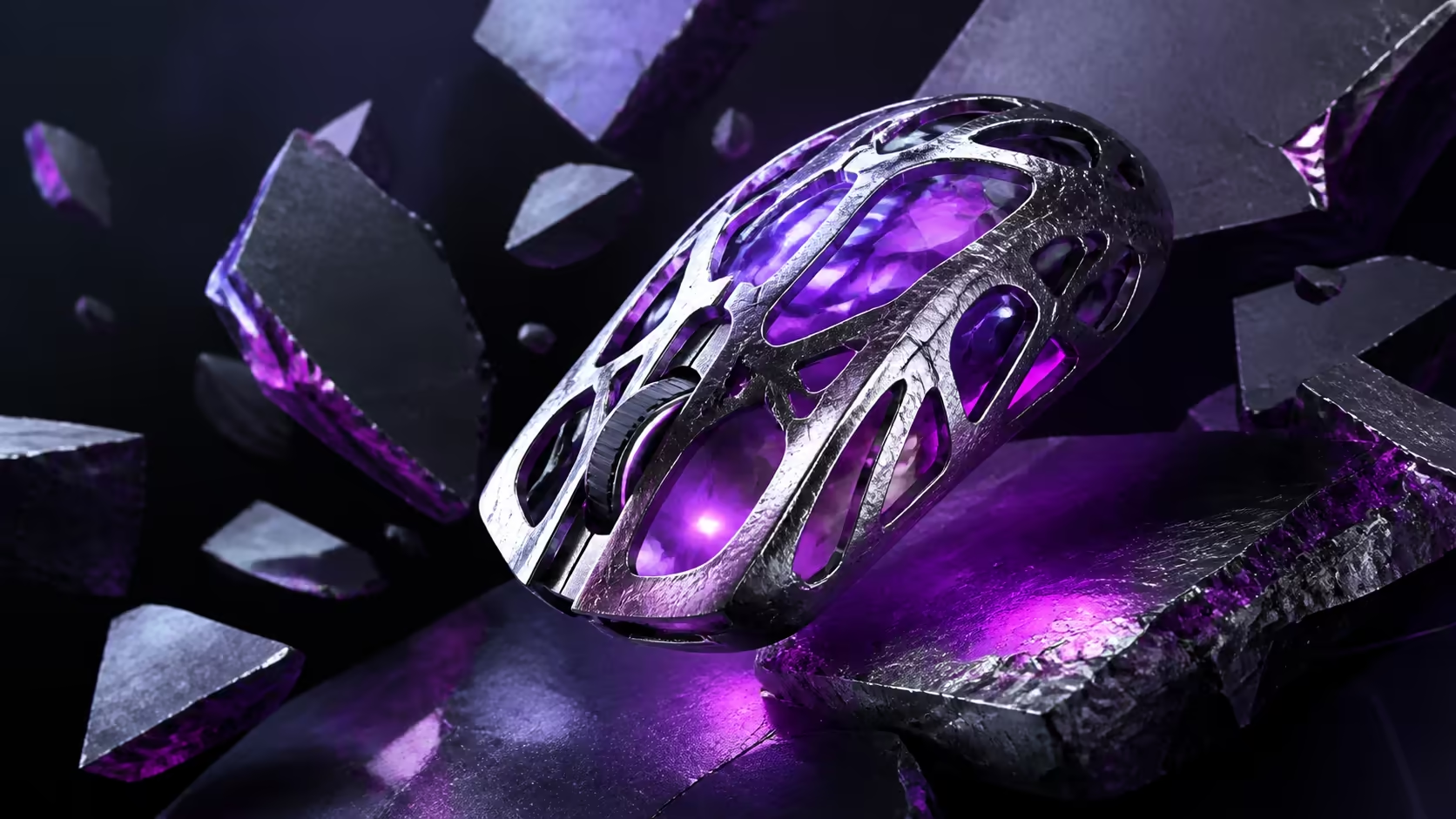
Magnesium alloy gives mouse designers a route to low mass and firm structure, but the material name alone says little about comfort or service life. A useful guide to magnesium gaming mouse shells must consider geometry, joints, finish, balance and care. The R2,399 Wireless MG reaches 56g with an enclosed magnesium body while carrying wireless hardware and a battery.
Quick Answer
Magnesium alloy can support thin, rigid shell sections and a low finished weight. Durability still depends on structural design, assembly, coating and handling. The R2,399 Wireless MG demonstrates the approach at 56g, adding a 33,000 DPI sensor, 8,000Hz option and tri-mode connectivity inside the metal structure.
🧱 Understand why magnesium is used
Reducing mouse weight requires careful choices across the shell, frame, battery, buttons and internal electronics. Magnesium offers a favourable strength-to-weight route for structural sections, allowing an enclosed surface without automatically relying on honeycomb cutouts.
Material is only the starting point. Curves, ribs and transitions distribute grip pressure. Fasteners and seams connect the main sections. A weak joint can undermine a rigid panel, while a thoughtfully supported design can feel composed under ordinary claw or fingertip contact.
Apply normal grip force and check whether side pressure changes the click feel. Listen for movement around seams and inspect the base rather than squeezing the device as hard as possible. Real control pressure is the relevant test.
Temperature at the hand can change how a finish feels without altering the underlying metal. Hold the mouse through a normal warm-up period and assess traction again. A shell that remains secure may need less added grip material and therefore preserves its original geometry.
Buttons should be assessed as moving structures connected to the shell. Look for consistent travel near the centre and edges of each main click, because an excellent side panel does not compensate for unstable input surfaces.
Evetech's gaming mice catalogue gives the material comparison useful context across many complete shapes.
⚖️ Put the 56g result in perspective
Finished weight includes the whole wireless mouse, not only the shell. The Wireless MG reaches 56g while incorporating a battery, dedicated radio, Bluetooth and USB-C hardware. That result is different from quoting the mass of an empty exterior.
Balance determines how the number feels. Lift the mouse from the same thumb and finger points used during play, then observe whether the nose or rear drops. Central, predictable balance can make 56g easy to place, while an uneven distribution prompts extra grip force.
Low mass may reduce effort during repeated corrections and pad-edge resets. It does not guarantee accuracy. Shell width, hump position, button reach and skate resistance remain central to control.
Compare lifts from the centre and near the pad boundary. A balanced device should return to the surface without the nose or rear landing first. Uneven touchdown changes the first fraction of the next movement and may encourage a tighter grip.
Players arriving from heavier hardware should keep their existing sensitivity for several sessions. The hand often uses excess force initially, and an immediate settings overhaul can hide whether adaptation alone would have solved the nervous feel.
🛡️ Examine finish, joins and daily wear
Coating mediates every contact between skin and metal. It affects texture, resistance to visible marks and how easily the shell can be cleaned. A finish that feels secure under warm fingers may reduce the urge to squeeze, while an unsuitable texture can cause tension regardless of strength.
Inspect button edges, panel gaps and the junction between upper shell and base. Consistent spacing and click travel matter because these moving regions experience repeated use. Durability is an accumulation of ordinary cycles, not only survival of an impact.
Clean the surface with a gentle method suitable for electronics and avoid moisture around openings. Keep the pad free of grit that can damage skates and create misleading roughness. Store the mouse so heavy objects do not press against buttons or sidewalls.
Inspect the USB-C port and receiver storage area without inserting tools. Cable strain and forced connectors threaten the electronics regardless of shell material. Route charging leads with slack so the light mouse is not pulled from the desk.
The mouse tier above R2,000 provides useful construction context. Do not assume every similarly named model uses the same material: the Wireless MG is the magnesium 56g product, while a distinct Ultralight variant uses plastic and a different weight.
🎮 Balance construction against performance hardware
The shell supports the hand, while the sensor and connection carry movement to the PC. The MARKSMAN S 33K sensor supplies a 33,000 DPI adjustment ceiling, and up to 8,000Hz polling offers fine report timing. Neither figure changes the structural properties of magnesium.
Dedicated 2.4GHz serves performance play, Bluetooth handles convenient device access and USB-C provides a wired route. Evetech's wireless mouse selection helps compare these internal requirements across finished weights.
Those components also influence internal packaging and weight distribution. A strong construction places them without creating a pronounced front or rear bias. This is why finished balance says more than comparing raw shell material in isolation.
The R2,399 Wireless MG product page identifies the correct construction and a 120-hour battery specification. Consider battery placement and radio hardware part of the complete design achievement, not invisible extras.
Care for the system rather than the metal alone
Maintain clean skates, a clear sensor window and a stable receiver position. These actions do more for daily control than treating the alloy as indestructible. Good handling protects both the structural shell and the electronics it surrounds.
Keep a short note of any new creak, coating change or button movement and check it again after a week. Trend matters more than one unfamiliar sound during an awkward grip. Consistent observation avoids both neglect and overreaction.
If grip tape is later added, photograph its placement and reassess button reach. Extra thickness changes the contact system even though the magnesium structure is unchanged. Durability and comfort should be reviewed after the modification.
Frequently Asked Questions
Why is magnesium alloy used for lightweight shells?
It can provide rigidity with thin structural sections, helping a complete design reach low mass while retaining an enclosed exterior.
Which factors influence magnesium shell durability?
Geometry, internal support, joins, fasteners, coating and ordinary handling all matter. The alloy name cannot replace those design details.
How does finish affect a metal mouse shell?
It shapes grip texture, cleaning behaviour and resistance to visible contact wear. Finish quality also influences how hard the hand squeezes.
Does a 56g figure reveal the balance?
No. It describes total mass but not where that mass sits. Lift from normal grip points to assess front-to-rear distribution.
What care suits a magnesium gaming mouse?
Use gentle electronics-safe cleaning, keep moisture away from seams and maintain a grit-free pad. Avoid crushing pressure during storage.
How does the Wireless MG illustrate this construction?
It combines a 56g magnesium shell with battery, tri-mode radio hardware, a MARKSMAN S 33K sensor and high-rate polling.
Should material be chosen ahead of hand fit?
No. Width, hump, button reach and balance directly affect control. Construction should support a shape that already suits the hand.
Ready to judge magnesium by the engineering it enables?
Compare Evetech's premium gaming mouse builds and inspect complete weight, balance, seams, finish and fit before choosing a shell material.