Quick Answer
Yes. A monitor equipped with USB-C, DisplayPort 1.4, and HDMI 2.1 can serve a gaming PC, a work laptop, and a console simultaneously without any cable swapping. The result is a cleaner desk, faster source switching, and a single R10,000 to R15,000 display investment that handles every device in a typical South African home setup.
Each Port Has a Distinct Role 🔧
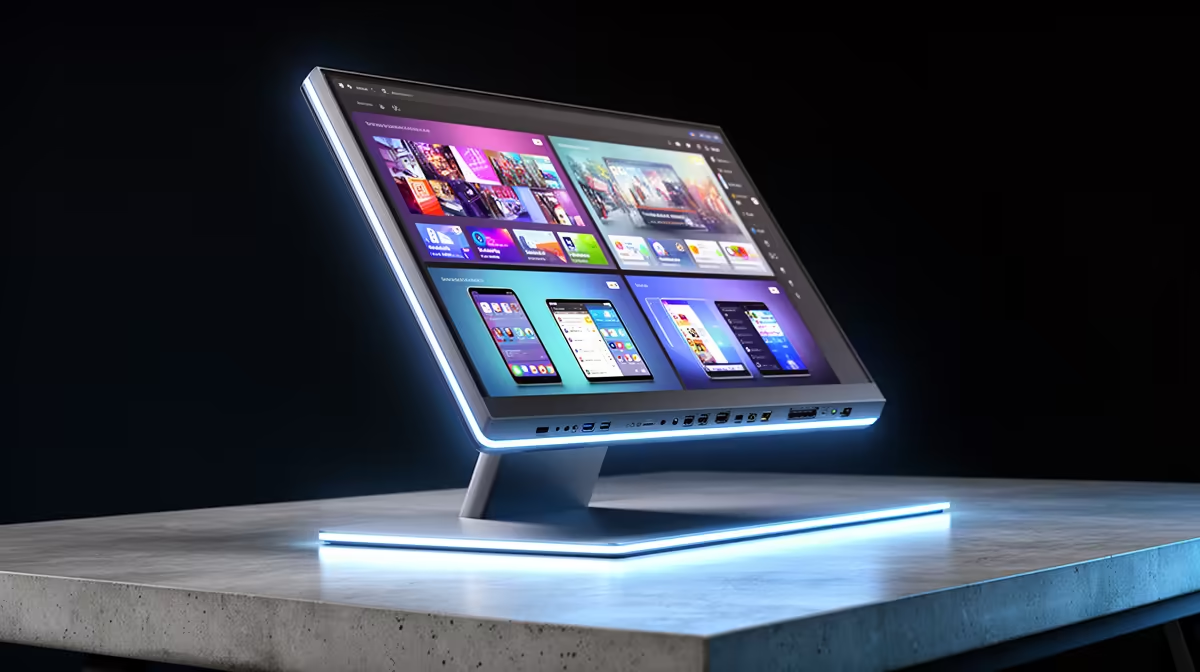
DisplayPort 1.4 with DSC is the primary gaming PC connection, carrying 4K at 160Hz or 1440p at 240Hz with full colour depth and variable refresh rate. HDMI 2.1 covers the console: a PS5 or Xbox Series X outputs 4K at 120Hz over HDMI 2.1, and audio return (eARC) carries sound to a connected soundbar without an additional cable. USB-C with DisplayPort Alt Mode and Power Delivery handles the laptop, delivering video output and 65W to 90W of charging through one cable. With all three ports used simultaneously, switching between the gaming PC, console, and laptop takes one button press on the monitor's input selector. For South African remote workers who game in the evenings, this three-source configuration means the desk is set up once and functions as both work station and gaming hub without rewiring.
The USB-C Advantage for SA Remote Workers 💼
USB-C Power Delivery has a compounding effect on desk simplicity. A laptop sitting at its docking position connects to the monitor once via USB-C and is fully operational: display output active, battery charging at up to 90W, and the monitor's USB hub available for a keyboard and mouse. Removing the laptop takes one cable pull. SA professionals who attend offsite meetings regularly benefit because the laptop leaves and returns to a fully cabled workspace without any reconnection ritual. The same USB hub on the monitor can host a USB microphone for video calls or an external drive, with those peripherals associated with whichever source is active on the USB-C input.
Picture-by-Picture for Productivity ✨
Most 32-inch 4K monitors with this three-port configuration support Picture-by-Picture (PbP) mode, displaying two input sources side by side. A practical SA remote work configuration: laptop source on the left half (a Teams call active) and PC source on the right half (a render running or a secondary document open). PbP typically reduces each source to approximately 1920x2160 per half on a 4K panel, more than adequate for document review and video calls. For gaming, single-source full panel mode is used instead. The flexibility to toggle between configurations without hardware changes is what makes a well-equipped multi-port monitor significantly more useful than a cheaper panel with only HDMI 2.0.
Confirm USB-C Port Power Rating ⚡
Not all USB-C ports on monitors provide Power Delivery. Some serve only as data ports for the built-in USB hub. Look for the PD symbol or a wattage rating (65W, 90W) in the spec sheet next to the USB-C port. A port without PD cannot charge your laptop through the monitor, which changes the single-cable docking value entirely.
FAQ
Can all three ports be active simultaneously on a multi-port monitor?
All three sources can be cabled simultaneously. PbP mode displays two sources at once; a third source remains on standby and is accessible via input selection. The monitor does not lose signal from a connected but inactive source.
Does USB-C video output reduce gaming performance?
No. USB-C carrying DisplayPort Alt Mode delivers the same video signal as a physical DisplayPort cable. Gaming performance is determined entirely by the GPU and game settings, not by which physical port the signal travels through.
Is HDMI 2.1 important if I only own a PC, not a console?
For PC-only setups, HDMI 2.1 adds limited value since DisplayPort 1.4 is the preferred gaming connection. HDMI 2.1 becomes important if you add a console later.
One monitor for every device on your desk?
Evetech stocks multi-input gaming monitors with USB-C Power Delivery, DisplayPort 1.4, and HDMI 2.1, all locally stocked across South Africa with full warranty.