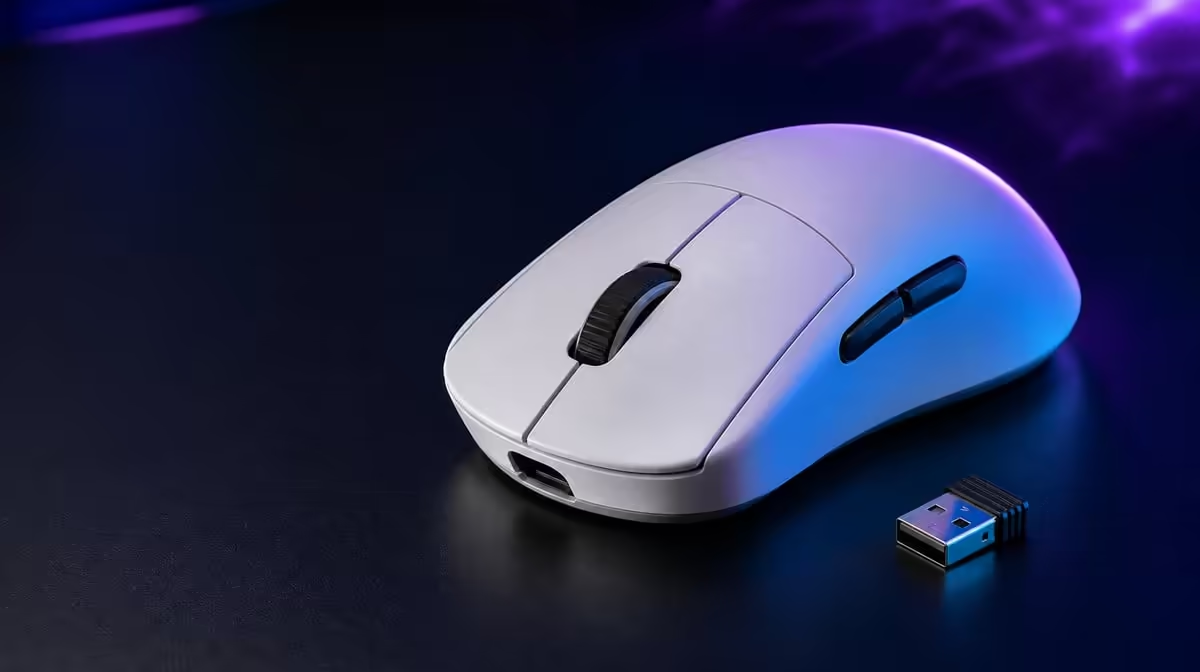
Gaming-mouse budgets should rise only when the extra money buys control, connection or convenience the player uses. To choose a gaming mouse for every South African budget, establish shape and tracking needs first, then add wireless modes, buttons and report headroom deliberately. The R1,499 G305 X SUPERLIGHT provides a useful below-R2,000 reference.
Quick Answer
Set a budget around comfortable shape, dependable tracking, the required connection and enough programmable inputs, then pay more only for specialised features with measured value. At R1,499, the G305 X SUPERLIGHT includes a Hero 44K sensor, 678 IPS, tri-mode connectivity, six buttons, up to 8kHz and more than 130 rated battery hours.
🔹 Define the entry requirement
Every tier should pass the same control test: slow correction, rapid turn, repeated click and a long session. A cheap mouse that fits can outperform a premium shape that forces tension.
Evetech's Logitech gaming mouse category supplies the brand-family comparison.
Keep sensor numbers secondary
44,000 DPI and 678 IPS describe Hero 44K range and tracking headroom. The player's chosen sensitivity and clean surface determine practical control.
🔹 Add wireless value
Tri-mode connectivity is useful when Lightspeed, Bluetooth and wired operation have distinct devices or tasks. A single fixed desktop may not value all three equally.
Receiver placement and charging routine remain part of the purchase. Compare the complete desk rather than a connection label.
Use Evetech's wider gaming mouse range to compare focused wired and wireless alternatives.
Score endurance
More than 130 rated hours provide planning context. Measure the selected mode and report rate over normal sessions.
🔹 Price competitive extras
Up to 8kHz is valuable when the PC and game sustain it and the player reproduces an improvement. Six buttons matter when their assignments reduce keyboard travel without changing grip.
Do not give every extra equal weight. One stable connection and shape can carry more ownership value than several unused ceilings.
🔹 Build equal-total setups
Compare the R1,499 mouse with another option while holding the total input budget fixed. Include the pad, receiver placement and any desk change needed.
Evetech's popular accessory page provides wider market context; confirm the intended live product when ready to order.
Audit after a month
Record the active connection, sensitivity, report rate, buttons and charging interval. Used features justify their tier; abandoned ones guide the next purchase downward.
Avoid a permanent tier table
Products and prices change. Preserve the test and budget method, then compare current options at purchase time.
Define three budget levels by behaviour
The first level should pass basic movement, click and comfort tests. The next can add a stable wireless route or useful programmable controls. The higher level needs specialised reporting, multi-device operation or another feature the player can demonstrate.
Do not assign fixed prices permanently to these levels. Products and availability change, while the behavioural test remains useful.
Score shape through a long session
Run the same game and desktop tasks for at least a normal session. Note grip tension, lift frequency, side-button reach and whether the player shifts hand position as fatigue develops.
Verify the G305 X SUPERLIGHT's current mass when weight affects the shortlist, then judge it alongside balance, glide and shape.
Compare sensor behaviour at two sensitivities
Test the Hero 44K at the player's normal setting and one carefully chosen alternative. Use slow correction and fast turns. The 44,000 DPI ceiling should not become the second test merely because it exists.
Record whether 678 IPS headroom remains clean during realistic swipes. If another mouse tracks just as consistently, decide from shape, connection and price.
Value tri-mode by devices
List the gaming PC, another paired device and the wired use case. Assign Lightspeed, Bluetooth and wired operation only where those devices and tasks exist.
A single-device user may value one stable route highly and the others lightly. A shared desk can receive more from mode switching if profiles remain clear.
Price the button map
Give each of the six inputs a potential task and test its reach. Remove commands that alter grip or remain difficult to remember.
Compare this map with a simpler mouse. Extra buttons earn budget through frequent actions saved, not through their count.
Build a report-rate value ladder
Start at 1000Hz and move through supported rates while holding DPI and connection constant. Note frame behaviour and aim consistency.
Assign value to 8kHz only if it remains useful during the busiest representative game scene. If a middle rate performs equally well, record that result and keep the lower-demand profile.
Include the charging cost in attention
Charging may not add much money, but it demands planning. Measure the selected mode and report rate over a week, then decide whether the routine fits the player.
A rated figure beyond 130 hours is helpful context. The real value is knowing when the mouse needs power without disrupting play.
Review the tier after thirty days
Mark every feature that remained active. If the player uses one wireless mode, moderate DPI, a stable lower report rate and two buttons, those facts should drive the next budget.
If tri-mode switching, several profiles and 8kHz all remain productive, a specialised tier has stronger evidence.
Separate competitive and general-use value
Competitive play may prioritise stable reports, receiver placement and grip under pressure. General use can value Bluetooth pairing, desktop button shortcuts and a longer low-demand routine. Score both only when the mouse genuinely serves both.
A dedicated gaming PC should not pay heavily for device switching it never uses. A shared work-and-play desk can justify the same feature through daily transitions.
Compare replacement triggers
Write the event that would force the current mouse out: recurring tracking faults, shape discomfort, missing connection or insufficient controls. Do not replace it merely because a newer maximum appears.
For each candidate, ask how it addresses that exact trigger. The R1,499 mouse earns value when its Hero 44K, tri-mode operation or programmable layout solves the reason for shopping.
Keep an evidence archive
Save one aim score, connection map, button diagram and endurance week. These records let the next purchase start from ownership facts.
Without that archive, buyers often repeat the same feature research while forgetting which settings and routines they actually retained.
Frequently Asked Questions
What should every budget protect?
Comfortable control, reliable tracking and the connection the actual setup needs.
Where does the G305 X SUPERLIGHT sit?
At R1,499, it is below R2,000.
Should high DPI define a premium tier?
No. Maximum range matters less than repeatable aim at the chosen setting.
When should 8kHz affect budget?
Only when the complete gaming PC shows a stable, useful advantage over lower reporting.
How should wireless endurance be valued?
Use the rating as a baseline, then measure actual sessions in the selected mode.
Why include the pad?
Surface and usable movement space influence tracking and sensitivity, so they belong in the complete input budget.
Ready to build a mouse budget around real control?
Compare Evetech's gaming mice through one fixed movement, connection and endurance test before paying for specialised ceilings.