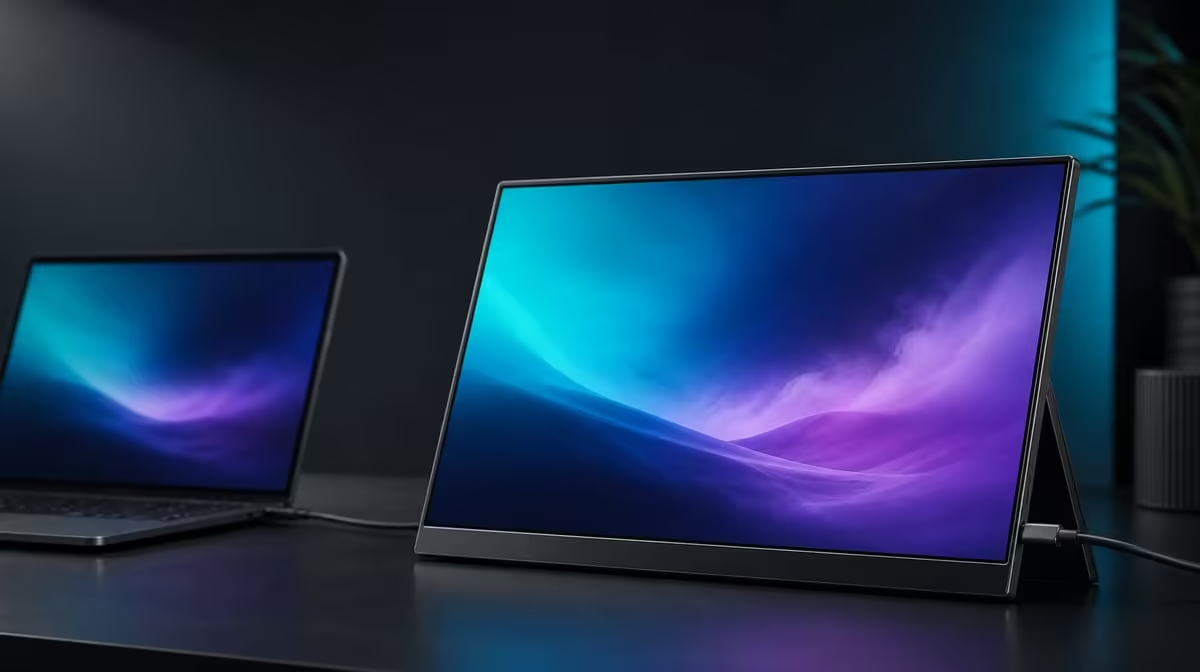
A specification becomes useful only after it is translated into a viewing or connection decision. This UPERFECT UColor J5 spec guide explains the R5,999 monitor's 17.3-inch 4K IPS panel, 400cd/m2 brightness, 1000:1 contrast, 10ms response, FreeSync, Low Blue Light, dual inputs, and VESA role without stretching any number beyond its job.
Quick Answer
The UColor J5 is a 17.3-inch portable IPS monitor with 3840 x 2160 resolution, 400cd/m2 brightness, 1000:1 contrast, a 10ms response figure, FreeSync, Low Blue Light, HDMI, USB-C, and VESA support. At R5,999, it prioritises a large, detailed mixed-use screen with flexible desk and travel options, subject to source, cable, power, and mount compatibility.
🔍 3840 x 2160 on 17.3 inches
The resolution supplies native 4K pixel detail. The 17.3-inch diagonal determines the physical canvas. Together they can support fine text, detailed images, dense workspaces, and entertainment, while requiring operating-system scaling for comfortable interface size.
Keep native output where practical and increase scale or programme zoom before lowering resolution. Confirm that the source can drive the panel through the chosen connection.
The larger portable format needs more bag and desk room than smaller alternatives. Include protection, source device, cables, and power in the physical test. Evetech's portable monitor category provides current size comparisons.
☀️ 400cd/m2 and 1000:1
The 400cd/m2 figure describes brightness output. It gives headroom for bright indoor spaces but cannot remove direct glare. Reduce output in dim rooms rather than treating maximum as the default.
The 1000:1 ratio describes measured contrast between bright and dark under test conditions. It does not prove colour accuracy. Ambient light, reflections, content, and settings affect perceived depth.
IPS identifies the panel technology. Use known visual references and task-specific evidence for any colour-critical work. Evetech's monitor selection offers context for displays with different priorities.
🎮 10ms, FreeSync, and Low Blue Light
The 10ms figure concerns panel pixel transitions. On a supported source and connection, FreeSync can lessen visible splits between delivered frames. It does not turn 10ms into a different response time or solve network lag.
Native 4K gaming can increase graphics workload, so game settings may need adjustment. The J5's facts support a versatile entertainment role rather than an unsupported elite competitive-speed claim.
Low Blue Light changes output towards a warmer viewing mode. It can suit extended reading, but brightness, scaling, glare, posture, distance, and breaks remain part of comfort.
🔌 HDMI, USB-C, and VESA
HDMI provides a video input for compatible sources. USB-C can carry display video only when the host port and cable offer the necessary capability. Power must be planned for the actual route.
VESA support creates a fixed-use option on a compatible arm. Confirm the exact pattern, load, fasteners, and cable movement. A mount can improve height and free desk space while the panel remains removable for travel.
Evetech's monitor best sellers page supplies a separate live comparison. Reconfirm the R5,999 figure and present availability at the point of purchase.
The spec sheet is strongest when every line is attached to a task: pixels for detail, scale for readability, luminance for room light, contrast for light-dark separation, synchronisation for tearing, response for pixel changes, inputs for sources, and VESA for positioning.
Turn those translations into an acceptance test. Use a high-detail document for resolution, a white page and dark scene for brightness and contrast perception, a repeatable game motion for FreeSync and response observations, and a cold connection for each source.
Keep each result narrow. A clear document supports the value of native pixels; it does not prove colour accuracy. Reduced tearing supports the compatible synchronisation path; it does not alter the 10ms number. A stable arm proves mechanical fit; it does not make the panel smaller for travel.
Build separate travel and desk profiles. The travel note should contain power, input, cables, bag, surface, and brightness. The desk note should include mount details, cable slack, height, and the normal source. This lets the same display serve two roles without mixing their requirements.
After a week, mark which specifications entered real use. Those are the facts that carry the R5,999 value case. The remaining features can stay available without being exaggerated.
If another monitor is compared, use the same translated tasks rather than counting rows. A shorter specification list can still win when it passes more of the buyer's repeated needs.
The specifications become more useful when grouped by the question they answer. Resolution and size define the canvas; IPS identifies the panel type; brightness and contrast help describe its output; response time and FreeSync address different parts of motion; Low Blue Light offers an alternative viewing mode; and the ports plus VESA support shape installation. No single number can substitute for the complete grouping.
For work, start at 3840 x 2160 and raise system scaling until interface text is comfortable. That preserves native detail while avoiding the false choice between tiny controls and a lower resolution. Set the 400cd/m2-capable panel to the room rather than its maximum, then judge the 1000:1 contrast figure with actual documents, dark content, and ambient reflections in view.
For entertainment, keep 10ms and FreeSync in separate columns. The first is the stated pixel-response characteristic; the second can reduce tearing when the source and connection support it. Test the same scene with a stable game setup so a change in source performance is not misread as a panel effect. The 4K workload also needs to suit the device driving the display.
For installation, document each route. HDMI provides video and leaves a power arrangement to plan. USB-C video depends on a capable source port and cable, and any power behaviour must be confirmed for the full combination. VESA can create a cleaner fixed desk only after the exact pattern, supported load, fasteners, and cable slack have been checked. Together, these details show what the R5,999 package can do without stretching a specification beyond its meaning.
A concise setup card prevents the specifications from becoming disconnected facts. Write "detail and workspace" beside 3840 x 2160 and 17.3 inches; "room headroom" beside 400cd/m2; "tonal relationship" beside 1000:1; "pixel change" beside 10ms; and "tearing control on a compatible path" beside FreeSync. Add the known source port, cable, power route, chosen input, scaling, and mounting status. That translation gives each number a job and makes later troubleshooting more systematic.
The same card can expose mismatched priorities. If the buyer never mounts the panel, VESA should not outweigh a connection used daily. If games are rare, FreeSync has less influence than readable document scaling. If the room is controlled, maximum brightness headroom may matter less than screen area. A specification is valuable in proportion to the repeated problem it solves.
Frequently Asked Questions
What does 3840 x 2160 mean?
It is the J5's native 4K resolution and should be paired with suitable scaling on its 17.3-inch panel.
How should 400cd/m2 be read?
As available brightness headroom, not a requirement to use maximum output continuously.
Is 10ms the same as FreeSync?
No. The first describes panel response; the second addresses frame presentation on a compatible path.
What is Low Blue Light intended to do?
It reduces blue-light output and creates a warmer option for extended viewing.
Why include both inputs?
HDMI and USB-C provide different source routes, each requiring exact compatibility checks.
Ready to turn every display number into a practical choice?
Explore Evetech's portable monitors and compare current specs by the task, room, source, and mounting plan they actually serve.