



PCIe 5.0 vs PCIe 4.0 for Video editing in 4k in SA
PCIe 5.0 vs PCIe 4.0 for video editing in 4k is mainly about fit, features, compatibility, cost, and upgrade path, not one automatic winner. SA buyers should match the choice to the setup.
Read morePick between independent cpu and gpu cooling zones and shared airflow case designs by weighing thermals, noise, and Rand value. Each suits a different SA build, and the verdict is spelled out clearly. See the full breakdown.
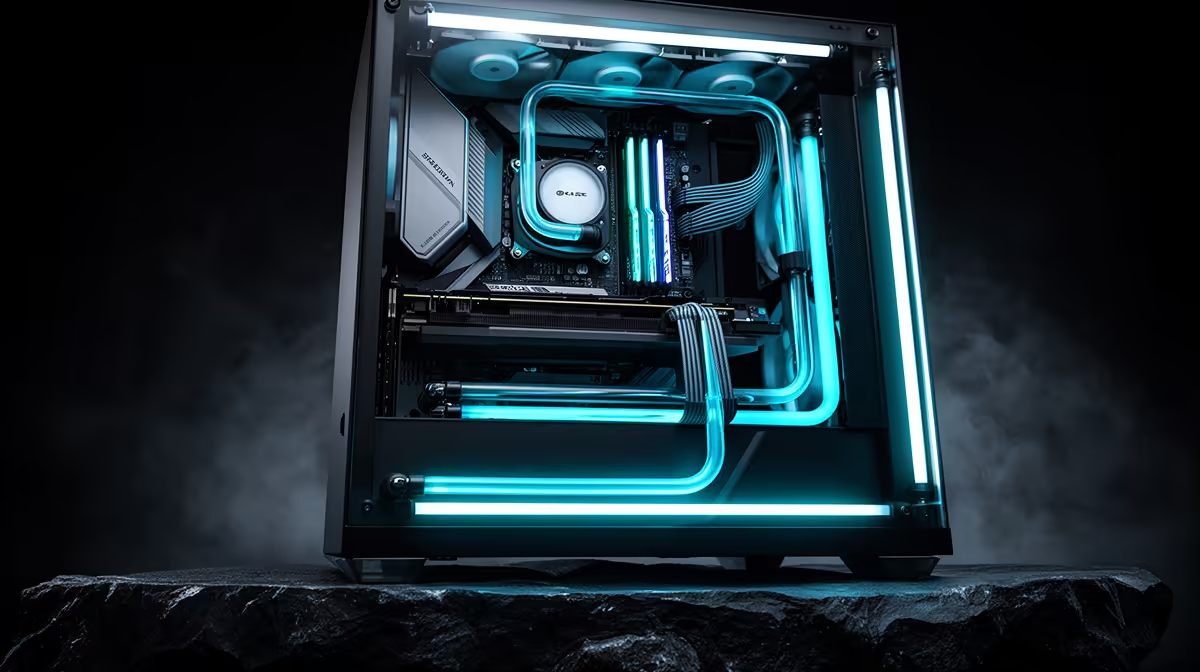
Independent cooling zones for the CPU and GPU prevent each component's heat from raising the other's intake temperature. Shared airflow designs are simpler and cheaper but mix warm exhaust air back into the intake path under heavy load. For builds with a GPU drawing over 250W and a CPU drawing over 105W simultaneously, zone separation produces measurably lower temps and more consistent boost clocks.
In a shared airflow design, two or three front intake fans push air into a single internal volume. This air cools the GPU, heats up, and then continues toward the CPU heatsink before exiting via the rear and top exhaust. The problem emerges at sustained load: the GPU at peak temperature can raise interior air temperature by 8 to 15 degrees Celsius above ambient, so the CPU heatsink receives pre-warmed air instead of fresh ambient air. For a Ryzen 5 7600 at 65W TDP this is not catastrophic, but for a Ryzen 9 9950X at full all-core boost consuming 170W, receiving pre-GPU-warmed air pushes CPU temps into thermal throttle territory under extended combined loads.
Zone-separated cases use a physical or airflow-based boundary to give the CPU and GPU separate intake sources. With a 360mm AIO at the front intake, the CPU receives fresh ambient air through the radiator before that air enters the main case volume, making CPU cooling entirely independent of case air quality. The GPU's axial fans operate within the remaining case air, and additional bottom-intake fans supply fresh air directly to the GPU from below. Under a simultaneous Cinebench all-core run plus Furmark stress test, independent zone systems keep CPU temps 6 to 12 degrees Celsius lower than shared-airflow builds, with GPU junction temps 4 to 7 degrees Celsius lower.
For gaming builds under R35,000 with a mid-range CPU and an RTX 5060 Ti or similar, shared airflow with a good mesh-front case and three quality fans is entirely adequate. For premium builds above R55,000 with a high-end CPU and an RTX 5080 or RTX 5090, independent zone cooling is the difference between sustained peak boost and thermal throttling during competitive play. South African gamers in warmer inland regions where ambient temps hit 28 to 33 degrees Celsius in summer should lean toward independent zones one tier earlier than temperate-climate recommendations would suggest.
Log CPU package temp delta and GPU hotspot delta above ambient simultaneously in HWiNFO64 during a 20-minute combined CPU-plus-GPU stress test. If both deltas are under 45 degrees Celsius above ambient, your cooling zones are working well. A CPU delta above 55 degrees Celsius while the GPU runs hot signals that GPU exhaust is feeding into the CPU intake zone.
Partially. Adding a 240mm or 360mm AIO at the front intake effectively isolates CPU cooling from case air quality. Adding a bottom-intake fan supplies dedicated cool air to the GPU. These two modifications together approximate zone separation for around R800 to R2,000 depending on AIO choice.
Not under normal gaming use. Modern CPUs and GPUs have built-in thermal throttling that prevents damage. The performance impact of shared airflow is lower boost clocks and noisier fans under extended load, not physical hardware damage.
Case design matters more than raw size. A well-engineered mid-tower with a PSU shroud, front AIO mount, and bottom intake fan achieves better zone separation than a poorly designed full-tower with unrestricted internal volume.
Looking for a case built for proper thermal management? Evetech stocks gaming cases designed for independent zone cooling, including dual-chamber and high-airflow mid-tower options at every build tier. Find the right case at Evetech.
PCIe 5.0 vs PCIe 4.0 for video editing in 4k is mainly about fit, features, compatibility, cost, and upgrade path, not one automatic winner. SA buyers should match the choice to the setup.
Read more
Wi-Fi 7 vs Wi-Fi 6e for competitive esports comes down to router support, latency goals, device compatibility, and coverage. SA buyers should match the choice to the real network setup.
Read more
ATX 3.1 vs ATX 3.0 for mMO and live-service games buyers - what changes is mostly about compatibility, budget, upgrade path, and setup fit. SA buyers should check device support and real needs before expecting a clear win from either option.
Read more
LGA 1851 vs LGA 1700 can affect Twitch and YouTube streaming when gaming and encoding share CPU resources. For SA creators, the real-world difference depends on encoder choice, memory support, motherboard cost, thermals, and upgrade plans.
Read more
X870E vs X670E for aaa single-player gaming is mainly about fit, features, compatibility, cost, and upgrade path, not one automatic winner. SA buyers should match the choice to the setup.
Read more
Hall Effect switches vs Mechanical switches for mMO and live-service games is mostly about compatibility, budget, upgrade path, and setup fit. SA buyers should check device support and real needs before expecting a clear win from either option.
Read more
A fake 113GB GTA VI ISO reportedly used empty padding around a small malware payload. SA gamers should delete unofficial builds, keep Windows security active and wait for official channels.

Wi-Fi 6E vs Wi-Fi 6 matters for 4K video editing when files move across a network. The real-world difference between Wi-Fi 6E and Wi-Fi 6 for video editing in 4K depends on NAS access, cloud uploads, router range, and SA creator workflows.

The difference between PCIe 5.0 and PCIe 4.0 for SA gamers is mostly bandwidth headroom. Compare GPU slot needs, NVMe speed, motherboard support, and upgrade timing before paying extra for a newer platform.

Gaming PC stuck pixel checks in South Africa should confirm the monitor fault first. Use colour tests, screenshot comparison, cable swaps, display menu checks, and clear photos before deciding on support.

Shokz OpenFit Air 2 earbuds weigh 7.2g each and use a redesigned dual-driver open-ear layout. SA buyers should choose them for comfort and awareness, not maximum isolation.

AMD's current driver now lists a Radeon RX 9050 4GB, while product coverage details a narrowed memory system. SA buyers should weigh the low VRAM ceiling against current local Radeon options.

Samsung Display has demonstrated a 16-inch 2.5K OLED laptop panel running at 300Hz. SA buyers should wait for a named notebook, full panel specifications and a local price before planning an upgrade.

Microsoft says some Windows 11 game crashes after recent updates are linked to RGB-related drivers. Affected SA gamers should confirm the update and driver before using the published registry workaround.

Minisforum's M2 Pro pairs Core Ultra X7, Arc B390 graphics and 32GB onboard memory in 1.8 litres. SA buyers should weigh its fixed memory and $1,439 launch offer against local mini PCs.

Smart monitors can add apps and convenience, but they also add privacy settings and unwanted-software risk. SA buyers should audit the operating system before paying for extras.

Lenovo says Legion Go failures linked to BIOS N3CN42WW are not user error. Affected SA owners should stop retrying the update, preserve proof and open a support case.

The ROG Gjallar gaming soundbar is now listed in the US at $599.99. SA buyers should compare its 2.1.2 audio, wireless bass and built-in chat controls with simpler local options.