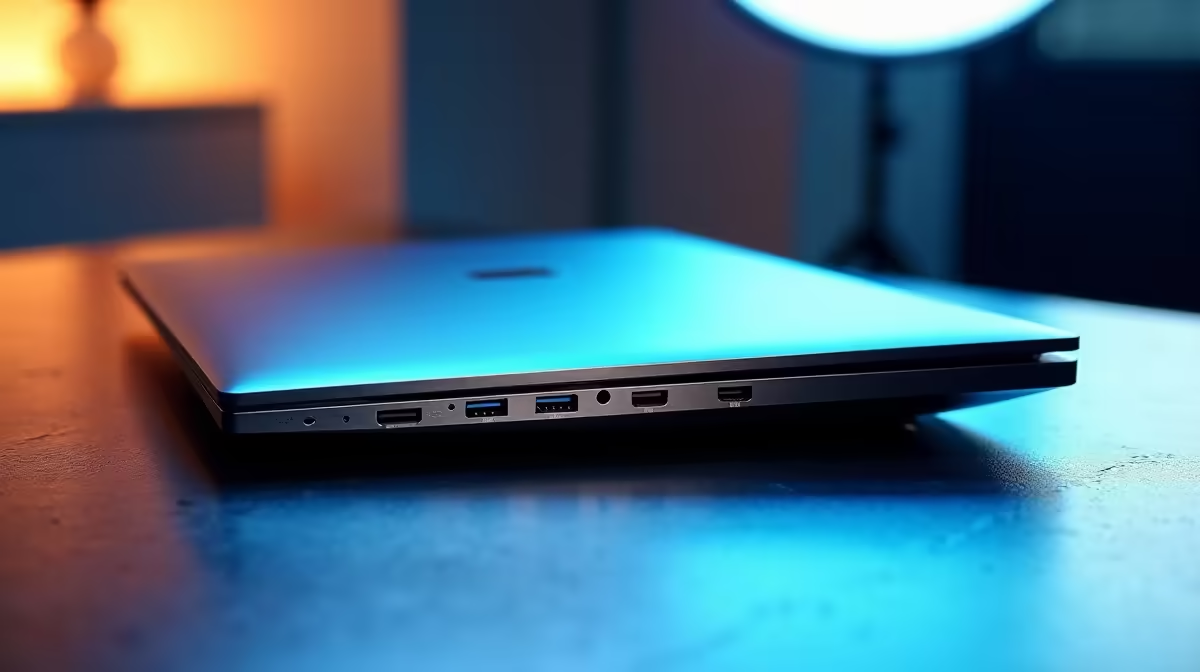
You’re deep in the zone, compiling code, and... your laptop runs out of ports. Now you're unplugging your mouse to connect a drive, or realising you can't connect to the big monitor and your mechanical keyboard at the same time. Sound familiar? For South African developers, choosing a laptop is about more than just CPU and RAM. The right selection of laptop ports for programming is the unsung hero of productivity, turning a good machine into a seamless coding powerhouse.
Why Your Port Selection is Crucial for Coding
Before we dive into the specifics, let's be clear: the connectivity on your machine directly impacts your workflow. The best laptop ports for programming aren't just about plugging things in; they're about removing friction. They enable you to run multiple high-resolution monitors for more screen real estate, connect to a stable wired network for massive downloads, and use all your favourite peripherals without a bag full of dongles. It’s about creating an efficient, powerful, and comfortable coding environment.
The Essential Laptop Ports for Programming 🔧
When you're hunting for a new machine, your eyes might go straight to the processor or graphics card. But a savvy developer knows to check the sides of the laptop first. Here’s a breakdown of the essential I/O you should be looking for.
USB-C & Thunderbolt: The Modern Standard
This is the big one. A USB-C port is a versatile oval-shaped connector, but not all USB-C ports are created equal.
- USB-C (USB 3.2/USB4): Offers fast data transfer and can often carry a video signal (DisplayPort Alternate Mode) and power (Power Delivery).
- Thunderbolt (3 or 4): This is the supercharged version of USB-C. It does everything a standard USB-C port does but with significantly more bandwidth (up to 40Gbps). This allows you to drive multiple 4K monitors, connect ultra-fast external SSDs, and even hook up an external GPU from a single port. Many high-performance Intel laptops on special come equipped with Thunderbolt, making them a top choice for power users.
HDMI / DisplayPort: Your Multi-Monitor Friends
Coding on a single small laptop screen is painful. Having at least one dedicated video output port is non-negotiable for any serious programmer.
- HDMI: The most common video port, perfect for connecting to most monitors and TVs. An HDMI 2.0 or 2.1 port will comfortably drive a 4K display at 60Hz, which is more than enough for crisp text and smooth scrolling in your IDE.
- DisplayPort (DP): Often found on gaming-oriented laptops, DisplayPort typically offers higher bandwidth for faster refresh rates. While overkill for just coding, many of the best gaming laptop deals pack incredible specs and port selections that make them phenomenal development machines.
USB-A: Don't Discount the Classic
Yes, USB-C is the future, but the world is still full of USB-A devices. Your favourite mechanical keyboard, wireless mouse dongle, and older flash drives all rely on this rectangular port. Having one or two USB-A ports saves you from the frustration of carrying yet another adapter.
RJ45 Ethernet Port: For Rock-Solid Stability
Wi-Fi is convenient, but when you're pulling a 10GB Docker image or cloning a massive repository, nothing beats the speed and reliability of a wired Ethernet connection. For developers, this isn't a luxury; it's a professional tool that ensures your connection never drops during a critical task. While many powerful AMD laptops on special are thin and light, those geared towards performance often retain this crucial port.
Clean Desk Pro Tip ⚡
If your laptop has a Thunderbolt or a full-featured USB4 port, you can achieve the ultimate one-cable setup. A single cable to a compatible dock or monitor can handle charging, multiple displays, Ethernet, and all your USB peripherals. It keeps your workspace tidy and makes connecting or disconnecting your laptop incredibly fast.
Future-Proofing Your Development Machine ✨
Choosing a laptop with a modern set of ports is an investment in your future productivity. It ensures that as monitors get sharper and external drives get faster, your machine will be ready to keep up. A good mix of Thunderbolt/USB4, HDMI, and USB-A provides the perfect balance of next-gen power and backward compatibility. Don't let a poor port selection be the bottleneck that holds you back. Investing in a machine with the right connectivity is one of the smartest moves a developer can make.
With the right knowledge, you can easily find a machine that ticks all the boxes. Many of the latest laptop specials for sale in South Africa feature an excellent array of ports designed for modern workflows.
Ready to Code Without Limits?
Dongles and adapters kill productivity. The right laptop ports for programming are your gateway to a seamless, powerful workflow. Explore our massive range of laptop specials and find the perfect machine with the connectivity you need to build, compile, and create without compromise.