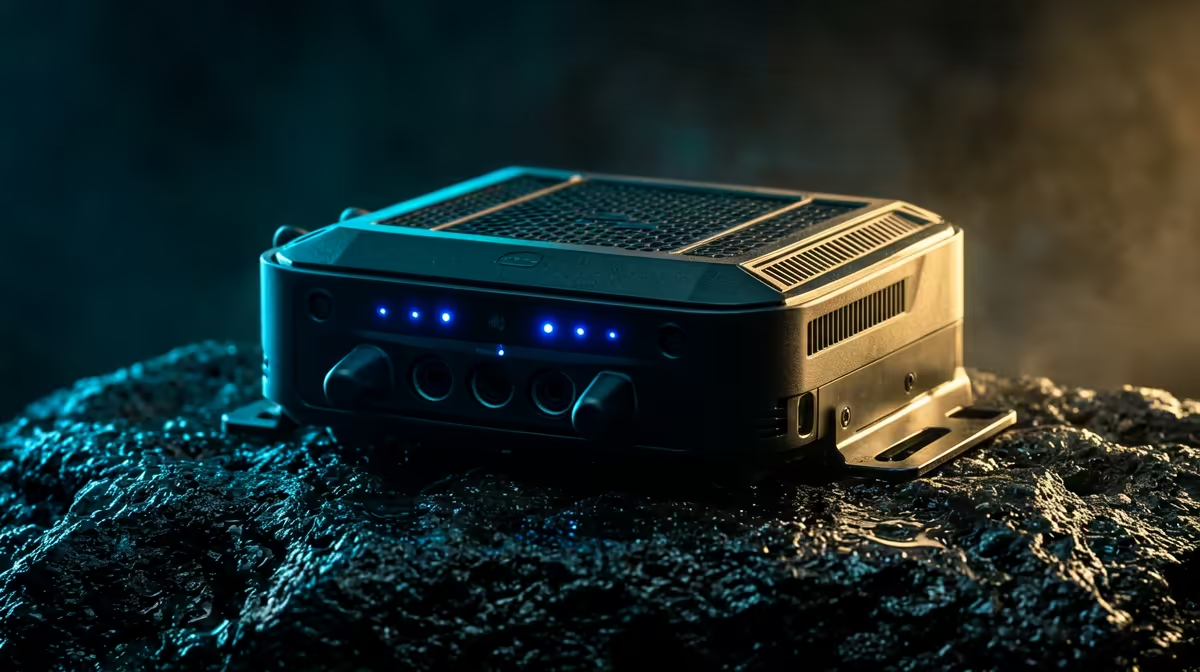
Passive PoE vs 802.3at: Powering Outdoor Wi‑Fi 6 Access Points for SA Teams
If you’re trying to get solid Wi‑Fi coverage at a braai area, workshop, or remote farm out in SA… power is usually the real boss fight ⚡. The difference between Passive PoE and 802.3at matters more outdoors, where distance, surge risk, and mounting options can make or break your setup.
In this Deep Dive, we’ll compare Passive PoE vs 802.3at: Powering Outdoor Wi‑Fi 6 Access Points in plain language. You’ll learn which one to choose for typical South African conditions, how to avoid slow speeds and unstable reboots, and what to budget before you click “buy” at Evetech.
Passive PoE vs 802.3at: Powering Outdoor Wi‑Fi 6 Access Points (Quick, Practical Comparison)
What “Passive PoE” actually means
Passive PoE sends power over Ethernet using a fixed voltage scheme. There’s no negotiation with the device. If you feed the wrong voltage or use the wrong pinout, you can damage equipment.
Where passive PoE shines: when your access point is designed for it, and you’re using a matched injector/switch and cabling plan.
What “802.3at” (PoE+) means
802.3at is a standard (commonly called PoE+). Devices negotiate power using the PoE standard. That reduces “wrong power” risks and generally improves compatibility for managed deployments.
Where 802.3at shines: when you want predictable powering with standards-based gear and fewer surprises during installs.
The outdoor reality in South Africa 🌦️
Outdoors means:
- longer cable runs,
- higher likelihood of lightning surges,
- weather exposure at junctions and enclosures,
- more movement and connector wear.
So even though specs matter, install quality matters just as much. Evetech stocks a broad range of wireless networking gear, including outdoor-friendly solutions that many installers pair with PoE strategies.
Device compatibility: the non-negotiable
Before you decide, check your specific Wi‑Fi 6 access point’s power requirements and whether it supports passive PoE, 802.3at, or both. This is the most common reason builds end up costing extra.
If you’re building around outdoor coverage, also plan for mounting, weather sealing, and cable management as part of the power strategy.
Passive PoE vs 802.3at: Powering Outdoor Wi‑Fi 6 Access Points (Distance, Stability, and Cost)
Distance and voltage drop: why your AP keeps rebooting
With longer runs, voltage drops through the cable. That can cause:
- unstable radios,
- “brownout” behaviour,
- repeated restarts at peak usage times (streaming, downloads, game updates).
Passive PoE is more sensitive because it relies on a specific voltage arrangement. 802.3at can be more robust when supported end-to-end because the standard expects negotiation and defined power behaviour.
Choose the right infrastructure around the PoE method
If you’re using an outdoor setup, you usually need:
- a PoE injector or PoE switch,
- proper outdoor cabling and terminations,
- a surge/lightning protection approach,
- weather-rated enclosures.
Evetech carries options across wireless networking, from adapters to routers and extenders, which is useful if you’re scaling coverage after the first site visit.
When you should consider scaling with outdoor extenders
Sometimes you don’t actually need another access point. You need a link that “bridges” coverage.
If your site layout is tricky, browse Evetech’s wireless range options and plan a scalable architecture rather than forcing every wall and tree to “just work”.
Link options:
Passive PoE vs 802.3at: Powering Outdoor Wi‑Fi 6 Access Points (Install Tips That Save Money)
Protect the cable and connections (this is where builds fail)
Most outdoor Wi‑Fi problems aren’t the AP itself… they’re water ingress and connector issues. Use:
- weatherproof cable glands,
- sealed junction boxes,
- correct termination tools,
- strain relief so the connector isn’t taking weight.
Also, keep outdoor runs neat. Cable kinks increase physical stress and can impact performance.
Plan your power budget like you’re planning your FPS
Treat it like performance tuning:
- Measure the approximate run length.
- Confirm the AP’s supported PoE type.
- Then pick infrastructure that matches that requirement.
If you’re unsure, err on standard-based compatibility (like 802.3at) when the AP supports it.
Match your router and network design to avoid “Wi‑Fi problems”
A common trap is blaming PoE when the real issue is upstream. If your gateway or router can’t handle throughput, the AP will still feel “weak”.
If you’re upgrading the core too, look at Evetech’s router range and pick something that suits your internet plan and user load:
Passive PoE vs 802.3at: Powering Outdoor Wi‑Fi 6 Access Points (What to Buy on Evetech, and Why)
Get the right wireless adapter for the clients
Even if your AP is perfect, bad client adapters ruin the experience. If you’re gaming on the far end of your property, match client capability to your Wi‑Fi 6 gear.
When you’re stocking up for install day, you’ll want to compare adapter options:
Use PoE only where the hardware expects it
Passive PoE can be great… but only when the AP and injector/switch are a matched system. If a device expects 802.3at and you accidentally feed passive voltage, you’ll quickly learn why returns are expensive.
If your goal is outdoor reach, consider whether your installer strategy needs a range-extending approach too:
Passive PoE vs 802.3at: Powering Outdoor Wi‑Fi 6 Access Points (Common Questions)
“Will 802.3at work if my AP says passive PoE?”
Not necessarily. “Passive” and “802.3at” are different approaches. Some access points support both, but you must confirm in the device documentation.
“Is passive PoE always cheaper?”
Sometimes the injector cost is lower. But the bigger factor is the risk of mismatching voltages or pinouts. When you’re paying for labour and a re-visit, “cheap” becomes expensive.
“What about lightning?”
PoE method won’t replace surge protection. Outdoor networking should include proper protection, especially for elevated installations.
Passive PoE vs 802.3at: Powering Outdoor Wi‑Fi 6 Access Points (Decision Guide for SA Buyers) 🚀
Choose Passive PoE when…
- Your exact access point explicitly supports the passive PoE method you plan to use.
- You’re using a matched injector/switch designed for that AP’s power scheme.
- You’ve got shorter runs and careful termination.
Choose 802.3at when…
- Your AP supports 802.3at (PoE+), and you want simpler, safer compatibility.
- You’re building a more flexible system for multiple sites or tenants.
- You need predictable behaviour in real-world outdoor conditions.
Productivity Pro Tip ⚡
On install day, label both ends of every Ethernet run (AP side and router side) using heat-shrink tags. It sounds basic, but it cuts troubleshooting time when you’re testing signal and power after mounting, and it helps you keep mapping for future upgrades like changing from passive to 802.3at without confusion.
Passive PoE vs 802.3at: Powering Outdoor Wi‑Fi 6 Access Points (Why Evetech Stock Choices Matter)
When you’re selecting gear, think in a full chain:
- router or gateway,
- PoE powering method (passive vs 802.3at),
- access point,
- client adapters,
- any extender or bridging gear if coverage is uneven.
That’s how you avoid the “it’s the PoE” guess game. You build once, test properly, then scale.
For exploring the wider wireless setup options:
Ready to Find Your Perfect Match?
The Mac vs Windows debate is complex, but for maximum power, choice, and value in South Africa, Windows is hard to beat. Explore our massive range of laptop specials and find the perfect machine to conquer your world.